Last updated on 12 May 2026
How to make beautiful puzzles online? How to create puzzles with your photos? Here are three online tools to create and play with puzzles on your computer or tablet screen.
Puzzling is an ideal activity to develop concentration. Ideal for developing the digital agility of your students too. Knowing how to make a puzzle is a headache that can help stimulate the brain and improve concentration, memory and the ability to solve problems. Not bad, right?
Not to mention that doing puzzles can be a relaxing and fun activity, and can offer a welcome break in a stressful day.
Ideal also for a pleasant time. Kind of like with the mandalas., making a puzzle is a great way to relax. Cherry on the cake, you will be able to do it by recreating photos that you like.
Table of Contents
Jigsaw Planet
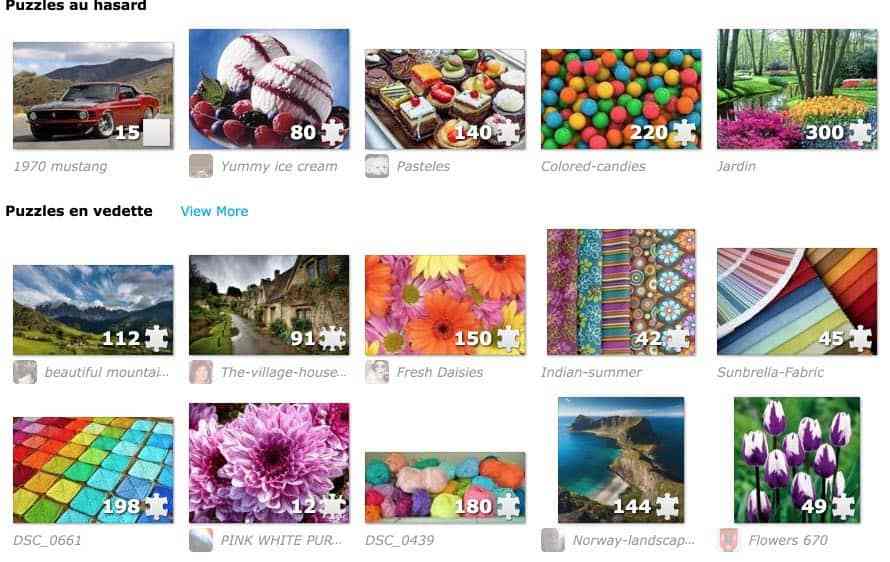
The latest custom puzzles offered by the Jigsaw Planet website
Jigsaw Planet is arguably one of the best known tools if not the best known for creating puzzles online easily. Already introduced here some time ago, Jigsaw Planet remains a safe bet.
You can choose to make one of the thousands of models presented on the site, but you can also and above all create a new photo puzzle with one of your images. A few steps are enough to build a puzzle. Upload the image to the webpage, select the number of pieces you want to get and choose the shape. Finally, press a button and … your custom puzzle is created.
In addition, Jigsaw Planet offers several options to personalise your gaming experience, such as the possibility to display the image in the background and sort the pieces of the puzzle. The site is also free, which makes it accessible to all puzzle lovers, from 7 to 77 years old.

In the creation of your puzzle, everything is configurable. You can display the image to be reconstructed at the bottom of your game table, you can sort the pieces of your puzzle or display them in piles.
Jugsaw Planet is free.
Link: Jigsaw Planet
Jigidi

An interesting alternative to Jigsaw Planet. Jigidi also offers thousands of puzzles to solve on your computer screen. You can sort them by themes, keywords and number of pieces which will match the difficulty.
By registering on the site, you will be able to save your progress in recreating an image and return to it later. You can also create a custom puzzle with one of your images. Jigidi is free. The other side is the presence of a few advertisements permanently on the screen.
Link: Jigidi
Create puzzles on mobile

You can also have funr to create puzzles directly on your mobile. Smartphone or tablet, there are many applications that can create your own puzzle on your mobile phone. Here are two, one for iOs devices and the other for Android phones, which have the particularity of offering you to create a puzzle from your own photos directly from your device’s photo library.
Links:
On Android: PhotoPuzzle
Creating and solving puzzles online is a fun and fun activity that allows you to relax while stimulating the brain and sharing pleasant moments with others. Feel free to try these three free tools to create a personalised photo puzzle.

 English
1 Response
[…] 3 tools to create a free puzzle with your photos. Last updated on 21 March 2023 How to make beautiful puzzles online? How to create puzzles with your photos? Here are three online tools to create and play with puzzles on your computer or tablet screen. Puzzling is an ideal activity to develop concentration. Ideal for developing the digital agility of your students too. Knowing how to make a puzzle is a headache that can help stimulate the brain and improve concentration, memory and the ability to solve problems. Not bad, right? Not to mention that doing puzzles can be a relaxing and fun activity, and can offer a welcome break in a stressful day. Ideal also for a pleasant time. […]