Last updated on 12 May 2026
How to remove the background of an image easily without using professional photo editing tools? How to deflect and delete the background of an online photo in two three-movement clicks?
Here are 12 online tools to remove the background of an image automatically and effortlessly. Tools that have become more precise and have nothing to envy to dedicated software that sometimes requires a long learning process.
Detailed review of the main online resources to remove the background of a photo. Here are 12 online tools to remove the background of an image. If you are looking tools to improve photos online you can also look in this other more specific list.
Table of Contents
Fotor. Deletion of background 100% automatic

The function of Removal of Fotor background uses artificial intelligence to help remove the background of a photo in seconds with a simple click. Simply upload your photo to the website for the background to be instantly deleted and you can then edit the background image as you like. You can use this feature to quickly produce identity portraits, promotional posters, photos for social media with a variety of background colours. Fotor is available online, on your PC and on your phone.
BackGround Remover. An automatic and efficient background eraser

BackGround Remover is a free tool produced by Depositphotos, a content marketplace with a library of over 210 million stock images, videos and audio files. This background eraser will automatically help you get rid of backgrounds in just a few clicks.
In addition, its use is completely free. It does not require any additional payment. Simply log in or create a personal account on the website to download the modified images.
A smart choice to edit your photos from your browser and enjoy high-quality results in seconds.
Remove.Bg. One of the best tools to remove the background of an image
You'll have a hard time finding better than RemoveBg or simpler to remove the background of one of your photos. All you have to do is upload your photo to the website. In just a handful of seconds, the tool offers you a new image where the foreground character or object appears cut out perfectly. Magical.
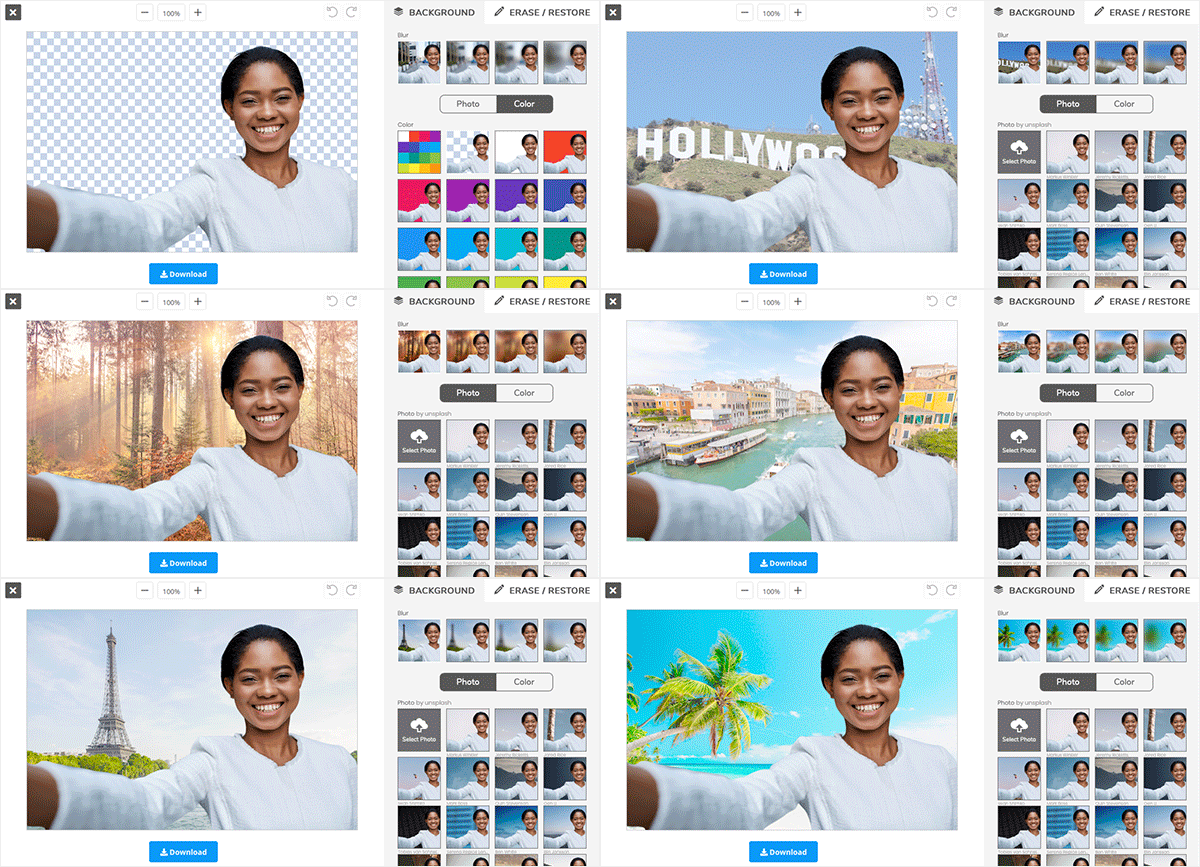
RemoveBg does even better as it allows you if you wish to recreate a new fund for rather nice results. If you use simple and not too heavy images, the tool is free. For the needs of the pros, the site offers a system of credits to buy.
ApowerSoft. A free and effective background eraser
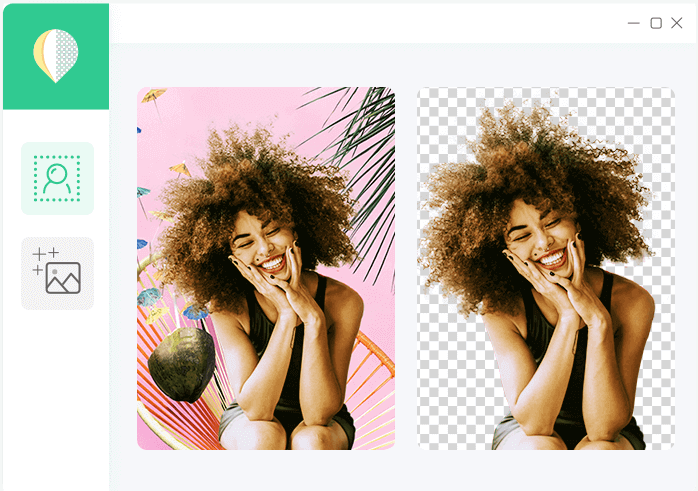
The publisher Apowersoft provides a free utility that also produces quality results. The tool uses artificial intelligence to get an accurate cut of any object in its background in seconds. This works very well if it is a character, an animal, or an object.
Slazzer. Remove the background of a photo in five seconds
More recent, Slazzer, is a pro tool within everyone's reach that will surprise you with the quality of the automatic cuts generated. In addition to the ease of use, Slazzer provides high-quality files in both .jpg and .png formats.
Still in the development phase, it should also eventually offer plugins for Photoshop and different online store systems. The first ten images are free, then count about ten cents per image processed.
ZapBg. Another alternative to erase the background of an image

Another serious alternative to delete the background of your photos. ZapBg Zapping background is a simple and effective solution to allow you to remove backgrounds from any image. Cut out your images of people, objects, or anything else. The tool relies on a good dose of artificial intelligence to evolve and improve its results. Default-free except that it does not offer a free version. To be reserved for the pros.
Trace of Sticker Mule. Remove the background of a photo with one click

Trace allows you to instantly delete the background of your photos, free of charge. Difficult to make simpler side use. Just transfer your image and the background will be automatically deleted. You can then edit the image and download it for free. By the way, you can also insert another background from another photo. You can also create a plain color background.Simple, efficient and free.
PhotoScissors. Magic scissors to remove the background of your photos
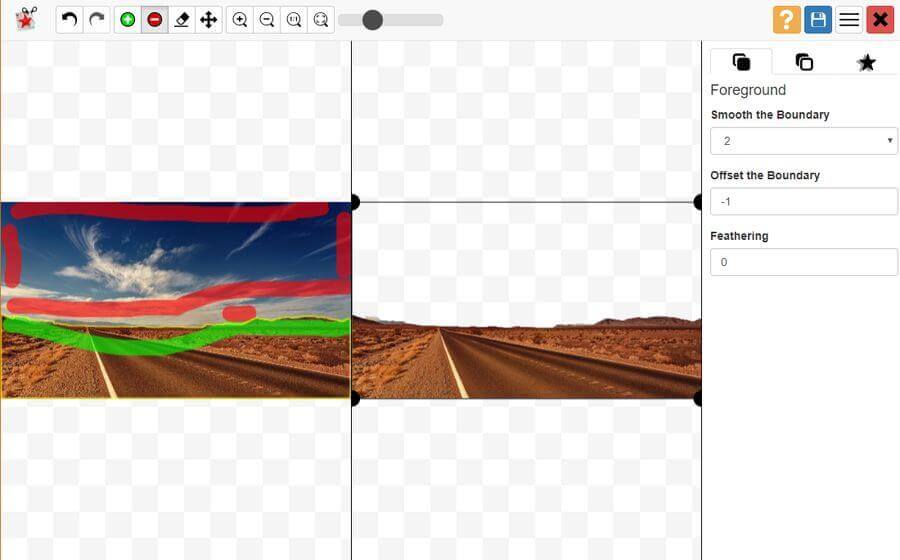
PhotoScissors offers a free online version or an application for Mac or PC to download. The latter will cost you around 20 euros and will allow you to process even the heaviest images of any size. For the online version your photos should not exceed 5Mb. The tool works automatically but you can help it and choose what to grade and what to remove. You will use a marker system for this. You will indicate in green the area or elements that you want to keep in the image, on the contrary you will make red marks in the background that you want to eliminate.
Unscreen. Remove the background of a video or gif

Unscreen is interested in moving images. Even more spectacular, you will be able to remove the background or background of a video. The tool produces a kind of green background well known by video professionals to make inlays. You can use Unscreen for free. Professionals with larger needs such as HD video will have to pay more or less two Euros per minute.
PhotoRoom. Remove the background of an image on your mobile phone

PhotoRoom is another very effective online tool for removing the background of an image in two clicks. No need for Photoshop or Pro version of Canva. Simply upload your image to the Photoroom homepage and click on the Clear Background button. You can then select a new background color and click the large Upload button at the bottom of your photo to retrieve your new image. The app also works on your smartphone with dedicated apps for iOs and Android. PhotoRoom is free.
Adobe Remove Background. Automatically delete the background of photos

The Photoshop editor could not be absent from this list of simple and free tools dedicated to the digital image. Adobe Remove Background is a free online tool that is part of the Adobe Creative Cloud Express suite. The tool works rather fast and well. Simply drag and drop a photo in the box provided for this purpose and let the tool do the job. Little regret, to download the final result, you will need to create an Adobe account (free).
So much for processing your images easily online and even your videos. If you need photos you can try these three sites that allow to find free and royalty-free photos.

 English
Very very practical!! This will help a lot to insert elements in a Genially in particular. Thank you!!
Hello,
To remove the background of an image in seconds, you also have Trace de stickerMule.
Very simple and the rendering is in my opinion exceptional.
Hello,
Excellent article,all these tools are simple.What changes GIMP,with a laborious and tedious diversion.
Hello,
I used PIXLR Remove Background “https://pixlr.com/en/remove-background/” which is very effective, allows retouching and uploading its image in its original definition for free.
Otherwise Photopea also has an efficient and free automatic clipping tool.
Any information you share with us is valuable. Thank you so much
There is also Canva, in its education version, which makes it possible to remove the background of an image, save it as a transparent png background or integrate it into an infographic or slideshow.