Last updated on 15 May 2026
This is one of the main advances made by students in the classroom., the possibility of facilitating Collaborative work between the teacher and his pupils or between the pupils themselves.
Working together and interactivity boosts everyone’s investment. The number of online tools for collaborative work in the classroom is no longer counted. I have presented many of them in these columns. Here is a new list of 10 collaborative tools for the class. They are all free and easy to implement and use.
Twiddla. This collaborative tool for the classroom is a virtual whiteboard that is very easy to implement. No need for complicated registrations. You create a space and then share it through a single url. Twiddla offers the classic editing tools for this type of virtual whiteboard: pencils, brushes, text. You can pin an image, a document or a web page. Twiddla also offers a built-in chat. Link: Twiddla
Bubbl.us. Here is a tool that allows the creation of mindmaps in collaborative mode. This is the phenomenon of the moment, several studies would tend to prove that mind maps or mindmaps are a valuable aid to learning. Bubbl.us makes it easy to create simple mindmaps that you can edit together. Link: Bubbl.us

Google Drive. It's hard on this list not to make a place for Google Drive. Google offers a complete collaborative workspace to create and share files, text documents, spreadsheets or online presentations. Drive works as a virtual hard drive entirely in the cloud. It allows simultaneous editing of shared documents.
Link: Google Drive
Google Hangouts. With Drive, it is the other essential part of the Google galaxy for collaborative work in the classroom and especially outside the classroom. Google Hangouts is a videoconferencing system that allows you to communicate remotely by sound and video. Combined with Drive, you'll be able to chat live while you work together on the same document online.
Link: Google Hangouts.

Edmodo. An e-learning platform with a reputation. Edmode is an online teaching platform that offers online courses, shares content and engages with students and even parents. The number of features on offer is growing every day. Edmodo is one of the most widely used tools in the world by the educational community. More than 30 million registered users. Edmodo like all the other collaborative tools for the class presented here is free and ad-free. Link: Edmodo
SocialFolders. This collaborative tool for the class allows you to simply share posts and publications from the main social networks. It also makes it possible to centralize documents or files present on several online services in a shared central folder. SocialFolders will allow you to juggle elements from Box, Evernote, Flickr, Facebook, etc. and the best. Link: SocialFolders
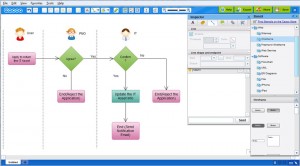
Cacoo. I have already presented Cacoo on Tools Tice. It is a collaborative tool for the class that makes it very easy to create online diagrams, diagrams and other heuristic maps. This tool of drawing online is easy to handle thanks to a range of models and pictos provided by the service. A real success.
Link: Cacoo
Titanpad. An ultra-simple online word processor to write a text to several people. Each contributor is recognizable by a different color. For all ages. TitanPad allows a group of users to work simultaneously on a single text document. Link: TitanPad
Bounceapp. It is an online tool for annotating web pages. You will be able to annotate and comment and then share any web page. Rather practical for teachers who want to pass on content found on the web to their students. Bounceapp will allow him to capture any page on the fly and then enrich it with his comments before transmitting it. Link: BounceApp

 English
I would like to add such a very practical tool for teachers to evaluate their students. Evalbox is an online assessment platform that makes it easy to create MCQs. http://www.evalbox.fr
wiggio is down 😉