Last updated on 12 May 2026
NowHow is a CTBT tool that allows to create exchanges and discussions on a particular point in a document proposed for sharing.
NowComment is an old but still up-to-date tool to generate feedback and exchanges on an online document. The tool differs from the sharing and collaborative writing functions of industry giants like Word or Google Docs by a clear and efficient interface.
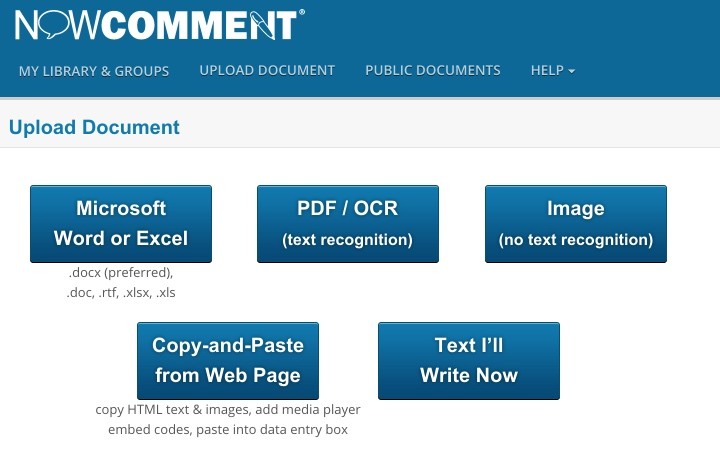
NowHow is not a tool for writing to others. It allows a class group, for example, to comment on a document submitted by the teacher or trainer. The free platform offers the possibility to share Word or Excel documents that simply need to be uploaded, PDF files or content found on the web that you insert by simply copying and pasting (text or videos).
You can make the document public and open to all or limit it to one or more users that you have taken care to create or that you can invite. You can also create groups from a built-in address book. Public or private you can also set a date that will close the opportunity to comment on a document. Practical.

The interface is simple and very convenient. The screen is divided in two. On the left the document, on the right the comments and annotations. NowHow to divide the document into paragraphs. An annotation can be inserted by double clicking on one of them. The reader can annotate the paragraph, sentence or image. Each annotation is the beginning of a conversation that other readers can join and enrich.
By clicking on a contributor’s name, you will have access to the history of all their comments. You can also display only comments or text on the screen. On the latter, small bubbles with a number will indicate the place of the document where comments or annotations have been left and their number.

Very handy a personal dashboard in Now How provides a clear list of all the documents you have proposed for sharing. It allows you to see at a glance the number of conversations and comments for each document and to be informed if a document has received new comments since the last use.
Among the many options offered by this tool, I also liked the print function. You can indeed get a paper output with in the document all the annotations and comments it will have generated.
I told you NowHow is free. The interface is in English. The tool will find many uses in the classroom or in training. In person or remotely.
Link: NowHow

 English
1 Response
[…] that the tool integrates with Document Cloud, which allows all PDF files to be created, managed, distributed and archived professionally. One step […]