Last updated on 12 May 2026
Video is now an essential medium in the use of CTBTs in the classroom. A medium that is not easy to manipulate, script, edit, share without adequate resources and training. However, things are changing with online tools that make it easier to integrate video into your educational projects.

Here are thirteen tools and services presented in recent months on the site This will allow you to use the video in class without too much difficulty.
Table of Contents
Create interactive videos.
EdPuzzle
 An excellent tool for inserting questions or tests into your videos to measure students’ level of understanding. You can upload your own videos and edit them. The platform also offers the possibility to access very complete stats on the results of each student.
Link: EdPuzzle
Playposit
 Same principle for Playposit. You will be able to insert any type of element in your videos (links, images, comments, … questionnaires) You will be able to enrich your video with interactive content and give it a good added value. Detailed results will allow you to identify misunderstood or misunderstood points.
Link: Playposit
Vialogues
 Vialogues allows you to upload your own videos or insert one from YouTube. You will then be able to drag questions and comments to specific points in the video and start the dialogue with your learners. Public or private, the video can be shared by email or integrated into a site or a classroom blog.
Link: Vialogues
Vizia
 Vizia is a convenient online service that allows you to insert quizzes, questions and other surveys into a video. This can be retrieved with a click from YouTube. The main strength is its ease of use. It is child’s play to punctuate the video with quizzes, questions or surveys of any kind. A great simple and convenient tool in which you can keep all your videos once created. Link: Vizia
Annotate a video
Videonotes
 VideoNotes is a simple and effective tool for taking notes on a video. It is convenient enough to take notes on the fly while watching a video. The screen is divided in two. On the right you watch the video, on the left you see your notebook. The strong point of this utility? It will remember where in the video you take a note or write a comment.
Link: VideoNotes
MoocNote
 MoocNote also makes it possible to take notes on a video and then easily find them thanks to insertion points created automatically by the tool or via an integrated search engine. MoocNote allows you to share a video or a collection of videos with a person or with an entire group. You can also insert questions in a video and invite the people with whom you shared them to answer them.
Link: MoocNote
Vibby
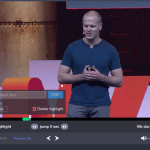 Vibby is an online tool that allows you to select passages in a video to be able to share them and possibly comment on them online. This is a kind of highlighter for the video. In other words, it will allow you to highlight one or more excerpts from a video on YouTube. You can then share the video with one or more people via a single URL. People who click on the link will be able to view and view either only the clips you have selected or the entire video. Link: Vibby
Videoant
 VideoAnt is a great tool for adding annotations or comments to a video and then sharing it. It is a great tool for the reverse classroom and for group work in the classroom or at home with your students. VideoAnt is very simple to use. The tool has been designed for the world of education and this is evident.
Link: VideoAnt
TurboNote
 Another great tool to work with videos. It allows you to take notes while watching a video and then share or store them in memory. TurboNote goes further than VideoAnt with a range of particularly interesting options for classroom use.
Link: TurboNote
Recover videos from YouTube
Conv
 Conv helps to meet a recurring need that you may have faced one day. How to recover a video present on YouTube. How to save it to your hard drive so that you can watch it without an internet connection or the U.S. website interface. The simplest answer is Conv.
Link: Conv
StreamPocket
 Streampocket is a quick and easy way to download videos online. It is a simple and effective tool to download videos quickly in just a few clicks. It is characterized by a sober and clear interface without any advertising and very easy to use. With Streampocket you can download free content from YouTube, Dailymotion, Vimeo, Soundcloud and most streaming sites. Link: Streampocket
ViewPure
 Watch the videos and just the videos. Not advertising. ViewPure knows how to do
sorting and offers you a clean interface to share or show a pollution-free video of any kind. And on YouTube this is not what is missing. There is sometimes pervasive advertising, there are comments found under the videos, there are also recommended videos on the right column that at best encourage surfing and harm concentration and at worst offer adult videos. Link: ViewPure
Unclassifiable
MusicXMatch Lyrics
 The last tool on this list comes in the form of a great extension for the Chrome browser. Once installed, your computer will turn into a great Karaoke box. The extension will display song lyrics on music video clips on YouTube. Great for learning English by humming the lyrics of the hits of the moment. Your students will love it. Link: MusicXMatch
Unusual WordBook for its part allows to build an interactive English wordbook from the subtitles of YouTube videos.
 English
Thank you bq Fidel.
SLIMANI .Prof SVT MOROCCO- Fes
it lacks an essential element that I often use; peggo.tv
the ted ed website is not mentioned, but it also seems to me to be unavoidable
https://ed.ted.com/
students register and can answer questions online, so the teacher can see who has completed all the work and the answers.
Very useful all this! Gracias Fidel
I find my message a little dry! I should have started with thank you! A great job , then propose the site ted ed 😉
Thank you again!
Quite simply thank you! Thank you! Great job!
Great tools!
Thank you for sharing, it is thanks to people like you, with a collaborative mindset, that our society is made more meaningful. How much time did you spend testing these different tools and then writing this article?