Last updated on 12 May 2026
Video is now an essential medium in the use of CTBTs in the classroom. A medium that is not easy to manipulate, script, edit, share without adequate resources and training. However, things are changing with online tools that make it easier to integrate video into your educational projects.

Here are thirteen tools and services presented in recent months on the site This will allow you to use the video in class without too much difficulty.
Table of Contents
Create interactive videos.
EdPuzzle
 An excellent tool for inserting questions or tests into your videos to measure students’ level of understanding. You can upload your own videos and edit them. The platform also offers the possibility to access very complete stats on the results of each student.
Link: EdPuzzle
Playposit

Link: Playposit
Vialogues
 Vialogues allows you to upload your own videos or insert one from YouTube. You will then be able to drag questions and comments to specific points in the video and start the dialogue with your learners. Public or private, the video can be shared by email or integrated into a site or a classroom blog.
Link: Vialogues
Vizia

Annotate a video
Videonotes
 VideoNotes is a simple and effective tool for taking notes on a video. It is convenient enough to take notes on the fly while watching a video. The screen is divided in two. On the right you watch the video, on the left you see your notebook. The strong point of this utility? It will remember where in the video you take a note or write a comment.
Link: VideoNotes
MoocNote
 MoocNote also makes it possible to take notes on a video and then easily find them thanks to insertion points created automatically by the tool or via an integrated search engine. MoocNote allows you to share a video or a collection of videos with a person or with an entire group. You can also insert questions in a video and invite the people with whom you shared them to answer them.
Link: MoocNote
Vibby
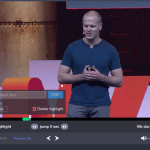 Vibby is an online tool that allows you to select passages in a video to be able to share them and possibly comment on them online. This is a kind of highlighter for the video. In other words, it will allow you to highlight one or more excerpts from a video on YouTube. You can then share the video with one or more people via a single URL. People who click on the link will be able to view and view either only the clips you have selected or the entire video. Link: Vibby
Videoant

Link: VideoAnt
TurboNote

Link: TurboNote
Recover videos from YouTube
Conv

Link: Conv
StreamPocket

ViewPure

sorting and offers you a clean interface to share or show a pollution-free video of any kind. And on YouTube this is not what is missing. There is sometimes pervasive advertising, there are comments found under the videos, there are also recommended videos on the right column that at best encourage surfing and harm concentration and at worst offer adult videos. Link: ViewPure
Unclassifiable
MusicXMatch Lyrics

Unusual WordBook for its part allows to build an interactive English wordbook from the subtitles of YouTube videos.

 English
Thank you bq Fidel.
SLIMANI .Prof SVT MOROCCO- Fes
it lacks an essential element that I often use; peggo.tv
the ted ed website is not mentioned, but it also seems to me to be unavoidable
https://ed.ted.com/
students register and can answer questions online, so the teacher can see who has completed all the work and the answers.
Very useful all this! Gracias Fidel
I find my message a little dry! I should have started with thank you! A great job , then propose the site ted ed 😉
Thank you again!
Quite simply thank you! Thank you! Great job!
Great tools!
Thank you for sharing, it is thanks to people like you, with a collaborative mindset, that our society is made more meaningful. How much time did you spend testing these different tools and then writing this article?