Last updated on 12 May 2026
An iPad is a great mobile tool for the classroom. Be it on the learner’s side or on the teacher’s side. If you are lucky enough to have an equipped classroom, students who use this tablet or if you have one yourself, here is three free iPad apps that allow you to take notes in class efficiently.
Fetchnotes. This service allows you to write and organise your notes efficiently. The organisation system of Fetchnotes is based on the use of hashtags. When you write notes, simply add hashtags that will then allow you to find them at lightning speed via the internal search engine. Fetchnotes is also very convenient for its sharing options. You can create groups with other users to share or pool your notes. Last but not least, Fetchnotes offers a version for iPhone and Pad, another for Android tablets, but also the possibility to use it via a simple web browser. This will allow you to write and retrieve all your course notes regardless of the device used at school, at home or on the go. Fetchnotes is free.

Link: Fetchnotes.
InClass. Here is another app for taking well-thought-out school grades. Beyond simply taking notes, this service will enable its users to organise themselves better. It integrates for this purpose a calendar and a task manager. InClass allows you to organise your grades by subject. It also allows you to insert audio notes, video notes and images. You will keep your notes by semester in chronological order as in a real notebook or workbook. InClass also includes a task manager and an agenda to never forget a lesson to review or a duty to render. The app uses the notification service on your iPad to remind you of your homework.
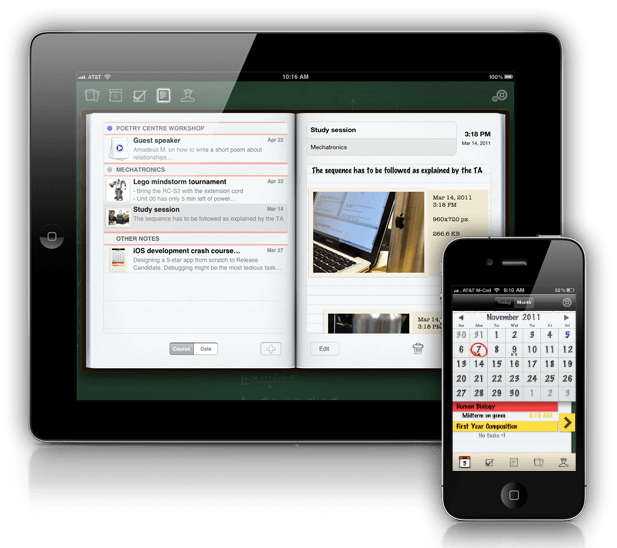
Link: InClass.
Evernote. This service remains my favorite despite its valiant challengers. Evernote is your online memory. The one you'll never miss. On the web, on your iPhone, iPad, Android, Evernote constantly synchronizes all your notes and memos. It offers a system of tags and notebooks particularly effective to classify everything. Evernote also supports audio notes and images. One of the amazing features of this online service, which I could no longer do without personally, is optical character recognition. You take a photo with your smartphone or tablet of a sheet or table and Evernote will translate the content into notes so you can easily find it. Evernote has an unbeatable full-fledged search engine.

Link: Evernote.
This article opens a new section in toolstice.com dedicated to iPad apps for education. Feel free to let us know which apps you use on your side in the comments.
You may also be interested in and other article that presents 3 free OCR tools to extract text from an image.

 English
I make intensive use of Evernote and its pilot fish Postach.io to publish a notebook as a blog
For the input of articles, working notes or ideas , I also test on iPad:
– the iThougts app that exports mind maps to Word or PPT
– the superb NotePlus electronic notebook with a stylus and the OCR
– the Byword app, which is a very effective Markdown publisher
My goal is to delete the … paper notebook
I knew Evernote, but thank you for introducing me to InClass and Fetchnotes. I attend a few conferences with my job, I will surely test them, especially since I already work constantly with my iPad (must travel). On the other hand, for everything business and work meetings I use Bessy, an application that not only makes it possible to take notes in a structured way but also to use them to update my to-do automatically (and that synchronizes with Evernote, practical!). It saves me a lot of time, I advised colleagues and they came back to me the same way.