Last updated on 12 May 2026
Crello is a Online graphic design platform that will allow you to create very easily any type of visuals for your courses, for the class or for yourself.

It cannot be simpler! says Crello on the home page of the website. It must be acknowledged that this is quite true. In this real graphic studio accessible to all, creating a poster, a logo, a graphic is child’s play.
Crello irreparably reminds us of Canva, which dominates services of this type. If you have ever used Canva, you should not be lost. Once registered on the service you will be able to choose the size of the ad, poster, cover or illustration you want to create. Crello provides you with standard sizes for most common needs, but you can start from a blank sheet.
In the same way, you can start from the hundreds of examples offered on the platform that you will then adapt to your needs or again start from scratch.
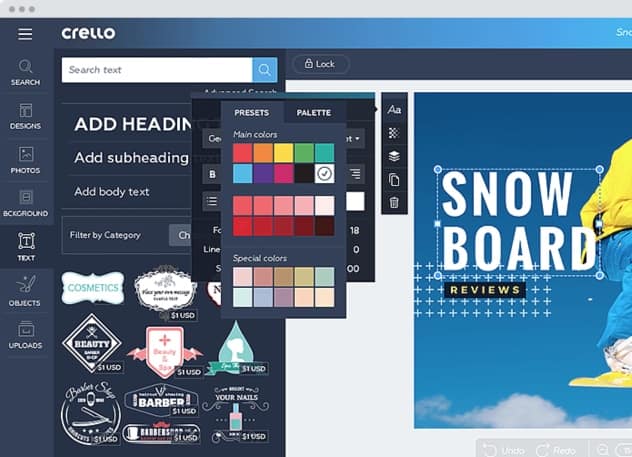
The design of your creations is really playful. Everything is done by dragging and dropping from a toolbar to the left of the central screen. You will be able to choose from hundreds of different fonts, millions of photos, logos, icons in Crello’s graphic element bank. Many are free of charge, others will cost you a few cents to use them, such as photos that are not all royalty-free.
In any case you can also use your own images by uploading them to your library.
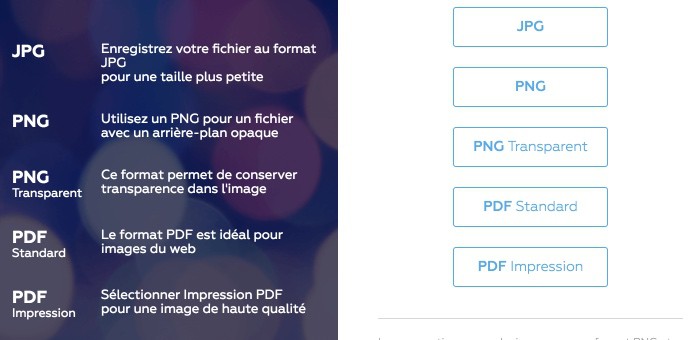
Once you are satisfied with the result, all you have to do is download your creation. Crello provides many formats. You will be able to download your visual in .jpg format. PNG, transparent PNG, .pdf and PDF in high definition. The result is of excellent quality in all cases.
Practical, Crello will keep in your personal dashboard all your creations. This will allow you to use them multiple times from a single backup. You will also be able to file all your works in folders to help you find them.
A simple, playful and free … online graphic studio. (Be careful not to use paid graphics).
To keep in your favorites.
Link: Crello

 English