Last updated on 12 May 2026
Videos are increasingly used in the classroom. But, although rich in information and pedagogically effective, they can quickly be time-consuming to exploit. Video is a format that is not easy to manipulate.
Watching the entirety of a long YouTube video, taking notes, trying to transcribe its content, everything is quickly complicated and takes an infinite amount of time. Preait.
Because here is an excellent tool that completely changes the situation: Video Highlight. A great online tool that will transform the way you use videos in class.
Thanks to theartificial intelligence, Video Highlight can summarize a video and transcribe its content. How to make the use of video easier and more efficient by removing the main brakes with a click of a button.
And that’s not all. I invite you to discover a tool that you will love.
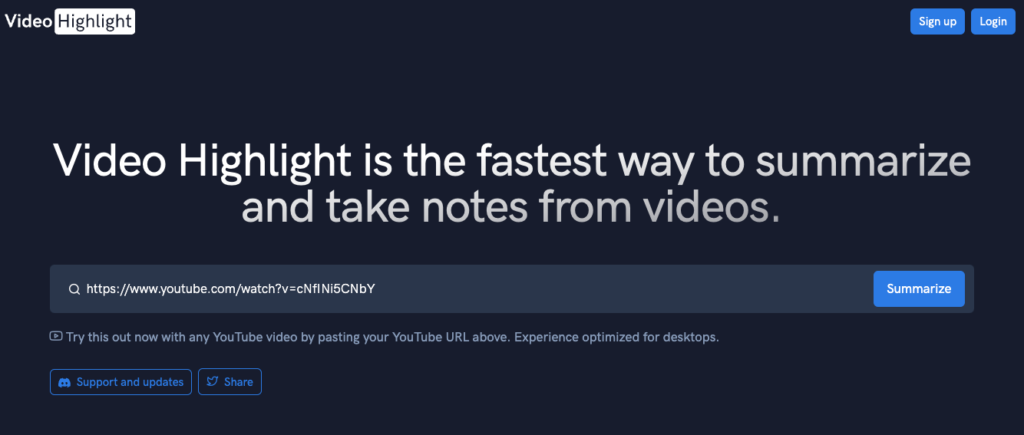
Table of Contents
How to summarize a video with Video Highlight?
One of the main advantages of Video Highlight is that it allowssave time at every step. A lot of time.
This is often a major obstacle to the use of video in the classroom: beyond the necessary technical knowledge and equipment, it is time-consuming.
This video management tool uses a artificial intelligence quite effective. The use is simple. If you would like a summary of a video on YouTube, please provide the video’s URL address. You do not even need to register to benefit from this video summary feature. One click is enough and at the speed of lightning, Video Highlight will offer you a summary of the content of the video and its transcript.
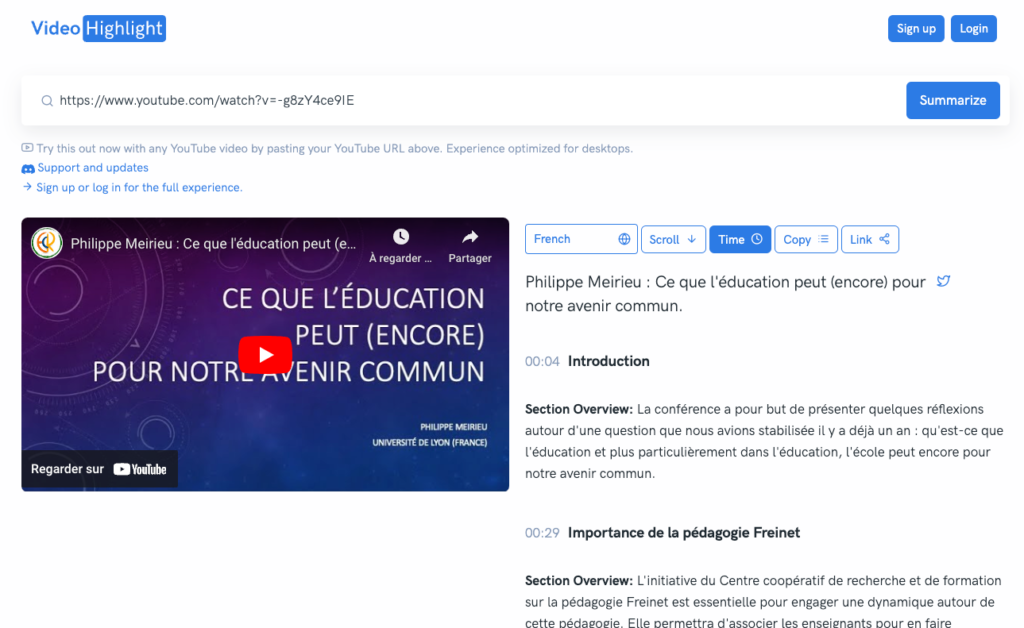
I tested it on a YouTube video from a Philippe Merieu conference in Liège two years ago. Duration of the conference 1h30. Video Highlight summarized it in just three minutes. The tool extracts the various points addressed in the video skilfully summarising the speaker’s words. It's bluffing.
Get a video summary with Video Highlight
By the way, the platform creates a kind of timed timeline, a complete script step by step, to locate in the video the main points. A click on the time allows you to go directly to the passage in the video.
I do not know of a faster way to get a summary of a video. By clearing the key points of each video, Video Highlight eliminates the need to watch the movie multiple times to identify relevant information.
Summarize, transcribe, take notes, minuter, everything you need to work with videos
You do not need to register to make a summary of a YouTube video. But by signing up for free, you will benefit from a variety of additional features that will help you save time and optimise the use of videos for your educational needs.
Summarize a video
As we have seen, this is the most spectacular function of the tool. Video Highlight will extract key points from a video, thanks to the latest artificial intelligence technology in just a few minutes. Whatever the duration of your video, the platform knows how to interpret its content and provide you with an effective synthesis. Note that if the video is in a language other than French, the summary of the video will be in the language of the audiovisual document.
Translating the content of a video into text
The other very useful function: it is the possibility to obtain a Transcription of a video. Again Video Highlight does wonders. After the video summary, it will give you the full text of the content. A transcript of the video in very faithful text that you can then retrieve and use as you see fit.
Search for content in a video
Finding something in a video without watching it twenty times is often impossible. With Video Highlight, you will no longer have to tear your hair off. An integrated search engine makes it possible to find any passage in the transcript of the video.
Take notes and export them
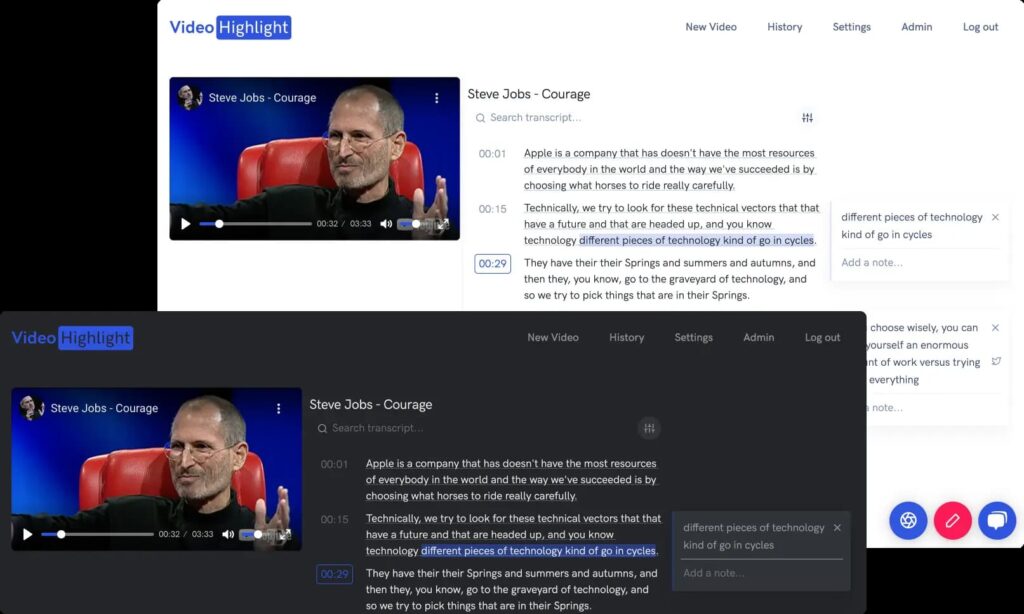
Finally, and above all, the tool makes it possible to take notes very easily on any YouTube video. You will have the possibility to highlight and highlight passages of a video as you do with articles or books or insert a comment.
You will also be able to recall important moments by inserting screenshots in your notes. Then all you have to do is export them and possibly share them via email or social media.
Video Highlight stands out for its simplicity and efficiency
While other tools can also be used to summarise videos, Video Highlight stands out for its extreme ease of use. While some platforms require heavy downloads or paid registration, Video Highlight works entirely online without any installation. Its interface is clean and intuitive. It allows the user to benefit from all its functionalities in just a few clicks.
Moreover, Video Highlight relies on the power ofartificial intelligence the most recent to generate summaries and transcripts of astonishing accuracy. Its algorithms are able to extract key points even from the most dense and complex videos, saving valuable time. Unlike other more basic solutions that simply rely on ChatGPT, Video Highlight offers a true semantic understanding of content.
Finally, the tool stands out for its completely free approach, without any limitations of use.
Many possible uses in the classroom
To make a video summary of a conference, have the full transcript of an interview, take notes on a video, you will find many possibilities to use Video Highlight in class.
Imagine you have to prepare a lesson on climate change. You found a video of a lecture given by a renowned scientist on the subject.
Instead of spending hours watching the video and taking notes manually, you can use Video Highlight to extract key points from the video. These key points will help you prepare a lesson and save time on how to present it to your students.
If you choose to show your students excerpts from a long video in progress, Video Highlight will allow you to easily navigate through the videos to illustrate your words, thanks to the timed timeline.
An extremely useful tool that will help you more effectively integrate videos into the design and content of your courses.
Video Highlight It's a very nice surprise for me. Thanks to artificial intelligence, it saves time by extracting key points from a video in just a few minutes. In addition, it offers the possibility to transcribe the content of the video, search for specific passages and even take notes for an educational exploitation.
Video Highlight is used online in a simple browser. It currently only works with videos on YouTube. The tool is free of charge. What more can I ask for?

 English
Very useful and fast application in execution. As a trainer, this will help me a lot in synthesizing my multimedia research. Thank you for sharing.