Last updated on 12 May 2026
NotebookLM is gradually emerging as one of the most interesting artificial intelligence platforms for educational use. And the latest features announced by Google confirm this evolution, gradually transforming the tool into a real learning environment.
Google’s AI assistant, whom I introduced to you almost a year ago as a Personalized Research Assistant, then as a powerful revision tool, keep surprising me. Since then, the tool has continued to evolve – and its latest updates mark a real qualitative leap.
Its strength, in my opinion, remains the same: working exclusively from your own documents, which makes it a particularly reliable companion in a pedagogical context. But Google now adds features that turn NotebookLM from an understanding tool into a real educational creation environment: flashcards, quizzes, editable presentations, integrated web search, enriched podcasts, customizable infographics.
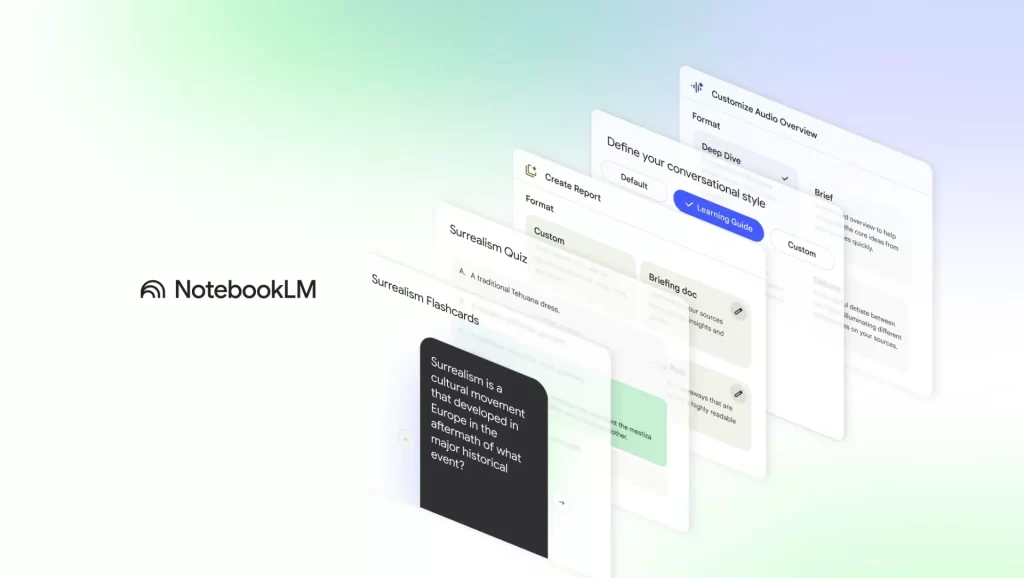
Table of Contents
Automatically generated flashcards and quizzes from your documents
No more wasted time manually creating revision media. NotebookLM will analyse your documents – lecture notes, research articles, reports – and instantly generate relevant flashcards, fully backed by your sources. Each card is based on a key concept and you can request an in-depth explanation via the ‘explain’ option, with quotes referring to the source document.
Quizzes follow the same logic. You can set the subject and difficulty level. AI Then create a quiz or a questionnaire aligned with your sources.
But the real pedagogical thing is the ‘Explain’ button. If a student is wrong about a quiz question, they can click for a detailed explanation that relies directly on quotes from your source documents.
These resources are now available on iOS and Android apps, allowing them to be used in mobility.
We can share these resources in one click via a simple link. Ideal for distribute exercises to your students or pool media between colleagues.
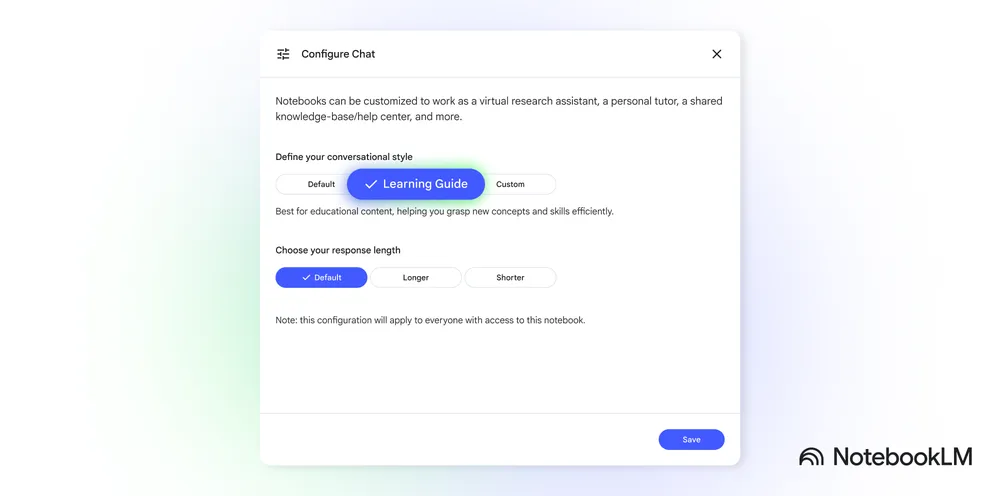
The Learning Guide: an AI tutor who makes people think rather than recite
The most innovative feature remains the Learning Guide mode. Unlike AI that simply delivers answers, NotebookLM adopts a questioning posture here. It asks open-ended questions, breaks down complex problems and guides reflection step by step, adapting to your needs to deepen understanding of a topic.
Concretely, when faced with a difficult concept, the assistant is not satisfied with a generic definition. He asked to explain his understanding, to propose examples and to make links with other concepts already seen. This questioning approach supports your students’ self-reflection.
Reporting formats adapted to each discipline
NotebookLM already offered summaries of documents. What's new? Redesigned reports that include new formats, including a “Blog Post” format, and dynamic suggestions based on the theme, topic or domain identified in your sources. For example, from a academic article In economics, NotebookLM can suggest a glossary of key terms or a magazine-like explanatory article; from a short story, it can offer a character analysis or a detailed critique of the plot.
Better yet, you can create your own custom formats to generate content tailored to your specific needs.
Modifiable and exportable educational presentations
NotebookLM could already generate a presentation in seconds. The problem was that any retouching often involved regenerating everything. This has been resolved.
You can revise each slide individually by simply describing the desired correction in natural language "tightens the message", "reorganizes in three points", "simplifies for a high school audience". For a teacher who adapts support to multiple classroom levels or integrates feedback from a colleague in real time, it is a concrete and immediate gain.
The other novelty is equally practical: export in .PPTX. Simply retrieve the structure generated in NotebookLM, open it in PowerPoint or equivalent, and apply the graphic charter, speaker notes and establishment templates to it, without reconstructing everything. An export to Google Slides is also announced, which will further facilitate workflows in institutions under Google Workspace for Education.
This development reinforces NotebookLM’s interest as a tool for creating AI-assisted educational presentations, directly from course resources or learning materials.
Infographics with custom styles
NotebookLM has also just announced a novelty that will delight all fans of visual media: Custom styles for infographics. Ten predefined styles are available.

But that is not all. Thanks to a customization panel, you can also create your own styles via a simple prompt : Describe the desired rendering, specify a color palette, a graphic tone or a particular reading axis, and NotebookLM generates a tailor-made infographic.
The idea is simple: turn your complex source documents into clear and attractive visuals in one click. An additional advantage to quickly produce visually neat educational materials. Impressive.
Podcasts enriched to learn about mobility
The podcast function, which I had already found bluffing, is still improving. Alongside classic audio summaries, you can now generate more dynamic formats, such as debates between two AI voices, reviews documents or summary presentations. A great way to stimulate reflection, even in mobility.

Deep Research: an integrated web exploration to deepen your research
NotebookLM integrates Deep Research, the Gemini feature that creates search reports from web information. This novelty transforms the tool into a real complex research assistant. You can now ask Deep Research a question, which will analyze hundreds of websites for build a resourceful and reliable research report.
What distinguishes Deep Research in NotebookLM from its equivalent in Gemini is the continuity of the learning process. Once the report is generated, you can add the full report and each web source used directly to your NotebookLM notebook. This data will feed into other features of the tool, such as the AI chatbot, audio and video summaries, or flashcards. If a report doesn't meet your expectations, you can refine your search to guide it in the right direction.
NotebookLM offers two web search modes: Deep Research, ideal for a full and nuanced briefing, and Fast Research (new name for the Discover sources feature), ideal for a quick search.

Better integration of sources and file formats
NotebookLM significantly expands the types of sources it can exploit. The tool now natively manages Google Drive, Google Sheets, and Microsoft Word (.docx) files, simplifying the workflow. No need to download and reload separately: just copy and paste the URL of your Google Drive file, just like for websites or YouTube videos.
In the near future, NotebookLM should also support images and photos as sources, which will open up new educational possibilities, in particular for the analysis of handwritten documents, infographics or visual resources.
🚀 In concrete terms, what does it change for us teachers?
These new features transform NotebookLM from an ‘interesting’ tool to a truly comprehensive educational ally. Here are some avenues for integration:
Easier pedagogical differentiation
With just a few clicks, you can generate exercises different levels or study guides adapted to the needs of each student. Deep Research also allows you to propose pre-compiled research files on a subject, adjusting the depth of content according to the levels. The generated presentations can now be edited slide by slide, making it easier to adapt the same medium for multiple classes or audiences.
Enhanced student autonomy
The Learning Guide mode is a great tool to support students in their research or the preparation of a presentation, by teaching them to ask the right questions and structure their thinking from reliable sources.
Accelerated course preparation
From a documentary corpus, NotebookLM can generate a complete presentation, which the teacher can refine directly in the tool before exporting it to PowerPoint format. The creation of a course slideshow thus shifts from layout work to simple pedagogical adjustment work.
Real time savings
Automating the creation of flashcards, summaries, quizzes and now presentation materials frees up valuable time, especially when preparing new sequences or refreshing existing courses.
Interactive and mobile reviews
Have your students listen to a course-based audio debate, review via flashcards or explore an interactive learning guide accessible from any device.
Reliable documentary research
Deep Research produces sourced reports from the analysis of many online content, reducing the risk of disinformation while enabling students to better understand the stages of structured academic research.
All this, keeping NotebookLM’s DNA: a closed system that works only on your sources, ensuring relevance and confidentiality, and supporting more than 80 languages.
An AI educational tool to follow closely
NotebookLM is gradually confirming its place among the most interesting AI tools to learn … but also to teach.
In a few steps, it becomes possible to transform a documentary corpus into review sheets, quizzes, syntheses, customizable visual infographics or editable and exportable pedagogical presentations. The tool no longer merely helps to understand content: it also accompanies its formatting and transmission.
Less time spent organising information, more energy available for explanation, exchange and learning itself.
And this is perhaps its real strength: to make it possible to move faster from the … resource to shared knowledge.

My tip: test NotebookLM now with a course chapter or a documentary corpus. Create flashcards and quizzes. Experience the Learning Guide. Launch Deep Research to explore a complex topic. You will quickly measure the potential of this Assistant for Pedagogy. A beautiful illustration of the the AI Revolution who comes …

 English