Last updated on 12 May 2026
VideoAnt is a great free tool for add annotations or comments to a video and then share it with the University of Minnesota.
It is an excellent tool for the inverted class and for group work in class or at home with your students. He is one of the tools to annotate a video before proposing it with your students. While watching your video, your students will see marks showing your annotations.
How to annotate a video with VideoAnt
VideoAnt is very simple to use. The tool has been designed for the world of education and this is evident. After a quick registration, which will then allow you to keep all your videos in one place, you will be able to create your first video.
Small disadvantage however, to register you will need to use a Gmail address, a Facebook account or Twitter credentials.
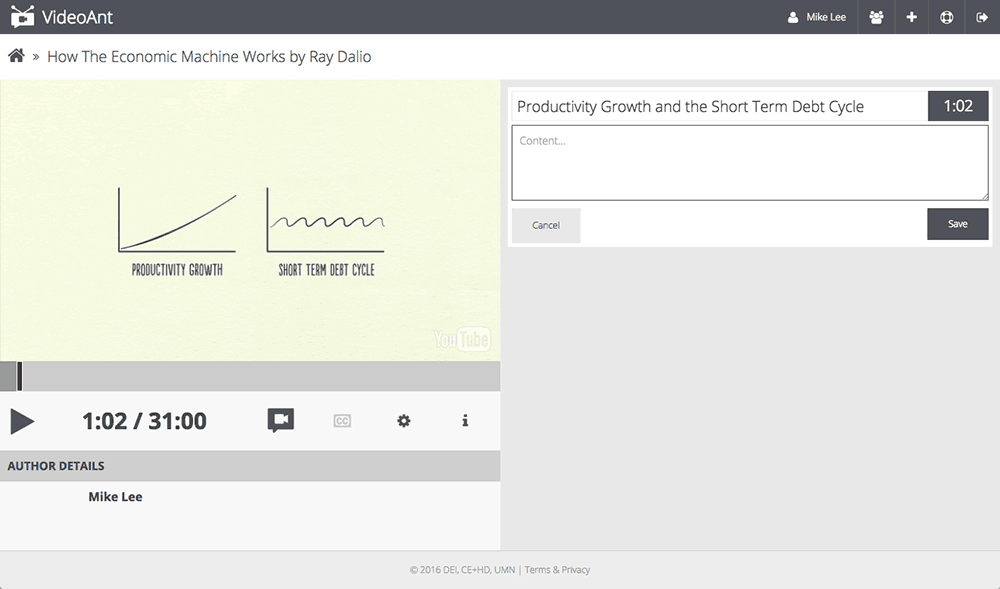
VideoAnt only works with YouTube. You indicate the URL of the video you want to annotate and VideoAnt will display it to you in its own player. From there you will be able to play the video and stop it with a click at the place or places where you want to insert a comment or annotation.
The annotations are displayed to the right of the screen and include a title and a field to write your comment. You can add as many annotations as you want. They will be materialized by a small stroke in the timeline underneath the video. The annotations are also displayed as a list to the right of the video.

When you're done, a click under the small notched wheel that's underneath the video will allow you to share your video and related comments or annotations. VideoAnt did it right. You can allow learners to only read your annotations or open them up for discussion by giving them the opportunity to comment in turn, or even insert annotations in other places. A good idea for working in groups.
Share your video with your annotations and comments
You can share your video via a single URL or by inviting one or more participants by email. You can also create class groups in advance to share even more simply with an entire group.

VideoAnt also provides an embedded code to allow you toinsert a video and annotations into a blog or site. Practical. Another interesting little function, you can export all the annotations and comments related to a video in text format.
In the end a great tool to annotate videos. Probably one of the best. The icing on the cake, VideoAnt is free and ad-free. I'm even going remove advertising from YouTube videos when you're going to import them into his drive. A small plus not inconsiderable.
Discover here other tools to take notes on a video
Also read: A free tool to separate music and lyrics in a song.

 English
3 Responses
[…] a kind of virtual projection room to watch and comment on a video with several. VideoAnt has also been featured on the website here. After a quick recording, you will be able to import a video from YouTube, give a […]
[…] offer a Youtube video in a concentration-specific environment. This tool allows you to share a video and just the video. Just copy the url of the video you want […]
[…] to take over a software or platform? With Guidde, you'll create guides, video tutorials and more step by step effortlessly and in record time . The platform incorporates a good dose […]