Last updated on 12 May 2026
The web is full of online tools that make it possible to create timelines or chronological friezes of any kind. I have presented several of them right here on ToolsTice. I propose below three services that have the particularity of being able to be used without prior registration. Three free tools to make chronological friezes without complicating life.
Table of Contents
FriseChronos
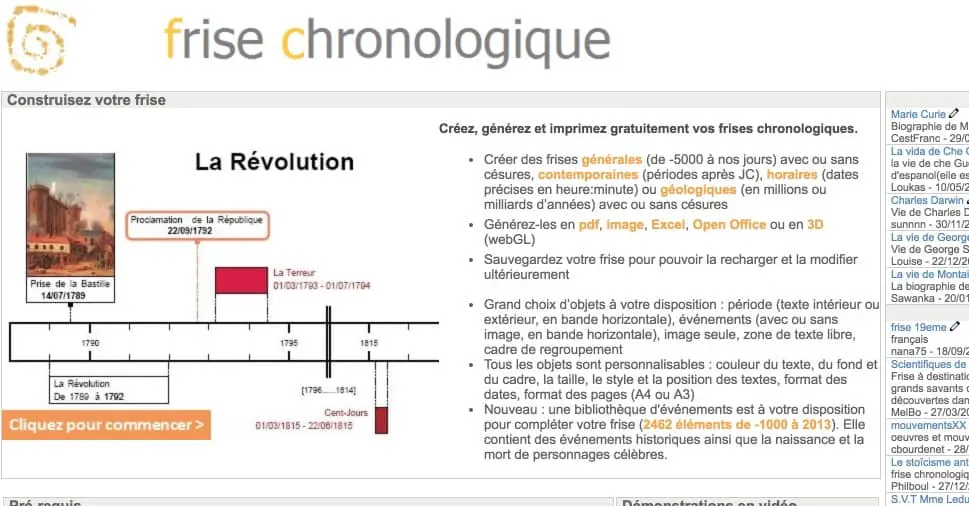
It is arguably one of the most well-known and widely used resources. Deserved success, FriseChronos offers everything you need to make quality timelines. You have a large choice of objects at your disposal, the possibility to add images and customize everything: size, color, … formats Once satisfied with the result you will be able to export your creation in different useful formats (pdf, image, Excel file, Open Office, etc.). No need to register. However, it will be necessary to do so if you want to save your creations to be able to reuse or modify them.
Link: FriseChronos
Timeline

Another tool at your disposal to be able to create a timeline without the need to register, Timeline also offers excellent results. The interface here is in English, but nothing prohibitive. Handling is very easy. All you need is a name and a title to start your frieze. You can create friezes by date, hour or focus on events. The result is simple, but pretty enough. You can save it on your computer, send it by email or print it directly from the website.
Link: Timeline
Free-Timeline

Free-Timeline is a third option to start creating a frieze without going through the registration box for a service. Like the first two, this platform is completely free and ad-free. The interface is in English and a little old-fashioned, but the main thing is there. You will be able to create chronological friezes and then share them with relative simplicity (even if this third tool is probably the least easy of this small list ). Not inconsiderable, it can be used from your computer, but also on your tablet or mobile.
Link: Free-Timeline

 English
Great selection for the creation of chronological frieze online! Personally, I opted for creating timeline friezes via PowerPoint with the OfficeTimeline 😉 plugin