Last updated on 12 May 2026
Rasterbator is an already old site that allows to make Wall Art. From wall art to everyone's reach with an online tool that allows you to print a single image on multiple sheets of paper. Do not rely on appearances, behind a real simplicity hides a tool that allows you to give free rein to your creativity to create large posters.
To create a poster for your class, you can use recent and great creative tools like Canva or PixTeller. But some purists will only swear by Rasterbator. Rasterbator is one of those timeless sites that continues to have real fans, followers of a service that offers something to create beautiful posters for free or almost free.
The Rasterbator allows any image to be enlarged into a poster that can be up to 20 metres in size. A source image that the tool will cut into small printable squares on any desktop printer. The quality of the final poster will of course depend on your paper, your … printer and your ability to recompose the puzzle and paste the pieces of images together.
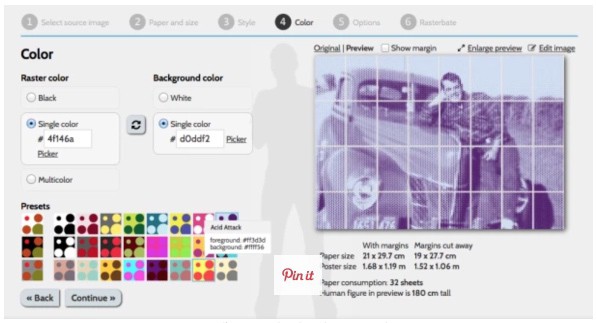
Using this small utility that will allow you to create large posters is very simple.
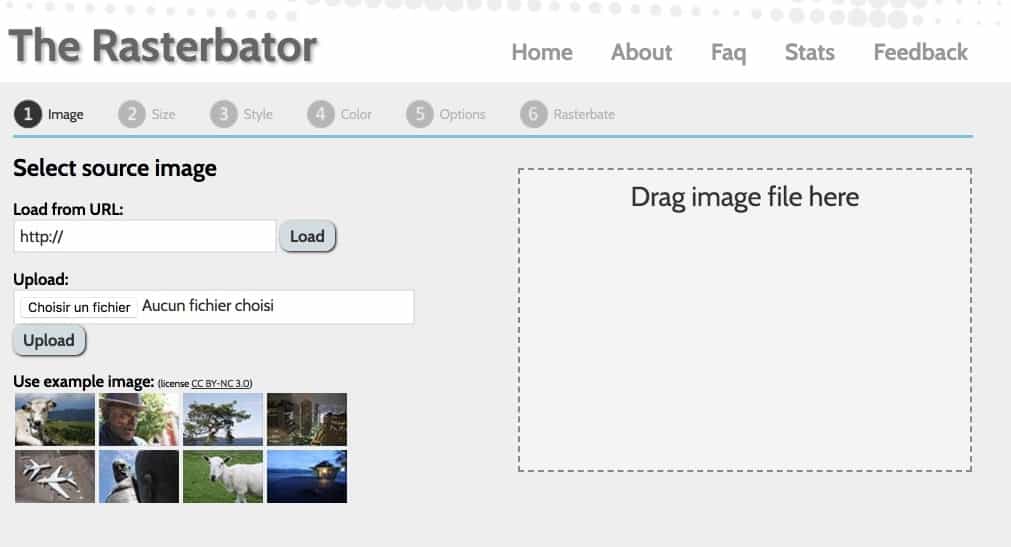
- First you need to choose the digital image that you want to turn into a poster. You can upload it from your computer or by providing a URL if it is online.
- Then you have to choose the number of sheets of paper which you want to use in width or height. A preview of the image cut into A4 sheets will allow you to see the final size of your poster.
- Decide on the white margin around your final image. This is called lost funds or lost whites. Our small office printers do not know how to print from board to board.
- You can then use one of the filters offered by the application. You can play on the pixelation or turn it into points of different sizes. You can still work the tone of the general color. Once again, the preview of the cut and processed image will allow you to see the result before printing.
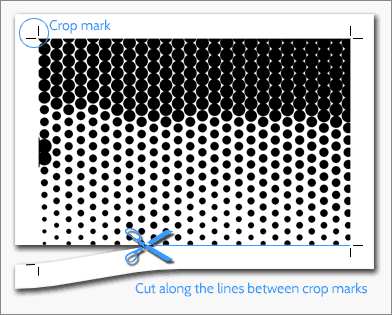
- Once your image is ready, all you have to do is print. Rasterbator produces a quality PDF that you can print or donate to print. When you get your outputs back, you can start assembling. The tool has everything in place to help you. Each sheet is numbered and has cutting lines to help you assemble the puzzle.
A nice utility for unique and spectacular creations. Rasterbator is free, but don’t forget that your printer ink is not … Have fun and don’t forget to send me your creations in your classrooms.
Link: Rasterbator
 English