Quizlet is a very complete tool to create flashcards or to create memory cards online easily. It is one of the best tools in its class for making memory games.
One dose of gamification, another dose of artificial intelligence, add the possibility for everyone to be involved in their own learning and you get a highly effective educational platform for understanding, learning and remembering everything. Quizlet is an assistant perfectly adapted to new forms of face-to-face or distance learning on all platforms, computers, tablets or mobiles.
Table of Contents
Quizlet is based on a system of flashcards or virtual memory cards
Forget the memory card in the form of a cardboard sheet which proposed a question on its face and the correct answer on its back. We would randomly draw cards, read the questions, give the answer, then check by flipping the card. Modern and online versions of this concept offer many more possibilities that range from individual review to group games.
Quizlet allows you to create lists of things to learn. And this on all subjects. You can then file them in folders. Lists can contain text, images, diagrams and sound. You can quickly create new lists to study from your notes or existing documents by importing them directly into Quizlet. The use is very simple, immediate handling.
Once created, the lists will serve as a basis for different forms of learning. You will be able to offer them in the form of classic quizzes in limited time, in memorization mode, in game mode, in dictation mode. You can also record voice cards. Here again Quizlet gives you the choice and allows you to vary the pleasures.
A participatory and collaborative learning system
One of Quizlet’s strengths lies in the fact that the student is placed at the very heart of the system as well as in the notion of sharing. On Quizlet everyone can create lists for free. A teacher can propose a list on a point of course to his students but they can also create their own lists to revise or prepare a homework or an exam. Above all, anyone can use the huge collection of lists made by the entire platform’s user community. That's over 450 million lists on every conceivable topic at your disposal.
Quizlet has proposed a series of several hundred lists for review the baccalaureate. More than 2 000 ready-to-use lists in line with official curricula and created by second, first and final teachers in most subjects.
Discover the specific version of Quizlet for teachers
The Quizlet platform offers a specific version for teachers. An access and a version for teachers that allows you to manage your lists, your class and the progress of the class group, but also of each student. It is very practical to use and your students will love it. Class follow-up alone is a real bonus of this version teachers. You will get a detailed view of your students’ activity: who started or finished and especially … who would need some support.
Artificial intelligence for even more personalised learning
Quizlet also offers a “learning assistant”. A new technology that aims to facilitate differentiated education and create personalised pathways. Basically, Quizlet knows how to adapt to each learner and becomes more ‘smart’ as you use it.
The learning assistant uses a machine learning model to sequence the questions. A model based on the study of millions of students and how they study and progress. The types of questions asked by the learning assistant thus depend on the progress made.
Pub
Quizlet live. Play to learn in class or remotely in real time
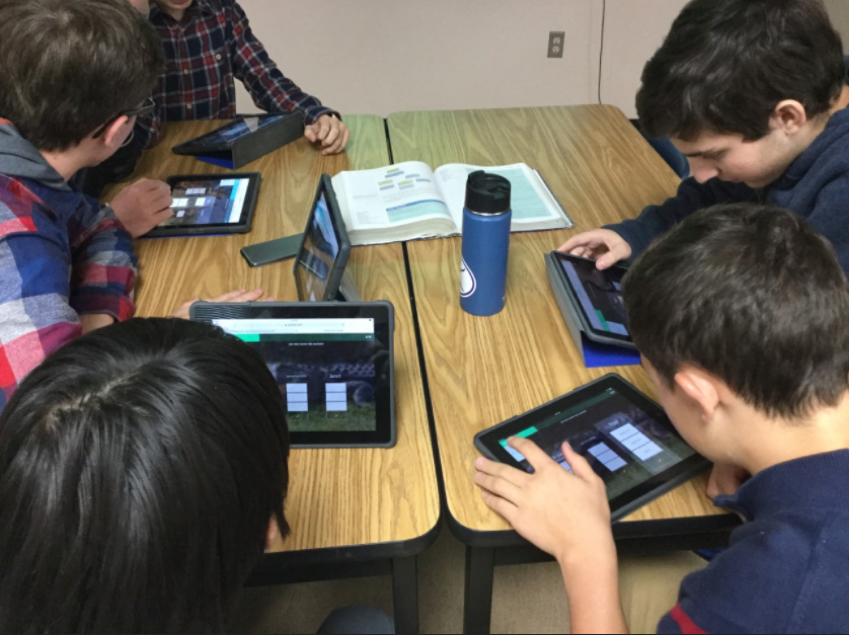
Quizlet Live is another option, offered by the platform, that your students will love. A mode that will turn any list into a cooperative game for the class. Students are divided into teams and race live to arrive first by answering the questions correctly. It can sometimes be noisy, but it is very effective. Live in the classroom or remotely, or even with students in both modes, Quizlet Live helps boost student participation and learn collaboratively. That's great.
This teacher version makes it possible to see the full power of the tool, which is constantly evolving and responding to new pedagogical needs.
“The COVID pandemic has highlighted the benefits of technology in education. Technology can be useful in improving the quality of teaching by using pre-recorded lessons and videos. It can also help increase teachers’ efficiency and productivity, helping them make the best use of their time in the classroom”.
Quizlet can be used on a computer from any web browser. You can also use it in mobility on a smartphone or tablet.
You can use Quizlet for free. However, the Quizlet Plus version for teachers, at around EUR 50 for a whole year, makes it possible to get rid of advertising and offers, among other advantages, an offline version. You can test this version for free for 30 days.
[…] and its optimized spaced memorization method. Although other tools such as Quizlet or Memrise also offer the creation of flashcards, Anki has real assets for itself […]
Independent blog founded by Fidel Navamuel in 2008. More than 1,000 resources to integrate digital into your teaching practices.




 English
3 Responses
[…] Quizlet. Create flashcards, quizzes and online games to learn everything, https://outilstice.com/, 5 September 2021 […]
[…] from Quizlet’s fake tunes, Repeda offers an easy-to-use learning solution. Users can create a […]
[…] and its optimized spaced memorization method. Although other tools such as Quizlet or Memrise also offer the creation of flashcards, Anki has real assets for itself […]