Last updated on 12 May 2026
MailVu is an online service that allowssend video messages by email very simply. An original way to communicate with your students.
MailVu is a fairly old service but has lost none of its interest either for personal or professional use. This service allows you to record and insert a video in an email message in three clicks. A video mail compatible with all browsers and with all fixed or mobile mailboxes.

The use is very simple. From the MailVu webpage, a first click allows you to launch your webcam, a second click to start the audio and video recording, a third click to stop the recording by sending it by email. You can before sending it to watch your video. MailVu also offers a fairly convenient option that allows you to set a lapsing date. In other words, you can indicate a date from which your video will no longer be available for viewing.
The sending email can be personalised and completed with a text message. Note that MailVu will offer you if you wish a URL link to share your video other than by email.
The recipient of your videomail will be able to view your video message directly from their email. Practical.
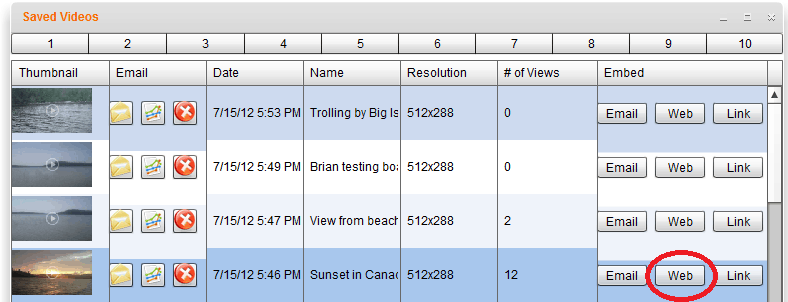
Once registered on MailVu you can if you wish keep all video messages sent for re-use from time to time. This can be useful for a welcome message or for a trainer who would use the service to send his students a series of video courses.
MailVu is not free. To use all the options we just talked about, it will cost you a little more than 20 euros for a whole year. Videos sent are limited to 10 minutes of recording. If you have a very occasional need or to test the service, you can go to the MailVu homepage and record a video and then send it without even needing to register.
Link: MailVu
 English