Last updated on 12 May 2026
Wideo is an online tool that provides a real professional studio to easily create animation videos.
Wideo can thus be used as a great tool to make creative animated presentations. It can be used by both teachers and learners to make small video clips that should attract the attention of students. Whether it is to create a tutorial, illustrate a concept or a point of a course in a presentation or for distance learning, Widéo offers many possible uses in the world of education.

WeVideo allows in a relatively simple way to create small animations in a cartoon way. I say relatively simple because when it comes to video there is no tool that does not require a take-up time. Here, this learning time remains very reasonable and within everyone’s reach.
Everything works here on a system of templates or templates which you will be able to bring to life via a whole series of pre-set settings and pre-defined animations. You will be able to use a large bank of images and elements provided by Wideo, but you will also be able to add your own by uploading them to the platform. In a rather playful form, you will be able to combine and animate photos, texts, videos and music.
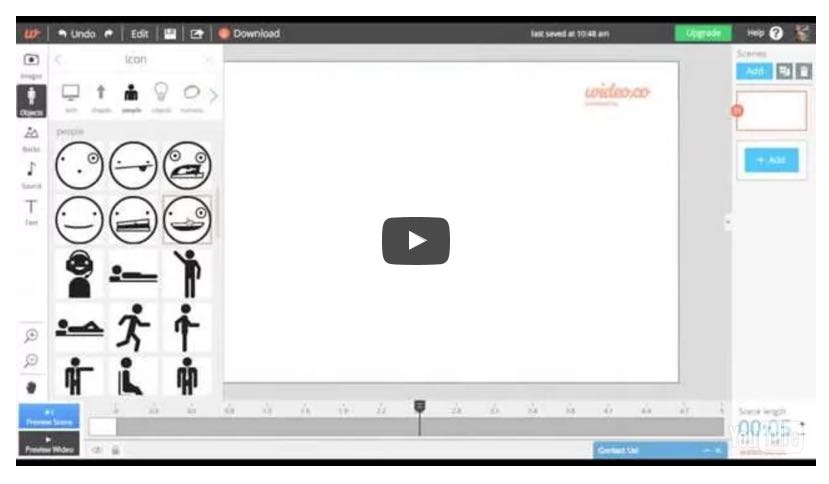
The editing table on which you will be able to drag the different elements of your video is supported by a timeline to manage the timing of your clip and the different scenes. Wideo also offers a whole series of transitions of the best effect to move from one scene to another. You will of course be able to add a soundtrack of your choice to your final clip. Wideo’s online editor was well thought out and allows at any time to preview the video clip at any time of creation.
Once finished, your clip can be exported and shared via email or on networks via YouTube. Also noteworthy is a very convenient function of Wideo's video player. You can play the entire clip in a classic way, but you can also split it into slides so you can use it during a presentation.
Videos up to 30 seconds are free. If you want to use the tool without limits or constraints, you will have to go through a fee-based procedure. Wideo proposes, and this should be noted, particularly attractive education rates compared to the normal rate. It's up to you.
Link: Wideo

 English