Last updated on 12 May 2026
Update January 2018 – This service no longer exists
OpenTest is a great tool for record in sound and video what is happening in your web browser. It is an extension for Chrome that makes it easy to create and share videos. Another great tool for the inverted class.
"You will soon wonder how you could have survived without him", says the Opentest website. Probably a little exaggerated, but it is true that a simple test is enough to convince oneself of the value of the tool.
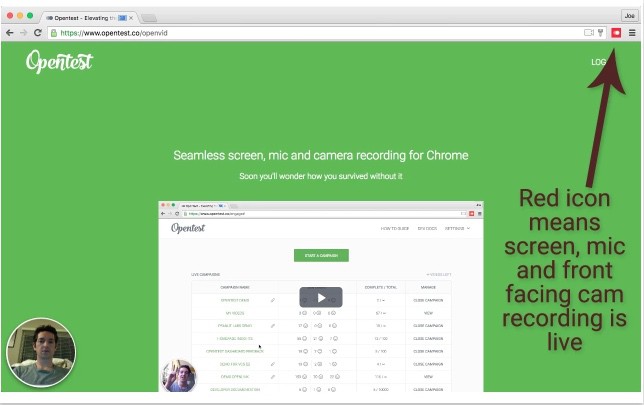
Once installed on your Chrome browser, OpenTest displays an icon on your browser's menu bar. With a simple click you will be able to start recording. In addition to what is happening on the screen, you can record your voice and also your face, which will appear as a medallion at the bottom left of the video.
Once your video is finished, a second click to stop recording and immediately your video is ready to be shared. You can do this by email through a unique URL or via social networks. You can also download the video to your computer in mp4 format. At the moment OpenTest does not provide code to insert a video into a site or blog but it may come in a future version.
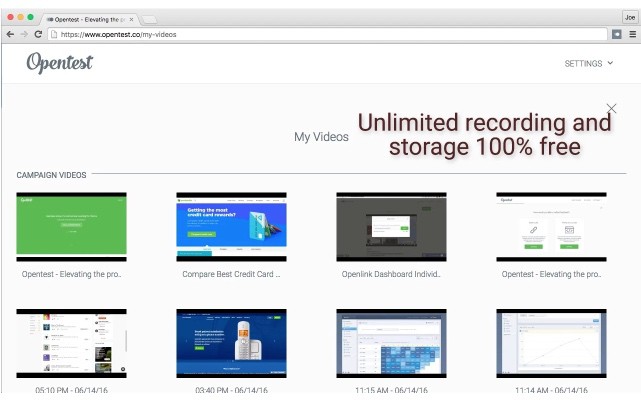
For the rest, OpenTest is still in development. The current version already offers little room for criticism. Judge it instead. The length of each video is unlimited. The quality of the image and sound is excellent. Depending on the version of Chrome you use, you can even record in HD. You can keep the recorded videos online or delete them and … the best for the end: OpenTest is completely free.
Opentest installs on Chrome with a single click.
Link: OpenTest

 English
Thank you for this tool.
I regret once again, that the site does not offer the French version!!
Not everyone is English-speaking, and this is a huge handicap for these sites, which are deprived of a large … clientele.
Even if it is free …
Hey Fidel!
Thank you for the article. We actually do provide a way for you to embed our video player on your website. Each shareable URL has an "Embed" link on it that you click for the embeddable video HTML code. 🙂
Vinay
Downloaded and tested, it is really a very simple tool to use. Having this little button installed over Chrome is really very convenient. The quality of the audio is remarkable. Small downside: it is not possible to pause during the recording and then resume, so a finished product must be made immediately.
Hello,
This tool is really nice and easy to use, I just regret that it only saves the image of the window in which the recording was activated.
Indeed, I make a lot of WordPress video tutorials for which I need to film several different windows and it would seem (after testing) that this is not possible with Opentest.
Let's hope this is possible soon, because I sincerely believe that this tool is promising.
Sincerely,
Bruno
Hello, Thank you for this article.
I just tested, OpenTest now provides the code to insert a video into a site or blog (embed).
This is indeed the same remark of Vinay Hiremath, but in French for M-Christine.
Sincerely