Last updated on 12 May 2026
And if you turned your computer screen into a beautiful piece of white paper for drawing and give free rein to your creativity. The web is full of tools for drawing and colouring with the mouse tip. Here are three complete and free online services to offer your students. They'll love it.
Table of Contents
DeviantArt Muro
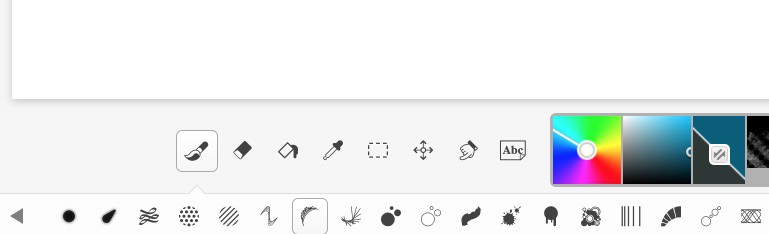
This first tool is a small wonder which offers a very complete interface, but very easy to handle. All menus and tools are located at the bottom of the drawing sheet and are presented with explicit icons that make it possible to know how to use them without fear of being wrong. A real online creative studio. Only small regret you will have to register if you want to save or share a drawing.
Link: DeviantArt Muro
Editor Method
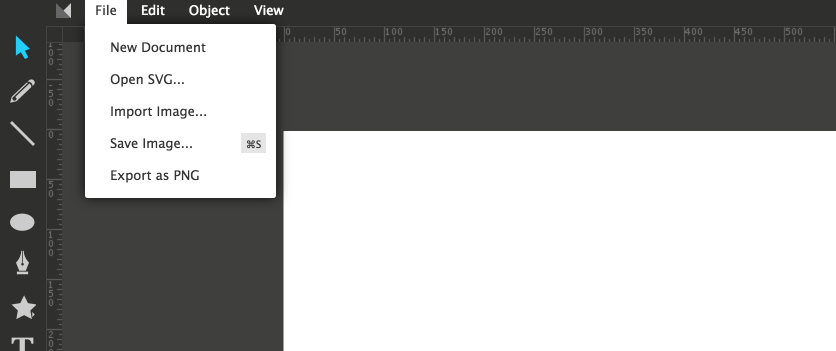
Editor Method offers fewer options in a very stripped-down interface, but nevertheless offers a very comprehensive online tool for create any type of drawings. You can precisely define the size of the white sheet in which you will be able to include texts, imported images, shapes, colours, etc. No need to register to use it. You will be able to save and export your creations in PNG format.
Link: Editor Method
Auto Draw

Last comer on this already very crowded market of tools and services to draw online. Auto Draw is offered by the giant Google. A real success. It offers everything you would expect from an online drawing tool, plus artificial intelligence. Auto Draw offers an automatic shape recognition service. When you draw a shape by hand, the tool will offer you a whole series of drawings that it thought it recognised in your diagram. It is quite bluffing. Auto Draw also makes it possible to enlarge, move or rotate any drawn shape. Auto Draw will allow you to download your creations in PNG format and share them easily.
Link: Auto Draw

 English