Last updated on 12 May 2026
4K Video Downloader+ is a cross-platform software that allows you to download videos from online video storage platforms quickly and free of charge. A complete software that works with most video storage services and allows to download private videos not only from YouTube, but also from Facebook, Vimeo, Bilibili and many other sites with each time the maximum quality offered by the video. The tool also supports services such as YouTube Shorts, Gaming or Kids.
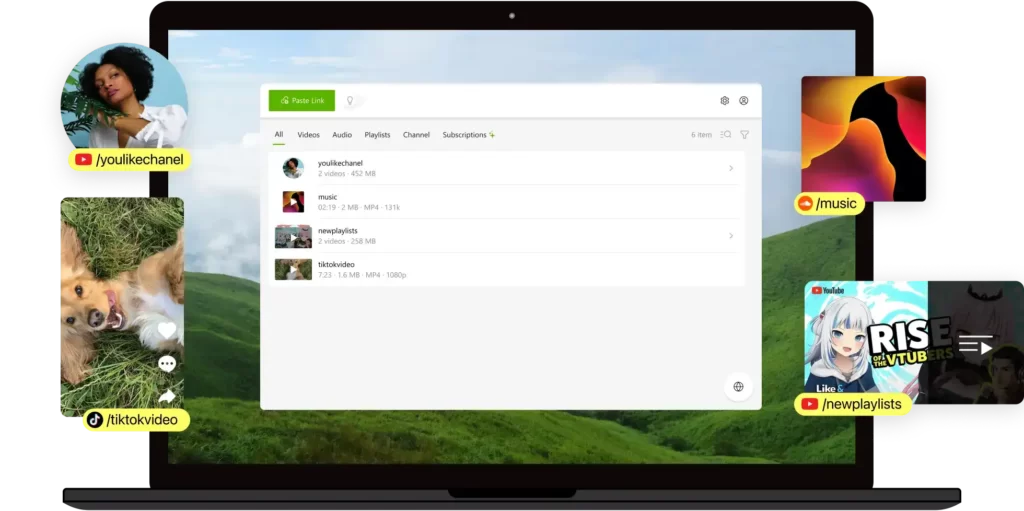
Easily download YouTube videos locally to your computer or use the built-in in-app player
Using 4K Video Downloader+ is extremely simple and requires no technical knowledge. Once the software is installed, you will only have to paste the link of the video to be recovered on the software interface to start the download. Practice, such asother video download services From the net, you will be able to watch or stream your videos wherever and whenever you want, even when offline.
Another very interesting feature is 4K video Downloader+, which allows you to search for videos and audio files to download without leaving the application. You'll be able to browse various sites through the in-app browser, log in to your accounts to access private media, and save all content in one place.
Advanced functions to go further with video
4K Video Downloader+ does better than most free services that swarm online. The app allows you to record videos in FLV, MP4, MKV or 3GP. You can consult them on your mobile or on a tablet.
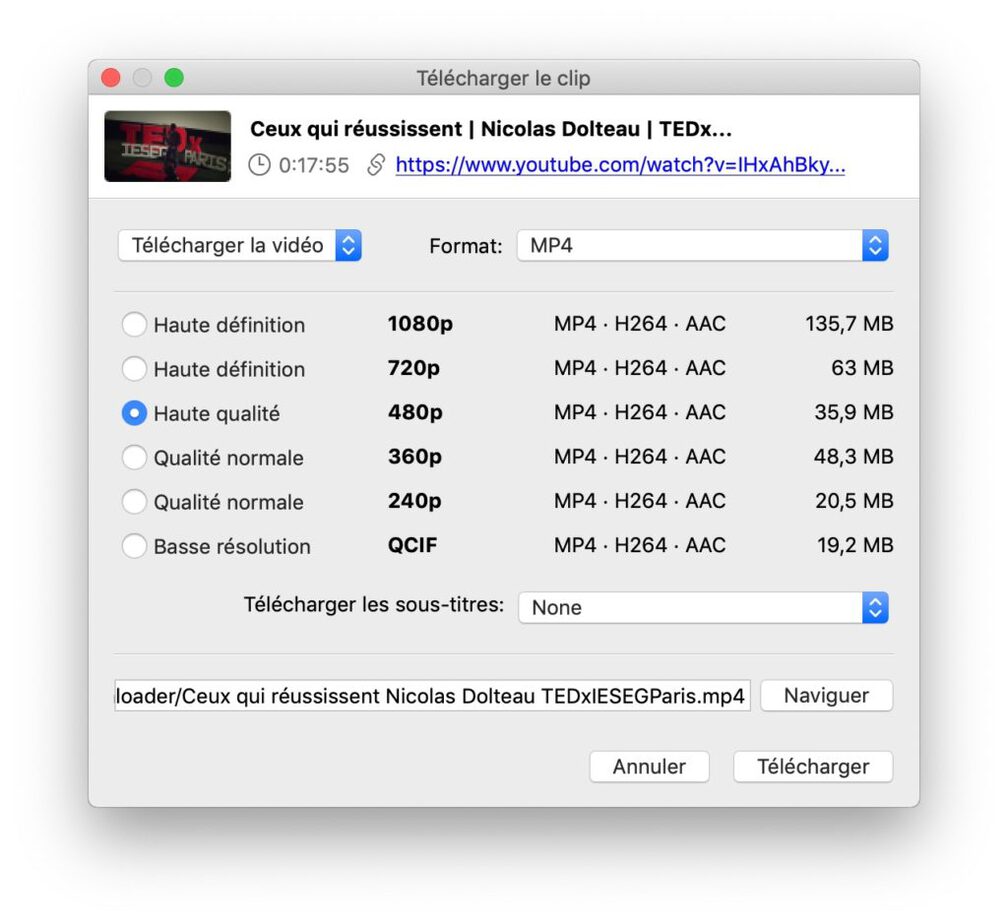
Very practical function, it is possible to extract the audio from the video file, and again you will be able to choose the output format. You can save audio files in the following formats: MP3, M4A or OGG. Another interesting option: the ability to download the subtitles of your video(s).
The application manages to download a full playlist or only retrieve one of the videos from the list. It also offers an estimate of the time it takes to complete the download.
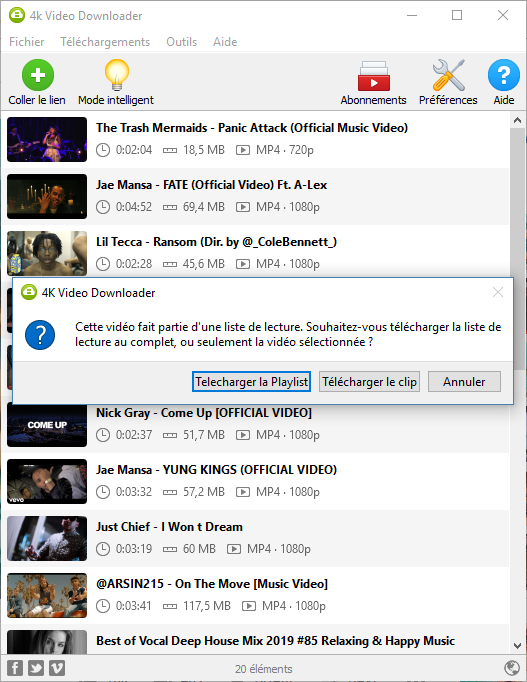
Download all videos from a YouTube channel with one click
The 4K Video Downloader+ software can download one or more videos very simply, but it can also download entire YouTube channels with a single click. It is also possible to save clips and private playlists that users have access to.
In use it is ultra-practical. The instructions for use are simple. Just locate the unique URL of the video channel you are interested in. Copy and paste in 4K Video Downloader+ and you're done. The app will start analyzing information on this channel and then show you all available videos. All you have to do is select the video format and the desired quality and click on the ‘Download’ button. 4K Video downloader+ website provides a very clear instruction manual for downloading all or part of the videos from a YouTube channel.
Videos in 4K quality, 3D or 360° videos, the software knows how to manipulate and download all video formats, even the latest ones.
A good application that allows you to recover on a hard drive or on a computer the videos you want to present to avoid all the hassles related to watching online videos (connection problem, invasive ads, etc.) as well as their archiving.
4K Video Downloader+ is multiplatform. You can get it for Windows, macOS or Linux. The basic version is free. To use the software optimally and without limits, you will need to subscribe to a license. Count around 20 euros for use on 1 to 3 computers.
Link: 4K Video Downloader+
 English
1 Response
[…] 4K Video Downloader. A complete tool to download videos from the net […]