Last updated on 12 May 2026
Type Studio is a tool that makes it possible toedit a video in the simplest way in the world. If you know how to use word processing, you can edit a video with Type Studio. Don't you believe me? Try it, this tool is absolutely bluffing. Absolute crush.

Type Studio is revolutionary in more ways than one. If you have to work with videos of interviews, conferences or elearning courses, this platform is for you. How to transcribe a video? Do you need to add subtitles easily? Cutting some passages? Until now, patience had been required, complicated software had to be used, and … file formats had to be juggled.
Forget about it. Now it is much simpler to edit a video. There's Type Studio. An online solution whose main functions I propose you to discover.
Type Studio knows how to transcribe a video
It is only one of the functions of Type Studio that justifies putting this tool in your digital utility kit. Once registered, you will be able to upload your video to Type Studio. the main video formats are accepted. Before starting the transcription, you must choose the language from a drop-down menu. Good surprise, the Frenchman is at the rendezvous.
Second good surprise, the reel Type Studio works at the speed of light. It depends on the length of your video but a few minutes are enough to finish your file. The text transcript of the video is displayed immediately. The quality of recognition is very good. But you can edit the extracted text directly on the platform and correct small inaccuracies by hand.
Add subtitles to a video at a glance
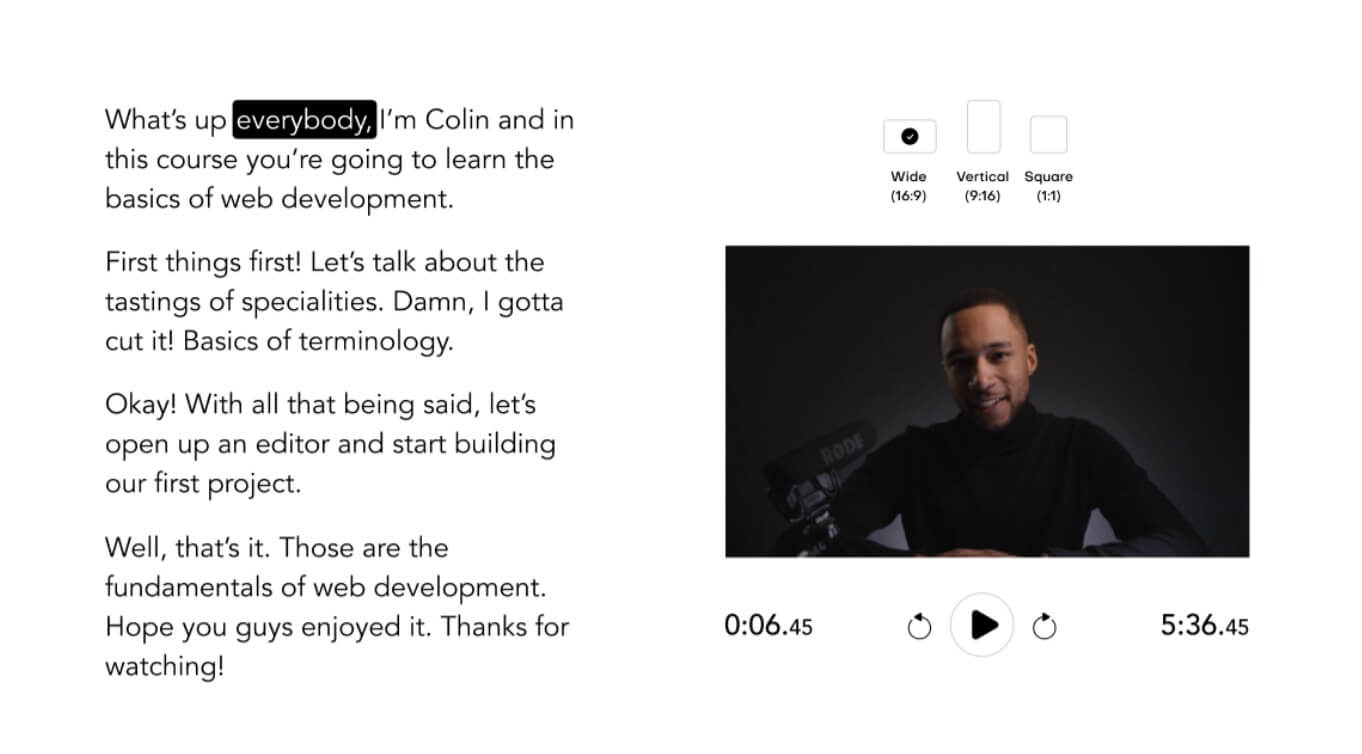
Type Studio is also the easiest tool to automatically add subtitles to your video. Instead of writing subtitles yourself or manipulating complicated SRT files, you can now add subtitles to your video automatically with a single click. Thanks to the transcription carried out in the previous step, you will be able to insert the text as subtitles into the video itself. Great.
You can add the entire transcript to your video with one click. Do not worry you will always be able to intervene on it to modify this or that subtitle. The built-in Type Studio player allows you to play the video by following the highlighted text next to it. You can then if you want to export your subtitles in .srt format or the whole video.
Edit a video as in a word processor
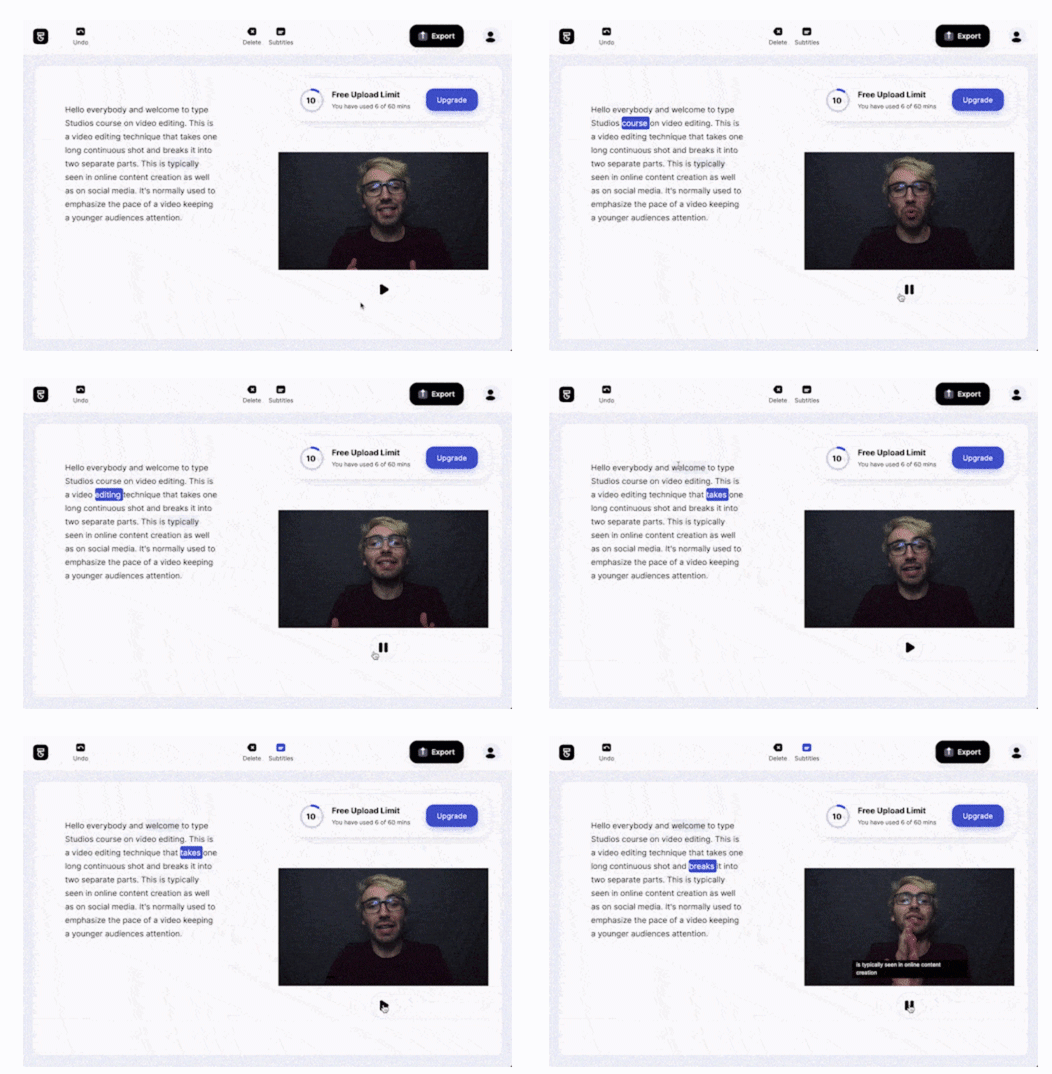
This is the most incredible feature of Type Studio. You will be able to edit the video the most easily in the world. To do so, it is sufficient to act on the text of the transcript. You remove a sentence from the text in word processing and as if by magic the sentence is cut to editing in the video. The result is really amazing and it is even difficult to see in the final video that there was a cut. It works wonderfully to remove an entire passage or phrase. The reader integrated in the editor makes it possible to check the result immediately and it is always possible to go back.
With Type Studio, you can cut your video without having video editing skills. The only thing you have to do is edit the transcribed text document and the app does the rest of the work for you.
Add subtitles and captions to your videos on your mobile
Type Studio is a tool that is improving month after month with new, ultra-convenient functions. This is now the case with the possibility to edit your videos and add subtitles directly from your mobile phone. This function was requested by many users who wanted to be able to mount directly from the device with which they had filmed the video. Logic and very practical.
Also features a brand new "Repurpose Video Content" feature. It allows you to automatically select the right format for all social media platforms and cut out important footage from a video.
Create a blog post with your Type Studio video

I love this new Type Studio feature, which is particularly useful in the world of education. With the Type Studio tool you can, as you know, subtitle a video. You will also be able to transcribe it automatically. With the new ‘Video to article’ function, you will be able to insert it and create a complete article in a classroom blog or on a site. It will be enough to copy paste a small code provided by Type Studio to find the video and its transcription on your blog. Better yet, your readers will inherit the possibility of surfing through the video by clicking on part of the text. The video is displayed at the top of the article but also in a small floating thumbnail that allows you to follow the video when you use the lift to go down to the site page.
In the same way, and with the same simplicity, you can send your videos with transcribed text by e-mail without anyone having to download them. Practical.
Type Studio makes mistakes and offers a formidable weapon of simplicity and efficiency to make videos for your students. L“Application is confirmed as a very good surprise. It will greatly facilitate the work of all those who have to edit videos with one or more speakers speaking in front of a camera.
Good news, the creators of Type offer a generous free version with the possibility to edit 20 minutes per month. Ideal for testing and for small videos. For just over €10 per month you can edit up to 10 hours of video.
Type Studio, remember their name and do a test. We're not done hearing about it.
If you decide to adopt it and switch to a paid subscription, the creator of TypeStudio offers ToolTice readers a discount of 20% regardless of the subscription chosen by applying the ‘TICE20’ coupon

 English
1 Response
[…] Streamlabs Podcast Editor is another super efficient option if you have to transcribe the content of a video. You will see that he does much more, much better than that. […]