Last updated on 12 May 2026
You have just copied and pasted a text and everything is "bulk": capital letters everywhere, badly formatted titles, bizarre characters, return to the parasitic line. In those moments, we want an immediate solution.
Convert Case is a free tool that allows to transform, clean and stylize text in seconds, directly in the browser. A button Copy Lets you recover the result in one click.
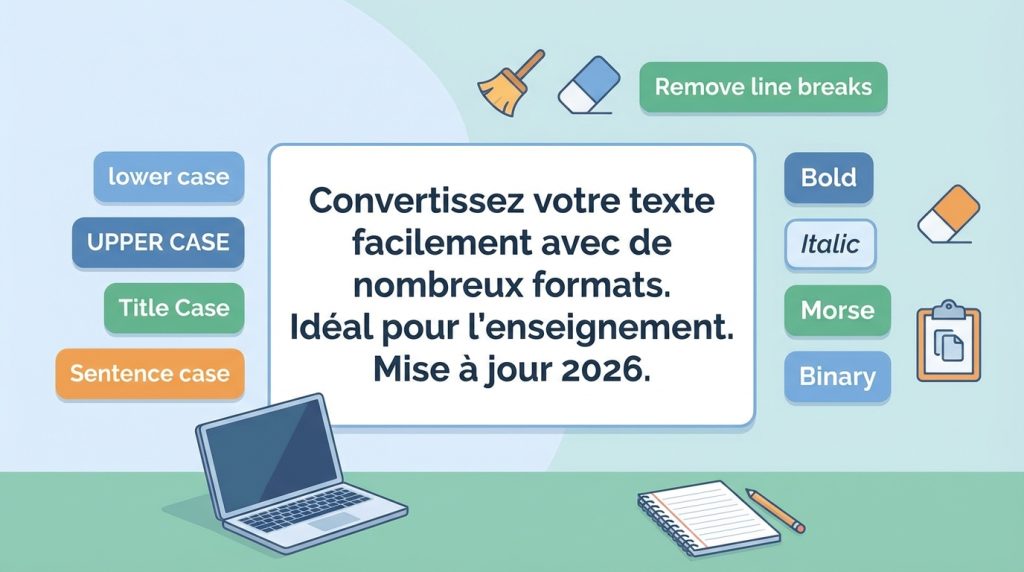
Over time, Convert Case has become a real Text Toolbox : case conversion, typographic styles, cleaning modules, and even some playful or educational functions such as the Morse or the binary.

The main thing: converting a text in 10 seconds
The principle is simple:
- You stick your text in the central area.
- You choose the action (e.g. Sentence case, lower case, UPPER CASE, Title Case, etc.).
- You click on Copy to Clipboard.
It is this immediate side that makes the tool useful: no need to account, no need to install anything.
A handy tool also on mobile (and in application)
Convert Case also offers mobile versions for iPhone/iPad and Android, as well as a Chrome Extension.
In a teaching context, this is a real plus:
- preparing a document from a smartphone;
- formatting a deposit or text retrieved via an ENT;
- correcting a title or standardising answers from pupils, even when on the move.
Convert Case to 2026: A Complete Text Toolbox
Case converters (the classics, but indispensable)
Convert Case offers the most useful formats on a daily basis.
Let's take two very common situations.
- You prepare a geography course and you copy and paste a list of cities from the web. Capitalizations are inconsistent. A passage through Capitalized Case put everything back together in seconds.
- You create a vocabulary quiz and you want all answers to be in lower case. Paste the list, click lower case, and you get a uniform format, ready to distribute. If you are following an “evaluation” logic, the article The best tools to create an online quiz I'll give you some leads, too.
- Sentence case : delivers a "clean" text, sentence by sentence.
- lower case : Everything in lower case.
- UPPER CASE : Everything in capital letters.
- Capitalized Case : First letter of each word in upper case.
- Title Case : useful for securities, with different rules of "capitalized".
- aLtErNaTiNg cAsE : fun alternation, rather for fun activities.
2) Stylize text (useful for media and communication)
Convert Case also allows you to generate styles ready to copy and paste. It is convenient to highlight an element in a document, make a hook, or produce a visual variation quickly.
In particular, it contains fat, of theitalics, underlining and barred, as well as font generators and ‘aesthetic’ effects that transform the appearance of the characters.
2a) Creative functions (to play with words)
Beyond the "useful" side, Convert Case also offers more playful tools for creating visual effects, making coded messages or launching a quick activity in class.
Some examples to test:
- Reverse text / mirror (Reverse / Mirror) : ideal for creating a decoder.
- Text Returned (Upside Down) : Fun for a hook, a little challenge, a game.
- Wide text / aesthetic : Enlarges and ‘stylises’ the appearance of the text for a distinctive visual rendering.
- Small text / small capitals : useful for a typographic effect (with caution according to the fonts).
- Zalgo (glitch) : a text deliberately “disturbed”, to be reserved for fun (and not accessible media).
- Morse / binary : perfect for instructions or messages to decrypt.
⚠ Attention, these effects sometimes use Unicode characters that can be displayed incorrectly in some software (ENT, word processing) and cause readability concerns. To avoid for materials intended for all students.

3) Clean a text: delete characters, return to line, underscores…
This is one of the most interesting developments: the platform no longer merely ‘changes the case’, but also helps to clean up a text after a copy-paste.
Very common example: you retrieve an extract from a PDF (course, article, subject) and the text arrives ‘broken’ (returns to the line at each line, extra spaces, involuntary underlined). With the tools for removing line breaks and cleaning spaces, you can leave a readable block that you can then easily format in Word, LibreOffice or in your ENT.
If your need is more valuing a PDF (course support, booklet, newspaper), you can then turn it into a more pleasant medium to browse, for example with Published: Turn your PDFs into interactive flipbooks for the classroom.
Convert Case offers tools dedicated to this type of cleaning:
- remove specific letters or characters;
- remove line breaks;
- eliminating unnecessary spaces;
- remove underscores;
- Clear formatting to return to simple text.
In the same spirit, some modules help to identify and correct repetitions, for example duplicate words or lines.
Result: in a few clicks, a raw and messy text becomes clear content, ready to be reused in a course document, activity sheet or communication medium.
4) Academic formatting: APA converter
Another noteworthy addition: Convert Case highlights a converter and generator in APA format.
For high school students who are starting to structure files, for students, or for teachers who supervise work, the question of references comes back quickly. The APA tool aims to speed up the formatting : it helps to organize bibliographic elements according to an expected presentation and limits some of the classic errors (punctuation, order of information, consistency).
This is not a substitute for careful verification, but it is a good point of support to save time.
Useful point in France: APA may be requested in certain sectors, but standards vary between establishments. It is better to check the local instructions before freezing a bibliography.
Quick table: which button to use for what purpose?
| Need | Convert Case Button | When to use it |
|---|---|---|
| Pass everything in lower case | lower case | Uniform a list, a table, answers |
| All in capital letters | UPPER CASE | Titles, display, legibility, labels |
| Capitalize the first letter of each word | Capitalized Case | Lists of notions, headings, simple headers |
| Format a "clean" title (title rules) | Title Case | Titles of documents, presentations, articles, files |
| Put a text in readable sentences | Sentence case | Texts copied from the web, raw notes, ENT |
| Removing Line Returns and Useless Spaces | Remove Line Breaks / Whitespace Remover | Cleaning after copy and paste from PDF or web |
Ideas for classroom use (simple, but effective)
Convert Case is not just a ‘technical’ tool. It can also become a small support for activities.
Activity 1: messages to decode
Generates a deposit in Morse or in binary, then ask the students to decode the message to find the next step.
Activity 2: A "Secret Code" to Launch a Game
The Zalgo or an inverted text (reverse / mirror) makes it possible to make a message deliberately "twisted". Students must find the original message, which works well as a primer.
Activity 3: working on legibility
Shows how formatting (phrases, breakage, parasite removal) improves comprehension, comparing a "raw" version with a "cleaned" version.
Accessibility and readability: underestimated use
Convert text to capitals, remit correctly formed sentences, or deleting parasitic characters can help render content more readable.
On a daily basis, a text "slipped", badly copied, or saturated with returns to the line quickly becomes unusable. Convert Case is then used as a reconditioning tool.
Points of attention (and limits to know)
Convert Case provides real services, but it is better to keep a few limitations in mind before adopting it in a pro or school context.
- Sensitive data: avoids attaching sensitive content (student names, personal assessments, personal data). If the tool is used regularly, check its privacy policy.
- Special features: some ‘creative’ generators (fancy fonts, sliding text, etc.) produce Unicode characters that are not always displayed correctly depending on the software, ENTs or fonts installed. They can also pose accessibility problems (readability, text-to-speech reading). In this case, and more broadly if you are looking to simplify the presentation of a text for some students, the tool presented in DysFacile: Adapt a text for DYS students in a few clicks may be complementary.
- APA: consider it as a fitness aid. The instructions vary from one institution to another, so a final check is still essential.

A resource "saving time" to keep under the elbow
Convert Case is one of those tools that is not used every day, but that often troubleshoots. In 2026, it is no longer just a capital/minuscule converter: it is a Toolbox for formatting, cleanse and adapt a text for pedagogical or communication purposes.
If you often have to skip content copied from a PDF, web page or ENT, this is typically the kind of tool to keep as a favorite.
Visit the Convert Case website and try it for yourself. A simple copy and paste, and formatting some of your texts will no longer be a chore.
FAQ (direct answers)
Does Convert Case keep my data?
Convert Case works as a text transformation tool in a web page. As a precaution, avoid attaching sensitive data to it. And as always, consult the privacy policy of the service before regular use in school context.
How to turn text into lowercase quickly?
Paste your text, click lower case, then on Copy to Clipboard.
Can I use Convert Case on a smartphone?
Yes, yes. In addition to the web version accessible from a mobile browser, Convert Case offers an iOS and Android application. Some functions can be used offline, depending on the app.
Is it free?
The web service and extension are free of charge. Mobile applications can offer paid options depending on the version.
 English