Last updated on 12 May 2026
No need to spend hours making and editing a video for a class or lecture. For bring the video to class, Many digital tools and services on the web have changed the game. The creation of a small pedagogical video is no longer a matter for specialists. Proof with a tool like Flexclip.
FlexClip is an online video creation tool that offers a multitude of features, allowing you to design attractive and professional instructional videos easily.
Whether you want to explain a concept, present educational content or enrich a course, FlexClip offers a pleasant user interface and intuitive tools to create quality educational videos.

With its media library comprising millions of visual resources and its easy-to-use video editor, FlexClip allows users to create personalized instructional videos in the blink of an eye.
Table of Contents
The advantages of Flexclip for the production of educational videos
FlexClip provides a variety of tools to facilitate the design of educational videos. It offers great flexibility to customize the content, you to incorporate text, images, music and even your own voice.
Thus, you can make your videos more interactive. Plus, with its easy sharing options, you can quickly distribute your videos on one e-learning platform; on a blog or by email.
Ease of use
FlexClip stands out for its simplicity. Even without any previous experience in video editing, you can quickly master its features.
LThe process of creating videos is simplified by its drag-and-drop editor, making it easy to add and rearrange visual elements as well as by the many templates offered.

On top of that, FlexClip offers a real-time preview, allowing you to make instant adjustments and ensure that the end result is completely to your satisfaction.
Various Media Library
FlexClip has a rich and diverse media library, offering a wide range of out-of-the-box visual resources to create or illustrate your video.
VIdeos, images or music, you can access millions of these resources to make your educational videos more dynamic and informative. In addition, the platform allows you d“importer your own files for a better personalization. Practical.
Artificial intelligence to the rescue
Like other tools, FlexClip, He, too, appeals to artificial intelligence to help simplify the creative process. Il can thus automatically choose the best clips and assemble them to create a consistent pedagogical video.
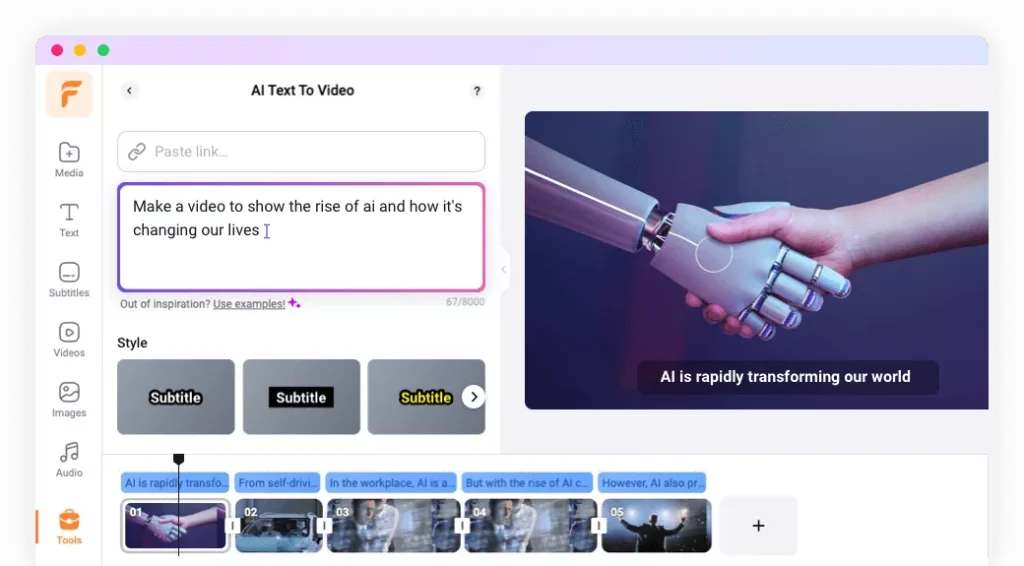
It is possible to request the generation of a complete video from a text or even from the URL of an article. Although the result is not perfect, you can use this first draft as a basis to create your video and thus save valuable time.
You can also ask the Flexclip AI to generate illustration images or videos.
How to Use Flexclip to Create Educational Videos
To get started with FlexClip, simply sign up for free and choose a template that fits your project. Then add your content, adjust the text, music and visuals according to your preferences. Use the drag-and-drop editor to rearrange the items. Use the media library to incorporate additional resources. Preview and make the necessary adjustments before exporting your video.
FlexClip is very intuitive with a drag-and-drop interface, making video editing accessible even for beginners. In addition, the site offers many tutorials to help you master the tool. I advise you to spend some time there so as not to miss out on some very practical functions.
Three steps to successfully create your first video:
Step 1: Preparing your clip
This step is perhaps the most important. I advise you to write on Paper a Script where you will write what you are going to say and show in the video.
Then collect the resources you are going to use. Prepare images, clips videos and music for your video. FlexClip offers a royalty-free media library.
Step 2: Creating the video
Get out of here. On FlexClip you can use the templates available in the "Education and Training" category or start with a blank project. A blank sheet.
Add your media, edit text, add text animations, take care of transitions to make your video more dynamic.
You can then choose a music or record a voiceover.
Flexclip allows you to preview the result immediately. This is very convenient for testing and dressing experiments.
Step 3: Finalization and sharing
Once satisfied with the result, your video is kept in your personal library. You can the reuse whenever you want or create a copy.
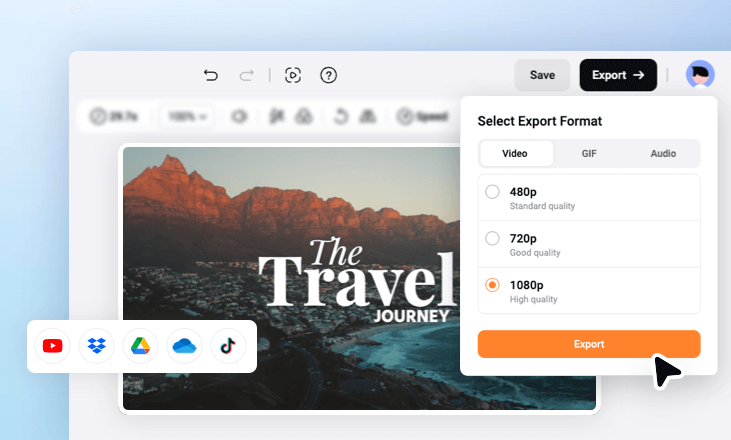
You will also have the option to choose the desired resolution and download it.
What do users think about using Flexclip to create educational videos?
Users appreciate the ease of use, the quality of the templates, the editing features and the versatility of Flexclip for creating educational videos. Me too.
I appreciated this ease of use, which puts the tool within everyone’s reach and allows you to focus on the essentials.
And you, What is your opinion? Will you tell me?
You can use for free Flexclip to make some videos and test the tool. For full use, count around 10 Euros per month.
Whether you are a teacher, trainer or creator of educational content, FlexClip simplifies the process of creating educational videos, with a practical and effective solution to create small videos.

 English