Last updated on 12 May 2026
Updated March 2015
PowerPoint is undoubtedly one of the most widely used Microsoft Office suite software in the world of education.
Many of you use it to make excellent presentations. For some time now, many alternative solutions have emerged. I selected three. Three Alternatives to PowerPoint What they have in common is that they are online tools, simple to use and free.
Table of Contents
Google Slides

Google’s office suite offers a tool for creating online slides that has nothing to envy to the tool offered by Microsoft. Google Slides a serious solution to create quality presentations. The interface is not far from PowerPoint and the transition from one to the other will be easy. This transition is made easier by the fact that Google Slides allows you to import your old powerpoints. The Google tool offers around 20 different themes and 10 different animations to animate your slides.
Among the advantages of Google Slides, the possibility to work together easily on the same presentation or to keep classified in the clouds all your presentations and the options of collaborative work and sharing offered by the giant of search on the Web. Link: Google Slides.
Prezi
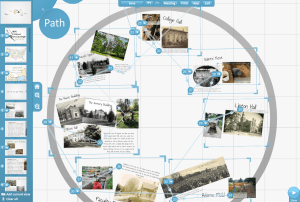
Here is a tool that broke the standards of the online presentation and gave during its release a hell of an old shot at powerpoint. Prezi plays innovation by offering a world of its own This is more like mind mapping than traditional linear slides. Presentations created by Prezi multiply transition effects, zooms and travellings for a spectacular experience. Plus, a creation of your presentation that facilitates brainstorming with here also interesting collaborative work functions. Less, a more delicate handling that requires serious learning. The final presentations created by Prezi can also get tired of the rather ‘too’ spectacular effects …brefs Prezi we love or hate. I like it, it’s up to you to test it. Link: Prezi.
Rvl

If Prezi seems a bit complicated to handle, Rvl might be the solution for you. Here, everything is simple and clear. Thanks to templates and formatting tools available to everyone and especially students who can use this tool to make quality presentations with modern transition effects. A clean interface for great results. Rvi offers interesting functions to facilitate email sharing on social networks, blogs. Link: Rvl
Three tools that represent an online alternative to the all-powerful PowerPoint. What about you? What are your favorite tools to create your slides?

 English
As far as I am concerned, it is undeniably the class (extension) beamer from LaTeX (document composition system). Although it is starting to have online versions (ScribTeX, ShareLaTeX), it is not a simple software to use for someone who does not have LaTeX (language) bases. On the other hand, it is software free.
LaTeX is a document composition system, which unlike traditional (mal)text processing software (LibreOffice Writer…) is not of the ‘what you see is what you get’ type (What you see is what you get), but rather of the type "What you see is what you mean" (What you see is what you mean) where the user focuses more on the content than on the layout, as long as they agree with the template (provided to them). The layout is done by the composition system during a compilation.
Who is LaTeX for? For those who like typography and well-written documents, especially if they are long documents (thesis, … book). The preferred area of LaTeX, for which LaTeX is somewhat of a standard in publications, is mathematics. There are also specific classes (extensions) for physics, chemistry, music, chess …
So if you use LaTeX, it is possible to use the Beamer class for presentations, otherwise it remains the software free LibreOffice Impress.
Here is an example of a presentation (on LaTeX) made with the Beamer class
https://docs.google.com/open?id=0B6C6j7e35PBcQlNZY0ZwSWZEcG8
This is a 1.4 MB PDF document, display in full screen mode (F11) and start the presentation. There are 51 slides, pages.
Hello,
a website that allows you to export in pdf format and that is clearly visible when you print https://www.canva.com
Otherwise for online presentations http://www.emaze.com/fr/
Otherwise rv.lio became http://slides.com/ It allows you to make live presentations that participants can connect to.
Thank you for this blog and this always relevant and useful information.
Rvl became Slides: http://slides.com.
Otherwise, although it is not always super convenient, I use the OpenOffice Presentation module. That "does it."
Hello,
Personally, I would like to find a software that allows me to project the slides and to complete them as and when required by the assistance. Admittedly, in Microsoft’s Powerpoint, for example, it is possible to go back to the design mode, but it is not very pretty with the toolbars on top.
I would just like to be able to stay on the slide in full screen and click in a table on the slide for example and write!
Do you know such a tool?