Last updated on 12 May 2026
Cordial is a spelling and grammar correction software for all your writing. It is arguably the best current tool in its class.
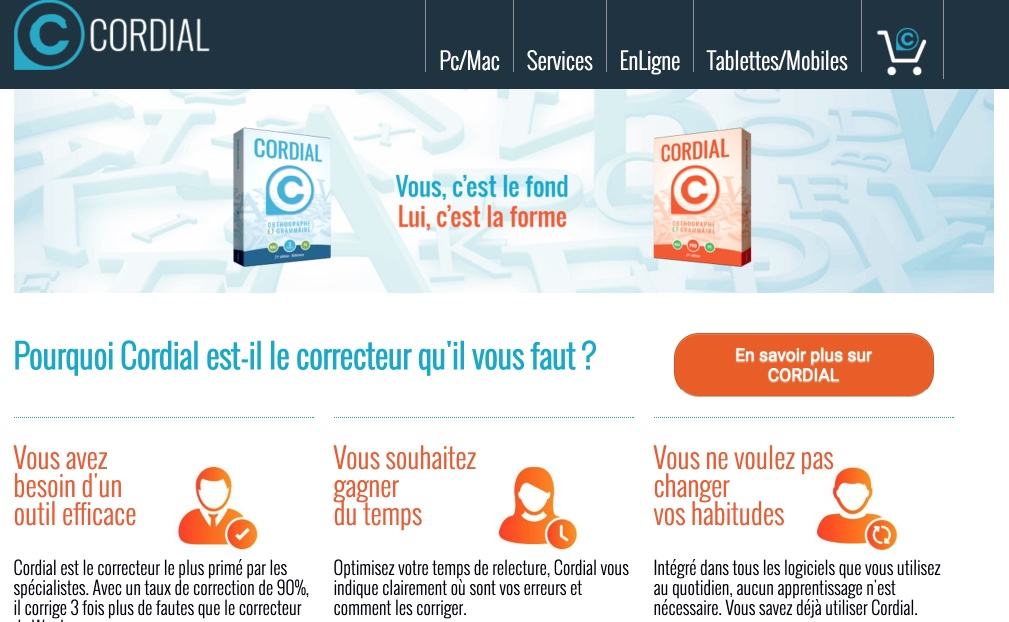
Cordial installs on your PC or Mac to then ensure the spelling quality of all your writing. That of your courses or reports, that of your presentations and other Powerpoints, that of your letters, Cordial will take care of your entire editorial production. A tool to also advise your students who may need it more than you, but no one is safe.
Cordial once downloaded to your machine installs very easily. Just follow the step-by-step proposed by the software without asking too many questions. The patch tool integrates with your entire operating system and your favorite applications. This is the case for the main office suites such as Office but also open-source software such as Open Office. Cordial will also take charge of your email software for flawless mail as well as your web browsers whether Chrome, Firefox, Internet Explorer or Safari.
Cordial surprises by its speed of analysis of your texts. It's fast and pretty good. Cordial offers an excellent proofreader but also offers analytical tools and various dictionaries. It analyzes style, corrects typographical, spelling and grammatical syntax.
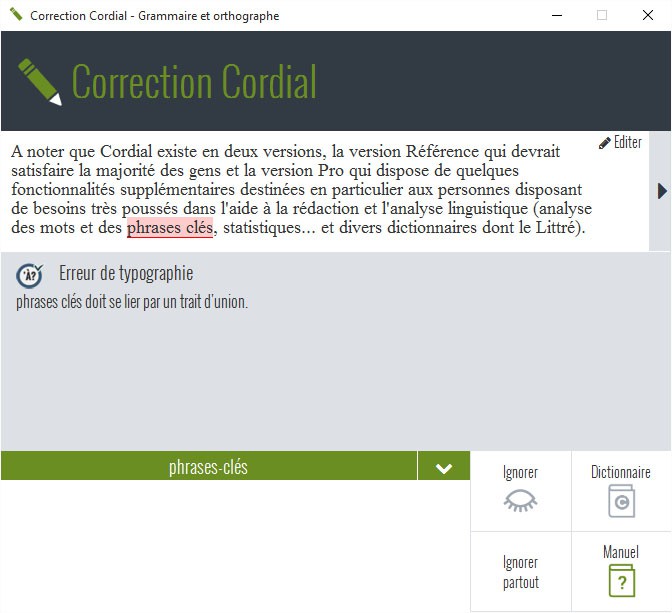
What I like about Cordial is that each fault detected is explained in detail. Being wrong and understanding why we were wrong. Interesting. The tool is often also good advice. He will offer you suggestions on spelling and grammar, encourage you to be wary of false friends or, for example, Anglicisms.
The options are very numerous but you always keep the hand according to your needs. However, it is difficult to be more complete. I did the test with Word’s built-in proofreader and Cordial…an advice never trust Microsoft’s proofreader again.
As all the tools in its category are, however, cordial, it must not be forgotten that this is an aid to correction. He can be wrong. He may not see. This should avoid automatic acceptance without checking all proposed corrections.
Cordial is offered in two versions. Cordial Reference that meets most needs, ideal for teachers and students and Cordial Pro dedicated to companies and which includes among other bonuses translation tools. 99 Eur for the first (it can be installed on 3 machines) and 199 Eur for the Pro version. It is not a subscription but a one-time purchase.
Cordial also offers a range of free online tools on the Cordial website online. LOrthographic and grammatical corrector to correct small texts while obtaining a detailed explanation of his error. You will also find a very comprehensive dictionary and a manual of the main grammatical and typographical rules in French.
In the end a must-have tool to improve the quality of your writing and aim for zero fault.
Link: Cordial Corrector

 English
Personally, I have already Antidote, terribly well done and also developed for Linux!
I just tested the free instrument with a sentence. He did not identify the error of the “e” written in place of “and” 🙁 but it is true that the errors underlined are very well explained 🙂
I am usually a big fan of your work, but I think we are close to publishing. Cordial is probably very good, but there are two other well-known software programs in the same category and price order that you do not even name, Le Robert Correcteur (ex-Petit Prolexis), and Druide d’Antidote, which have the same features and are also a thousand places away from what the Word-integrated corrector can do. As a result, a comparison would be the least, because the difference is not only in the correcting qualities, but also in the integration of the corrector into systems and applications, and in its ergonomics.
I continue to read and follow you with interest, however, it is just that I find that if you write an editorial, it is better to know.
How severe you are with me 😉
A few small clarifications seem to be necessary. No pat3 (I don’t know your sorry name …) this is not an editorial post. I do not do publishing (it is not the requests that are missing believe me).
My editorial line from the beginning is clear. I only talk about the tools I have been able to test and love. The others I do not talk about.
I do not make rankings or comparisons, it is simply a showcase for tools that seem to me to be interesting for one reason or another to the teaching profession or their students.
There is no shortage of comparative and publishing sites hidden behind pseudo-rankings on the web. Do a little Google search on correction software and you should find your happiness.
I am not talking about Robert Correcteur or Druide d’Antidote not because they would be worse than Cordial but because I did not have the opportunity to test them either. I will not fail to do so if the publishers of these two solutions give me a signal.
I am not used to criticising tools. When I don’t like it, I don’t talk about it. On the other hand, I am interested in user experiences. You will find a lot in the comments of my articles. If you want to give a feedback on your use of Cordial do not hesitate, this is what Brigitte did for example a little before you.
Thank you again Pat for your reaction, I hope you have a better understanding of how I proceed.
I'll see you soon.
Fidel.
I also have an antidote and I think he does the job well, but I would like to try cordial and can he fit into a website for students?