Last updated on 12 May 2026
Educlipper is a Pinterest curation tool dedicated to teachers and more broadly in the world of education.
EduClipper will allow you to Easily collect online resources that you will be able to "pin" on virtual boards or even classify in collections. You will also be able to create tables for a class. The whole thing is of course easily shareable by email or on social networks.
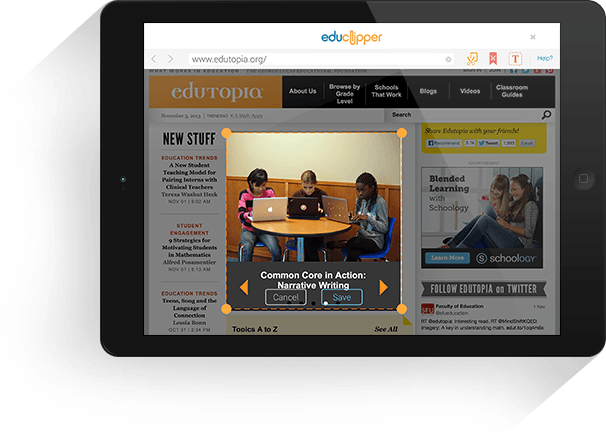
Educlipper thus makes it possible to offer a kind of visual tool to rank your favorites. Educlipper provides a bookmarklet to install on your browser that will facilitate your curation. With one click you will be able to create a pin and classify it in the table of your choice. You can also attach PowerPoint files, PDF files and images.
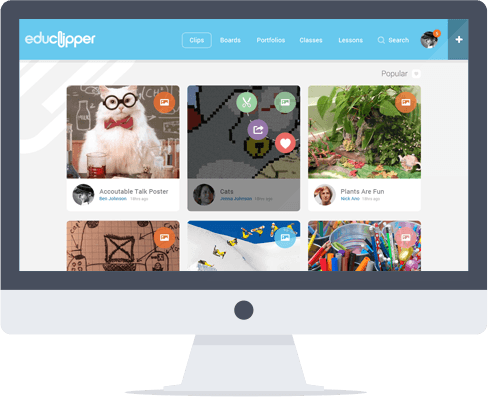
Educlipper also opens to video. By adding a link to a video, it will automatically appear in your virtual board without you having to leave it. If you're a Google Drive user, you'll also be able to pin files directly to Google's hard drive. In its latest version, which has just been released, Educlipper also offers integration with the DropBox service.
The service makes it very easy to create clips flexibly. You can also use Educlipper in mobility on an iOs tablet with a particularly successful dedicated application.
Educlipper was designed for education. So you can create tables for each of your classes so that you can share them with your students. As a teacher you will be able to create classes in your EduClipper account. You will then be provided with a unique code that will allow you students to access the classroom table. You thus keep complete control on everything published there as well as on the comments posted on each of the pins.
A real success that we ranked among our three favorite curation tools Some time ago. EduClipper inaugurates a new version of its website and mobile application that further improves usage, ergonomics and graphical interface.
Link: EduClipper.

 English