Last updated on 12 May 2026
Buncee is a CTBT tool that makes it possible to create multimedia presentations with real ease. It is a simple and fun online creative studio for both teachers and students.
There are many online tools for creating slideshows and multimedia presentations. Most require more or less time to learn. Buncee is simple enough to be put in all hands. A clear interface and a fairly successful playful atmosphere They are conducive to creation.
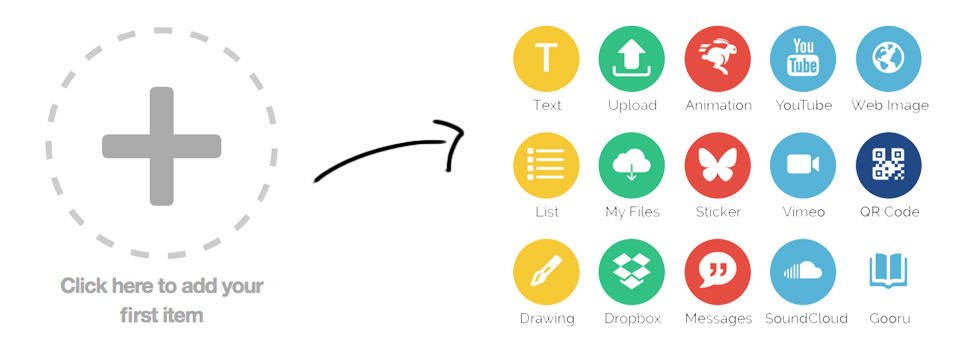
With Buncee everyone will be able to create attractive content without necessarily possessing a great digital culture. The platform offers countless ready-to-use templates. Multimedia elements are added by simply drag-and-drop. You can add media files of any kind. Images of course, but also animated GIFs, YouTube or Vimeo videos, sounds with Souncloud, text, … Buncee stickers give you access to image banks directly from the platform, but you can also upload your own items from your computer.
The layout is then done at the tip of the mouse. Everything moves, scales, duplicates in a few clicks. Once you have finished your presentation, all you have to do is share it directly from Buncee by email or on social media.
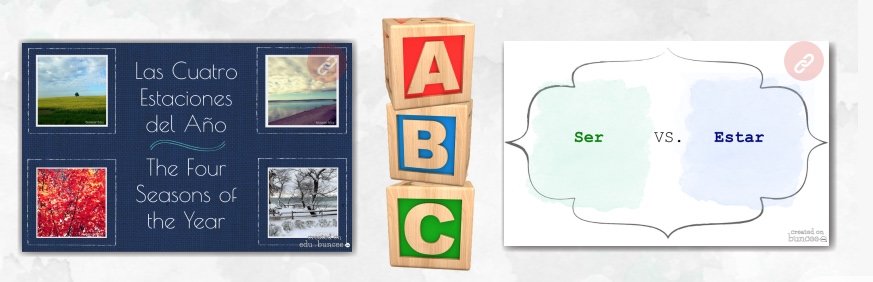
It is an ideal tool for many uses both for the teacher and for the pupils. Whether for a lecture, a language lesson, a travel diary or telling stories.
It is, of course, also an excellent tool for the reverse class.. The platform offers a premium paid education version that allows one or more classes of students to be managed. They will be able to use the tool for their own creations in the classroom or at home. You can also share your own lessons created with Buncee with the whole class or only with one group and track each other's progress. This pro version also allows you to keep your presentations in interactive PDF format.
Buncee works on the web with any type of browser. Little icing on the cake, it also offers a version on iPad to create your presentations directly on Apple’s tablet. The creations made with Buncee are also perfectly responsive and consult each other on computer, tablet or smartphone.
In terms of regrets, the application is proposed only in English. But it’s not a big deal to create your presentations. Again, everything is very intuitive.
Bunce offers a bit limited, but fully operational free versions. L to premium education version which allows to manage a class and adds additional functions costs depending on the number of students a little less than ten euros per month.
Link: Buncee
 English
A small typo in the last paragraph: a little limited.
Thank you for your regular watch
Ooops! Thank you very much. This is corrected.
Hello
Easy and fun creation with Buncee for a student of CM1 from my IPAD but impossible to share by email; I am a little disappointed because the project was to share with the class on the TBI via my mac . I am on the free version .
Did I miss something? A lead to try again? Thank you in advance