Last updated on 12 May 2026
NotebookCast is an online whiteboard that allows you to work together on a kind of virtual slate. Ideal for teaching, explaining, thinking together, sharing or just having fun.

This tool is very easy to use even if the interface is in English or Spanish. You can create as many tables as you want. White sheet, with lines or with tiles, small or large, you can choose the size and background of your virtual board. NotebookCast offers the classic tools of this kind of services. You can write, draw, insert geometric shapes or paste images into them. You also have an eraser, a laser pointer and a camera that allows you to take a snapshot of your table with a single click and upload it to your computer.
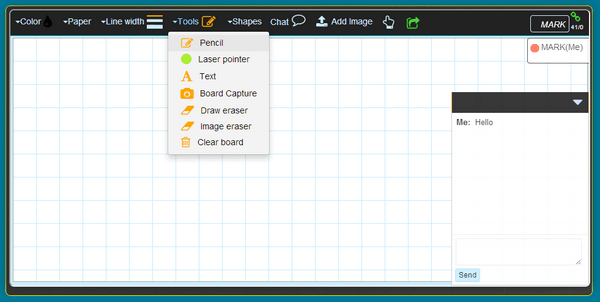
NotebookCast allows above all to share your whiteboard with up to 10 users in real time. They do not need to open an account to access the table. There is also no need to install anything on their device. Sharing is done via a link or code in seconds.
In collaborative mode, NotebookCast does wonders. Any changes or interventions to the table are displayed almost instantly on the screens of all participants. The tool offers next to the whiteboard: an online chat system to allow all users to chat together.
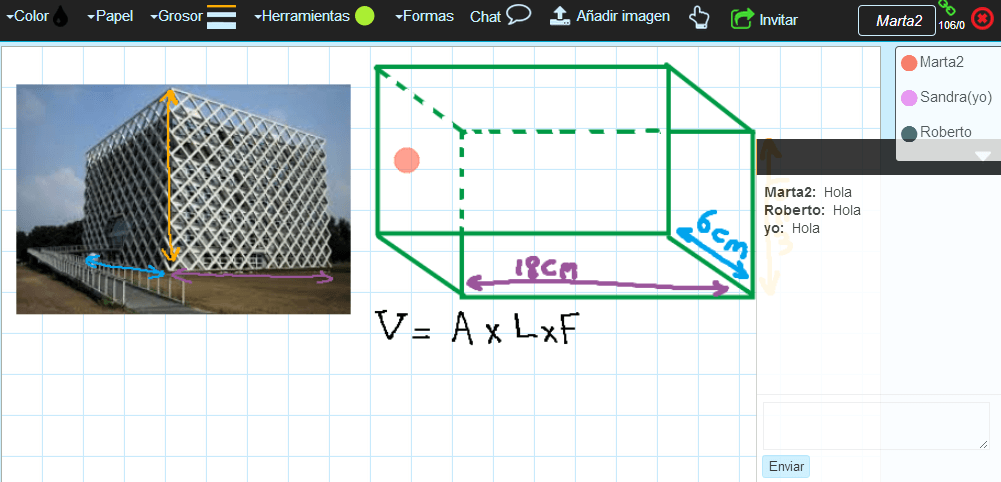
You can use the service without even registering. The advantage if you do this is the possibility to keep all the whiteboards that you have created and in which you have participated at hand. You can also if you want to create kinds of templates that you can reuse according to your needs.
A good simple and free tool It works on all types of devices from a simple browser, be it computers, tablets or smartphones.
Link: NotebookCast
 English