Last updated on 17 May 2019
Thinglink is probably one of the best online tools to create images, but also interactive videos simply.
Thinglink was one of the first tools presented on this site more than three years ago. I said a lot of good things about it. I have not changed my mind. Thinglink has been able to evolve and offer new features that make it, in my view, one of the best, if not the best tool in its class..

The platform that originally used to work with photos only, now allows you to make enriched videos or set foot in virtual reality with a formidable editor for 360 ° images and capture.
The principle of Thinglink is simple. If you don't know him, I'll call you back. You take an image of your choice and you will insert insertion points into it where you will paste additional content of any kind. Text, links, images in the image, videos, sounds, maps, social media posts … When you hover over the insertion point, you will see the multimedia content you have inserted in it. That's great.
The whole thing is done in a very simple interface to take in hand and use, within everyone's reach. In other words, you will be able to focus on the essentials, message and content, and forget about the tool to produce rich and impactful educational content. You can also entrust the tool to your students so that they can make a multimedia presentation, for example. The final result can be projected to the class or inserted on a site or blog.
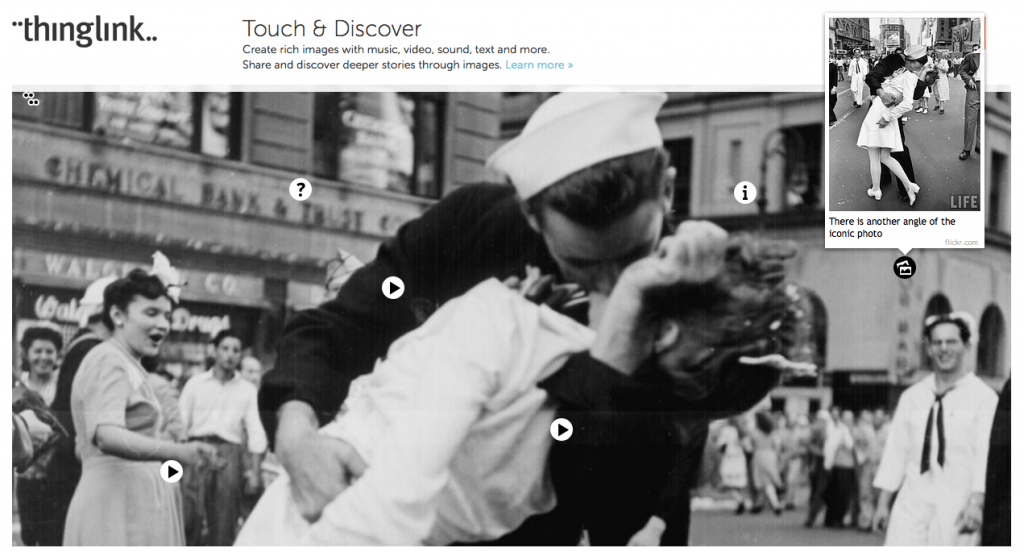
If you already know Thinglink, but have not used it for a while, I advise you to go back to their website to see the many new features that have enriched the original tool.
The graphical interface has been refreshed For example, you will discover a whole series of new icons at your disposal to mark your insertion points in an image.
The tool makes it possible to turn any video into an educational resource. This will allow you to insert multimedia content into a video. They will appear during viewing with the ability for the player to explore or not the associated content with a single click while pausing the main video.
Thinglink also offers the ability to work with 360° images of a place by inserting here again additional multimedia content in an even more immersive environment. The images thus made with Thinglink can then be explored on a computer, but also on tablet or laptop and even with the first virtual reality headsets.
Thinglink can be used for free in its basic functions with your students. The platform also offers pro versions with education rates for its most advanced functions. Thinglink remains a must-have of your TICE toolkit.
Link: Thinglink
Update May 2019: Thinglink is now offered entirely in English. Read new article here.
 English
Unfortunately, it seems that the tool has been switched to a paid version to make the image public …