Last updated on 12 May 2026
LucidChart is a very comprehensive online tool for Easily make diagrams, flowcharts, diagrams and other mind maps. Lucidchart combines ease of use with advanced functionalities to meet all needs at school or in training.

LucidChart is a heavyweight of the very select club that brings together pro tools capable of making diagrams from the simplest to the most complex. Despite its all-terrain side, the platform is used 100% online from any browser has been able to keep very appreciable agility and lightness.
In addition to being compatible with many tools that allow for perfect integration with your usual routines, LucidChart offers particularly interesting collaborative editing functions in the field of education.
A quick grip.
Lucidchart offers ergonomics and user experience without real flaws. The editor is very intuitive: No need to spend hours deciphering tutorials, you can get started immediately. Quick registration and a few clicks later you are in front of your blank sheet ready to start creating your first diagram. You can use provided templates as inspiration or embark on the white sheet adventure.

Everything is done by dragging and dropping from the end of the mouse. On the left, a bar contains the various components that you will be able to integrate into your diagram. Once installed on your assembly sheet, to connect the components together, click on a point of a component and leave it pressed until you reach a point of the component that you want to link. A default arrow will be automatically set up. You can then set it up.
Appreciable compatibility with many tools.
LucidChart is for example one of the only platforms capable of working with Microsoft Visio files. Lucid also has no difficulty with Google tools or cloud. Your diagrams can be exported to an impressive list of different formats.You can also integrate your creation into a wiki, a site or a blog; it will be automatically updated when you make changes in Lucidchart.
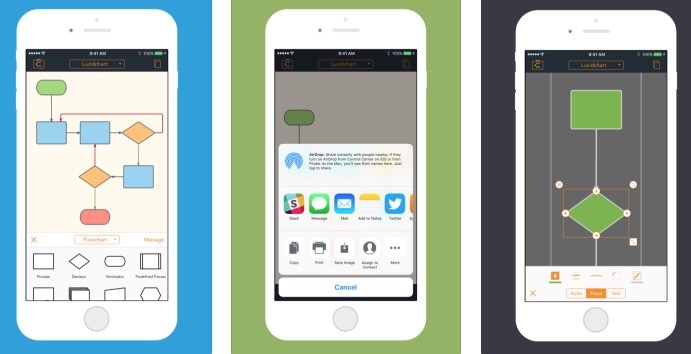
In short a faultless one to which it is necessary add cherry on the cake the ability to work in collaborative mode and dedicated apps for iOS and Android if you want to work in mobility on a smartphone or tablet.
Link: LucidChart
WebApp — English — Free and Paying

 English