Last updated on 12 May 2026
Quik is a free application that allows to create in a few seconds a small sound slideshow with the photos or videos on your smartphone or tablet. It is a mobile editing tool available on iOS and Android that will help you create a small slideshow anytime, anywhere without any complications.

How can images and videos taken on-the-fly during school trips, in a green classroom or during an activity at school be quickly edited? Why wait? Often the “I will do it later” translates as “I will do it one day” before forgetting it completely. Quik changes the game with a very simple to use mobile application that will allow you to generate a nice little slideshow in seconds.
A sound slideshow directly from your smartphone
Quik is an app that works on iOs and Android. It is produced by the manufacturer of the small Go Pro video cameras, but it is offered free of charge to everyone.
GoPro’s free app allows you to quickly create videos on your Android or iOS phone or tablet. With the app installed on your device, you can import photos and videos that you have stored on your phone or in Google Photos.
The use is very simple. After selecting the images and/or video clips you want to embed in your slideshow, Quik will automatically generate in seconds a video that combines the selected photos and video clips.
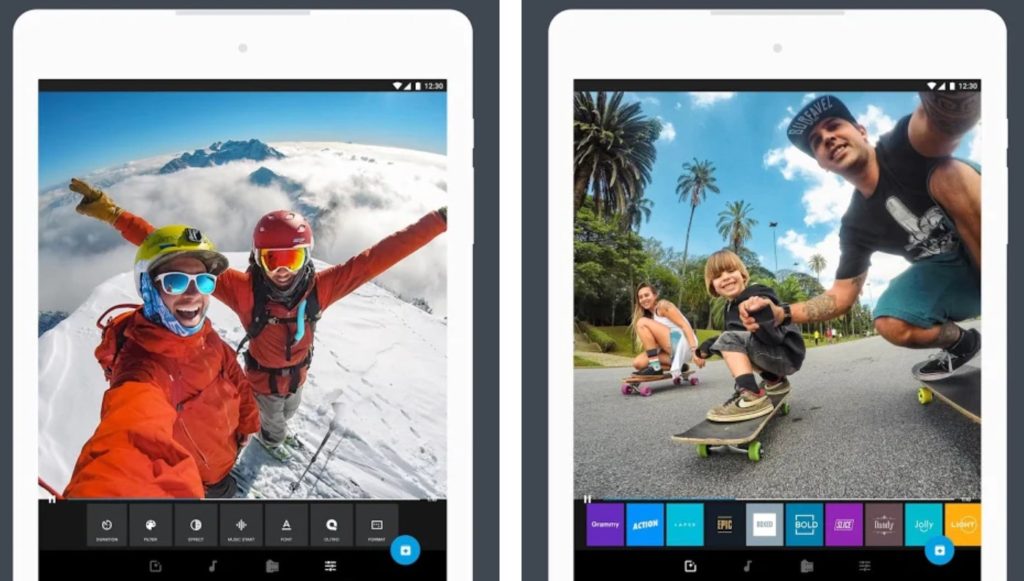
The application also allows you to add a title to your ‘work’. Quik will also automatically insert music and apply special effects to the video. A real-time preview system provides an immediate overview. If you don’t like the result, you can always change the automatically added effects and music with one click by simply selecting a different theme from Quik’s video theme menu. The choice is not huge, but it is more than enough for a variety of outcomes. About thirty themes and a hundred musics are at your disposal.
Create awesome videos in just a few clicks
Without matching the rendering quality of Adobe applications as rush or Spark, Quik, which also suffers from some bugs on the back versions of the Android system, is nevertheless an interesting option to drag into the folder of useful apps for school on your smartphone or tablet. You can save your creations in different formats and qualities including HD 1080p
Quick is free and can be downloaded from the stores dedicated to your smartphone or tablet. Note that the application also has a desktop version to install on your Mac or PC.

 English