Last updated on 12 May 2026
How can you boost your presentations, which your students only look at from the corner of their eyes? How to arouse their attention and involvement in your courses? Have you tried to create interactive MCQs?
Aha Slides is a platform that allows among other things create interactive MCQs easily. In reality, Aha Slides does much more, much better than that by offering you the possibility to insert a good dose of interactivity into your presentations and online courses. A tool that will allow you to boost your courses and encourage the engagement or involvement of your students.
Aha Slides allows you to add surveys, live graphics, fun quizzes and Q&A sessions to all your presentations. A credible alternative to a tool like Kahoot which dominates the sector. Especially since the platform has grown a lot in recent months offering new options and improving the existing one. The team behind Aha Slides has worked hard, to say the least, and offers a mature tool that will find many uses in the classroom.
In this article, I propose to review the basic functions of Aha Slides while taking a look at the main new features. Follow the guide.
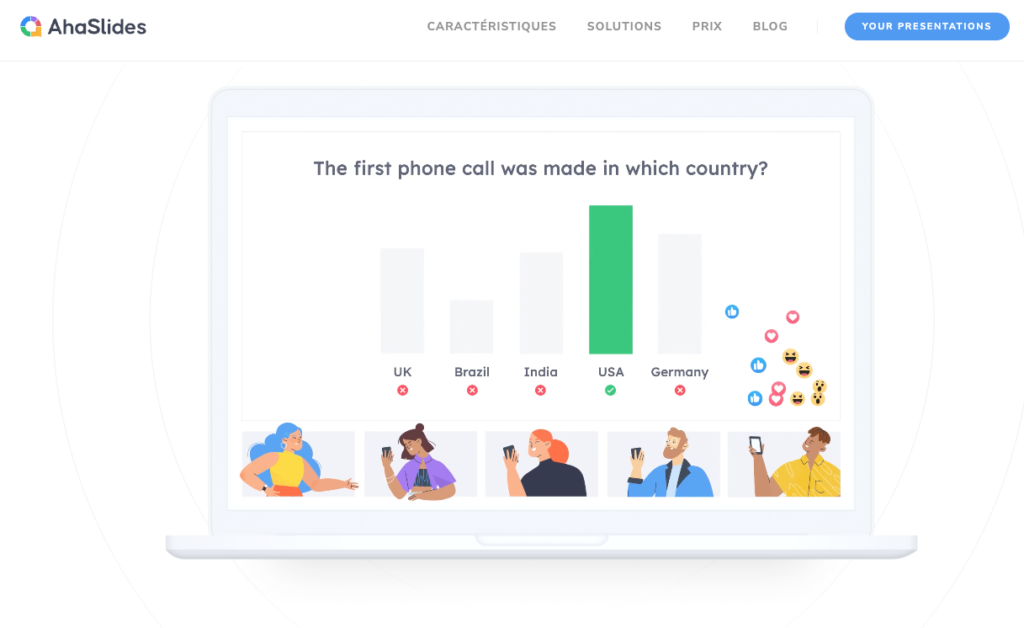
Easily inject interactivity into a presentation
The operation of Aha Slides is simple to understand and simple to implement. AhaSlides will give "peps" to your presentations and awaken your audience by inserting in your slides questions that you want to ask during your course. The listeners of your presentation will be able, via their computer, tablet or smartphone, to answer your questions in two clicks. No need to download or install anything. As your audience submits their responses, the results are displayed in real time in your presentation in beautiful graphics or other formats. Ideal to wake up your learners, create reminders or validate the understanding or achievements of a notion discussed during your presentation.

Create interactive MCQs and gain better attention from participants
Aha Slides will allow you to punctuate a presentation with interactive MCQs, real-time surveys, questions of all kinds … The tool can adapt and respond to many uses. In addition to the classic questions and other interactive MCQs, you can, for example, organize question-and-answer games with a key competition that will designate the winner who has given the most good answers.

Another interesting option is the integration of a word cloud that allows everyone's best ideas to be gathered quickly.
Organize an interactive Q&A session
The platform also makes it possible toorganise in an innovative and interactive way sequences of questions and answers with the participants. No need to wait for the microphone to reach the back of the room. With Aha Slides anyone can participate including those who may be a little shy to ask questions out loud in front of an assembly. With Aha Slides you can collect online and view all the questions your listeners want to ask. You can even get them to vote to prioritize all these issues. Practical.

Creating interactivity in courses to improve learning
A tool like Aha Slides places students at the centre of their learning. As we know, if students do not listen, they do not learn. With all the tools offered by Aha Slides, icebreakers, games, wheel of fortune, surveys and interactive challenges, students’ engagement and attention will be renewed. This is true in person. This is even more true for training or distance learning where attention levels and durations are very limited. AhaSlides works 100 % online and requires only an internet connection. This is an excellent way to boost the virtual classroom.

The platform also makes it possible to solidify learning by having fun. In recent months, the creators of the tool have introduced many functions to allow to vary the form of the questions, to play alone or in a team, to have rankings, to obtain reactions and exchanges between the participants.
You will like (your students will love) the modules that allow you to brainstorm or inspire and start discussions in the classroom.
Track class progress and student participation
Aha Slides now provides comprehensive and detailed reports on each of the activities, interactive and other MCQs that you offer to your students. You will find information on the commitment rate for the proposed financial years: How many participated? Who answered? Who was wrong? Useful information to improve your presentations but also to check the level of understanding of your young audience.
Aha Slides takes charge very easily and will energize your courses, presentations and presentations by involving your audience through playful and interactive tools.
Fidel Navamuel – Tice Tools.
You can try Aha Slides free of charge. For full use, you will need to upgrade to a paid version. The education rate starts at just under five euros per month.

 English