Last updated on 12 May 2026
How to create interactive videos by inserting questions or comments? Mindstamp is a brand new tool that will allow you to make your videos interactive very easily.

An explanatory video is often a great way to convey a concept or enlighten a program point to your students. Videos are part of their daily lives and most often capture their attention. This is all the more the case if they incorporate a bit of interactivity.
Mindstamp is part of this toolkit for working with video at school . It will allow you to easily insert moments of interactivity into any video. A good tool for create interactive videos.
Table of Contents
How to insert notes in a video?
Mindstamp allows you to insert notes at any time in your video. Ideal for providing your viewers with contextual elements. You can insert texts, but also voice or a video note online. It’s like watching the video with your students.
Add questions to a video
This is of course one of the main functions for making an interactive video. At the end of the video or at an important point in the video, you will be able to insert a question to capture your viewer’s attention and check that they have understood a particular point.
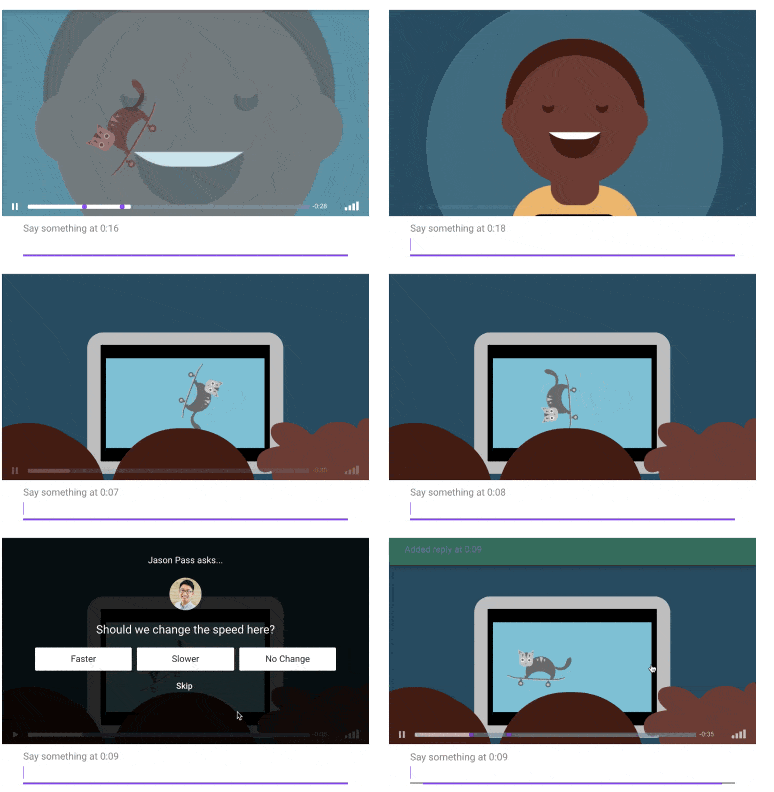
You can also include incentives to complement the input of the video by following a link to another resource.
The Mindstamp tool allows you to insert an action button in your video or make part of the image interactive. With one click, the viewer can send an email or follow a link that you have inserted.
Draw on a video
This is another particularly useful function in the case of pedagogical use. Mindstamp allows you to insert handmade indications like an arrow directly into the video to draw attention to a specific location in the image.

Detailed reports for each video
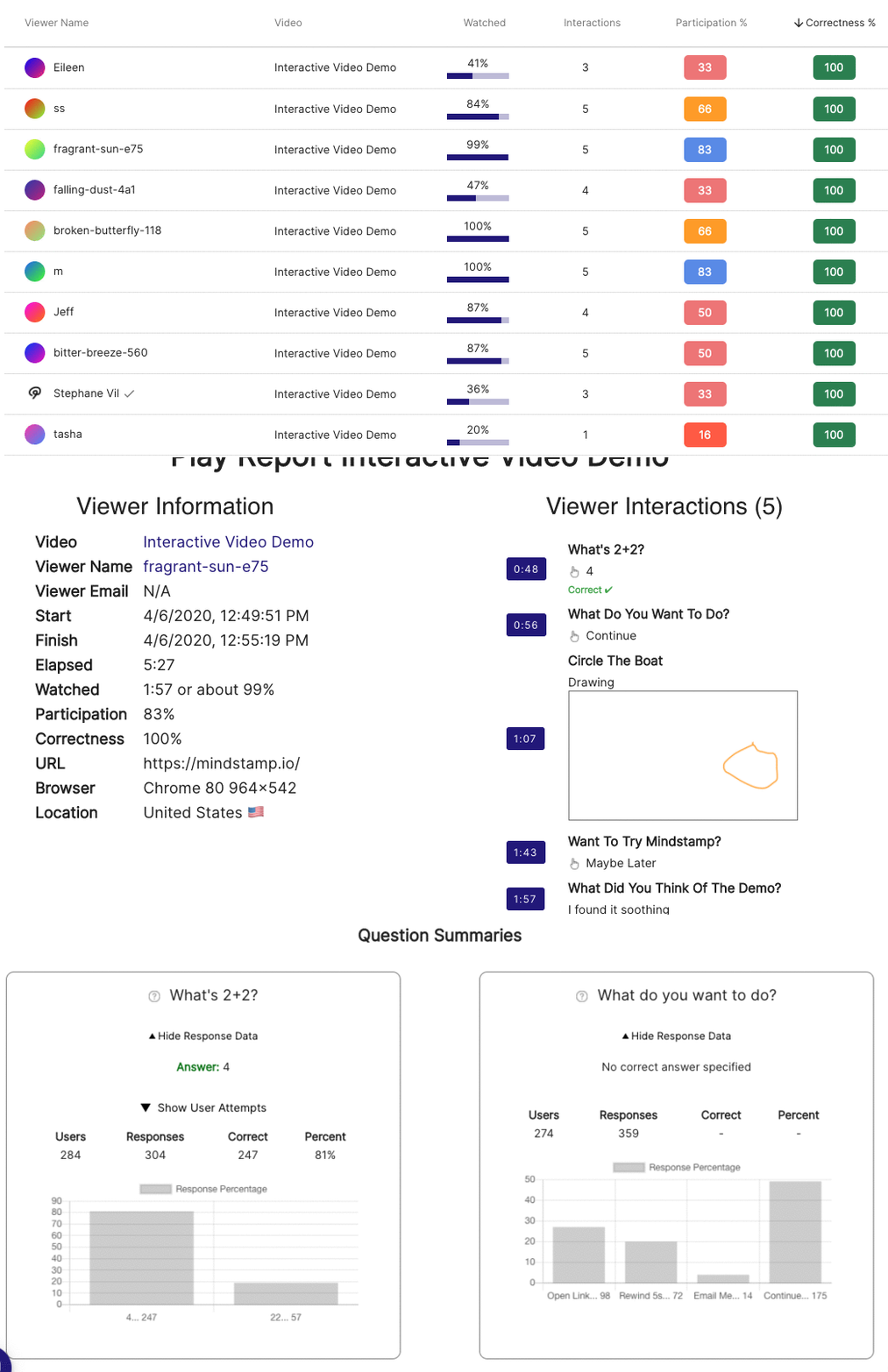
Mindstamp generates a report every time a video is watched. Video reports group all playback reports into a summary. However, each report can gather very detailed data. You will know the duration of the video that the viewer watched, calculated to the nearest second. You will be able to see all comments, answers, clicks and other actions performed by the viewer. You will get the number of correct answers among the questions for which a correct answer has been specified. Practical.
Mindstamp works with the most popular video hosting solutions, or you can download videos directly. In seconds, you can take your existing video content from Vimeo, Wistia, JW Player or YouTube and turn it into a dynamic and interactive experience for the viewer. Once you have finished editing your interactive video, all you have to do is share it. Mindstamp will provide you with a unique URL. You can also insert it in a website or blog.
You can test MindStamp for free for 15 days. Subscriptions are then somewhat expensive and not entirely adapted to the world of education. The creators of the service nevertheless announce an upcoming education version. A good idea as the tool lends itself particularly well to use in education. Meanwhile, MindStamp team offers a discount of 50% for all ToolTice readers if you switch to a paid plan. To benefit from it you must insert the coupon TEACHER50 at the time of subscription.
To be followed, then.
Link: MindStamp

 English
Thanks so much for sharing! We’re very excited about building the future of interactive video and it’s potential to better serve both educators and students.
We’d like to offer a special discount to Toolstice readers: get 15% off any plan for life if you purchase by 12/31 and send us an email (hello@mindstamp.io) mentioning this comment.
Questions, comments, or suggestions? Our inbox is always open 🙂