Last updated on 23 September 2024
How to offer oral activities to students? How can they easily create audio capsules? Mon-oral.net is a nice little free and free application available to all teachers that allows to create a whole series of activities around oral expression.
The app is particularly well suited to offer students oral and Grand Oral training. It allows you to register, but also to participate in real-time training exercises. Don’t hesitate to put it in your digital toolkit for education.
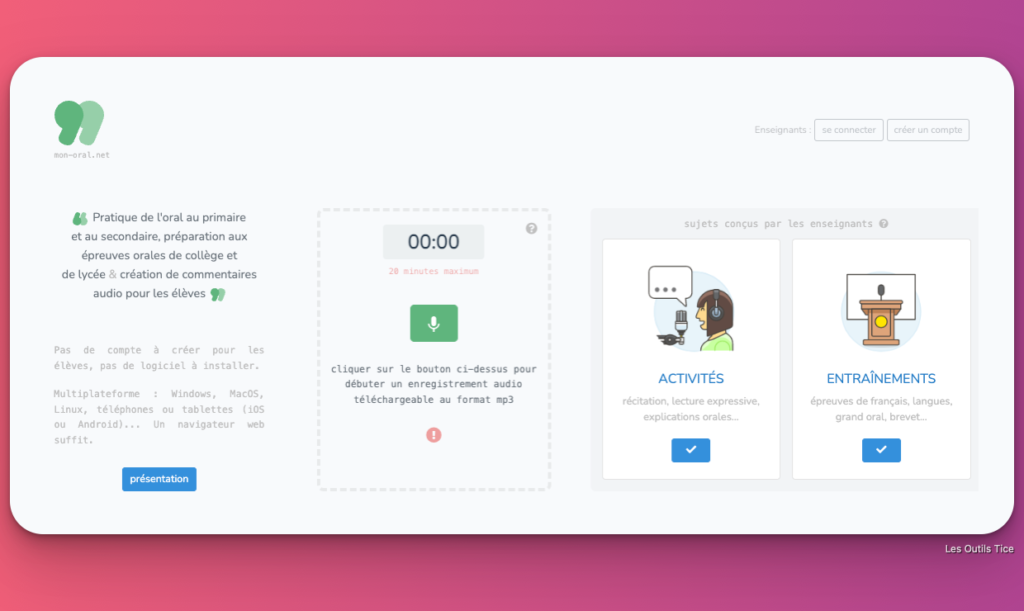
Table of Contents
How can we propose activities to develop oral practice?
Mon-oral.net is an online tool created by teachers that shines with its simplicity. It will basically help to create audio capsules from any computer with great ease without you having to install anything. The application works with a simple browser.
The longest is to create a teacher account. To do this, you need an academic address or the institution where you work. In case of difficulty, you can always contact the creators of the application to unblock you. Once registered, you have access to a central dashboard that allows you to create three main types of activities.
Create audio exercises for your students
Narratives, oral presentations, rhymes, this first function allows you to create exercises to develop the oral practice of your students in primary and secondary school. This can take the form of an exercise or a question. Give it a title, a instruction and pass it on to your students.
This can be done via a simple URL, a QRCode or by inserting the exercise into a website or blog. Students will not need to identify themselves or register for the service. They will fill in their first name and will be able to record their audio response. Once recorded, they will be able to listen to their reply again, they will be able to download it and if they are not satisfied, they will also be able to repeat it as many times as they want. All they have to do is validate and their answer in the form of an audio capsule will be displayed in the teacher’s dashboard where the teacher will listen to the answer.
Offer training in the oral exams of middle school and high school
Mon-oral.net was designed with the official middle and high school oral exams in mind. This is the second major function proposed by the application. This works broadly in the same way as for creating audio exercises with a few big differences. First of all, it is a kind of white oral, so the student will only be entitled to one recording. As in real life, he will not be able to start again.
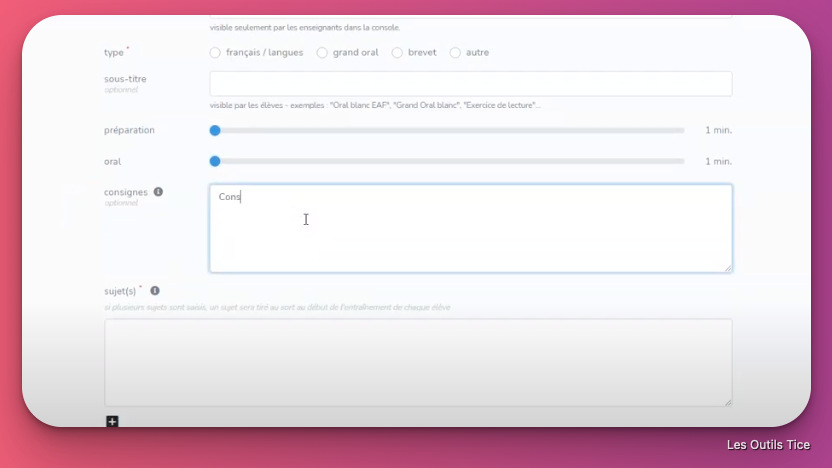
The teacher can offer him/her a subject, but he/she can also propose several, the application will randomly draw one. Practical. The teacher also has the possibility to set two time limits for the exercise by defining a preparation time and a response time. Again, the student’s response in the form of an audio capsule will land in the teacher’s dashboard listed under the exercise.
Easily record audio capsules
Last simple but very convenient use of Mon-oral.net, you can use it to record small audio capsules to send to your students. This can be used to record a deposit, a … comment Thanks to the link provided by the application, it will be very easy for you to send it to a student who will be able to listen to it without the need to register. Note that students can also use the online application to freely record an audio capsule and then share or download it.
Propose audio annotations of copies
Another way to use the app that remains to be explored is to use it to offer audio annotations on your students’ copies. Aurélie de Mattéis, a teacher at a college in Montesson, is very satisfied with her use of "My oral.net". She records her personalized comments as she reads the copies, optimizing her return to the students.
It refers to this in an article by my friends from Café Pédagogique :
‘The commentary is addressed to each student individually and is thus an opportunity for the teacher to create a privileged exchange: It encourages, values progress and leads the way in improving writing.
In addition, the tone used invites the student to receive the teacher’s comments as advice and the words of appreciation are better heard. The audio commentary establishes between teacher and student a way of dialogue that tends to invite reflexive feedback. »
She delivers a detailed instruction manual for its use on the Letters page of the Versailles Academy website.

An excellent app to put audio in your classes and for remote class to add without hesitation to your tools to work with audio.
Mon-oral collect the right points. Free, free, the recovery of audio capsules is simple, there is no account to create, no software to install. A cross-platform tool: Windows, Mac OS, Linux, phones or tablets (iOS or Android)… Don't miss out.
 English
Excellent discovery! Thank you for sharing