Last updated on 19 February 2024
If you are looking for an easy-to-use online mind map tool, EdrawMind is a good option to start with a mindmap.
Easy to use despite advanced options that make it a very powerful graphical tool, it allows users to create effective mind maps for all kinds of projects. Whether you are a student, trainer or teacher, EdrawMind offers an intuitive and user-friendly experience for creating mind maps. With EdrawMind's built-in presentation feature, you transform mind maps into beautiful dynamic slideshows in seconds. Once you're done, you can export the slides as an editable PPT or PDF file.
Thanks to its Artificial Intelligence Integration, EdrawMind It also offers advanced features to improve creativity, collaboration and visualization of ideas.

Overview of this digital tool creation of mind maps It has a powerful role to play in education.
Table of Contents
EdrawMind’s capabilities
EdrawMind allows you to create mind maps, Gantt diagrams, heuristic maps and task management diagrams. Users can collaborate in real time. EdrawMind is well suited for use in education.
Intuitive and user-friendly tool to create mind maps or brainstorm
Quite user-friendly application, it is an intuitive product that allows intuitive creation of maps mental in just a few clicks. Users can organise their ideas logically and systematically using the features of the mind map. The tool also includes Gantt charting, mind mapping and project management functionalities, thus meeting all user needs.

Using EdrawMind in Education
1. Stimulating Creativity
It is a powerful tool that encourages students to think creatively and organise their ideas visually. Mind maps make it possible to represent information in a non-linear way. Teachers can use EdrawMind to encourage students to explore different perspectives and develop their creativity.
For example, during a literature class, students can use EdrawMind to create mind maps on the key themes and events of a novel. They can also make a family tree of a character. This will allow them to visualise the connections between the different elements of the story and deepen their understanding of the text.
2. Fostering Collaboration
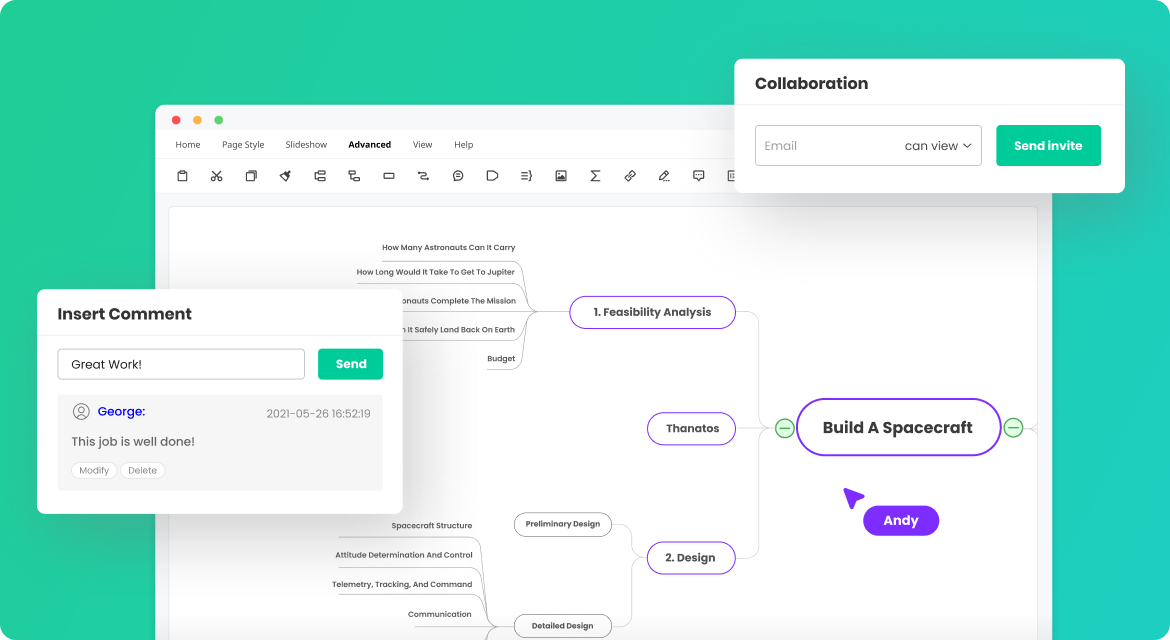
EdrawMind offers real-time collaboration features, allowing teachers and students to work together on group projects. Users can share their mind maps with others, who can view and edit them simultaneously. This facilitates collaboration and fosters cooperative learning by automatically updating projects for everyone across different platforms, including desktop, mobile and web.
For example, students can work together to create a mind map on a complex concept in science. Everyone can add their own ideas, organise information and collaborate to create a complete and detailed mind map. This encourages active learning and the exchange of ideas between students.
3. Visualize Concepts and Relationships
EdrawMind makes it possible to visualize concepts and relationships in a clear and concise way. Mind maps make it possible to group ideas together, identify the links between the different elements and create a visual representation of knowledge. This facilitates the understanding and memorization of information.
For example, during a geography course, teachers can use EdrawMind to create mental maps of different countries and their geographical characteristics. Students will be able to visualize relationships between countries, mountain ranges, rivers, etc., and gain a better understanding of global geography.
4. Dynamic presentation
The platform converts mind maps into dynamic and engaging presentations. Teachers can add colors, images, animations, and transitions to make their presentations more engaging. This captivates students’ attention and makes learning more interactive.
For example, during a presentation on art history, teachers can use EdrawMind to create a mind map of different art movements. They can then turn this mind map into a slideshow presentation with representative images and key information about each movement.
Templates and examples of mind maps, mindmaps and other gantt charts to inspire you
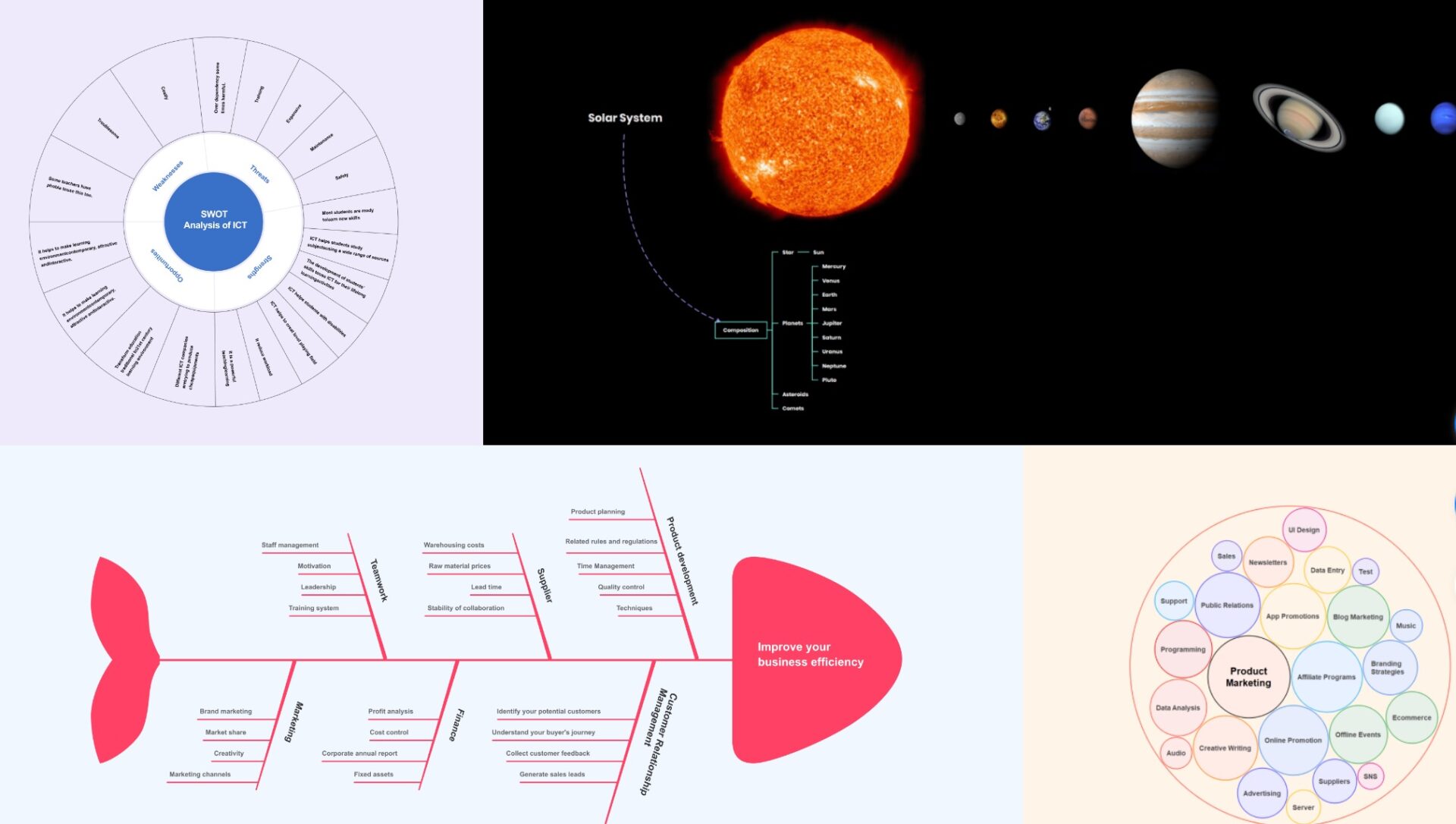
A real plus, the platform allows you to explore a diverse gallery of mind maps, Gantt charts and mind maps created by users from all over the world in all styles.
Users can access the tool via versions for, Mac, Windows, iOS, Android and Linux.
EdrawMind is a very powerful and user-friendly tool for creating mind maps online.
EdrawMind’s intuitive interface and wide range of features make it an excellent tool for organising and presenting concepts, ideas or brainstorming. With EdrawMind, you can create visually appealing and interactive mind maps that effectively present ideas and concepts.
EdrawMind offers a free version with some limitations to test the tool. For full and unlimited use, count around EUR 40 per year. Find out, the tool offers even more advantageous education rates.
Whether you are a student, educator or professional, EdrawMind offers a wide range of models and examples to get you started in mind mapping. The tool combines creativity and productivity.
 English