Last updated on 11 January 2024
Forget broken pixels and involuntary artistic blurring: artificial intelligence can now be used toenlarge images with almost no loss of quality. Until now, this has been a real concern, as the enlargement of an image leads to a loss of sharpness and a deterioration in quality.
Do you have an image that you would like to enlarge without sacrificing its quality? Try AI Image Enlarger. Tour of the owner.

Table of Contents
What is AI Image Enlarger?
AI Image Enlarger is an online tool that uses advanced AI algorithms to enlarge your images while maintaining their sharpness and quality. It uses a technology called SRCNN (Super-Resolution Convolutional Neural Network) that analyzes the details of the image and adds additional information to increase its resolution.
Practical for handling historical documents or archival images that are too small or of insufficient quality to be used in the classroom. After enlargement, these resources can be projected into a good definition or printed for good quality course materials.
How does AI Image Enlarger work?
When you use AI Image Enlarger, you start by uploading your image to the platform. The tool supports JPG and PNG formats, with a maximum size of 1 MB or a maximum width of 1200 pixels. Then you can choose the desired magnification level, up to 800%.
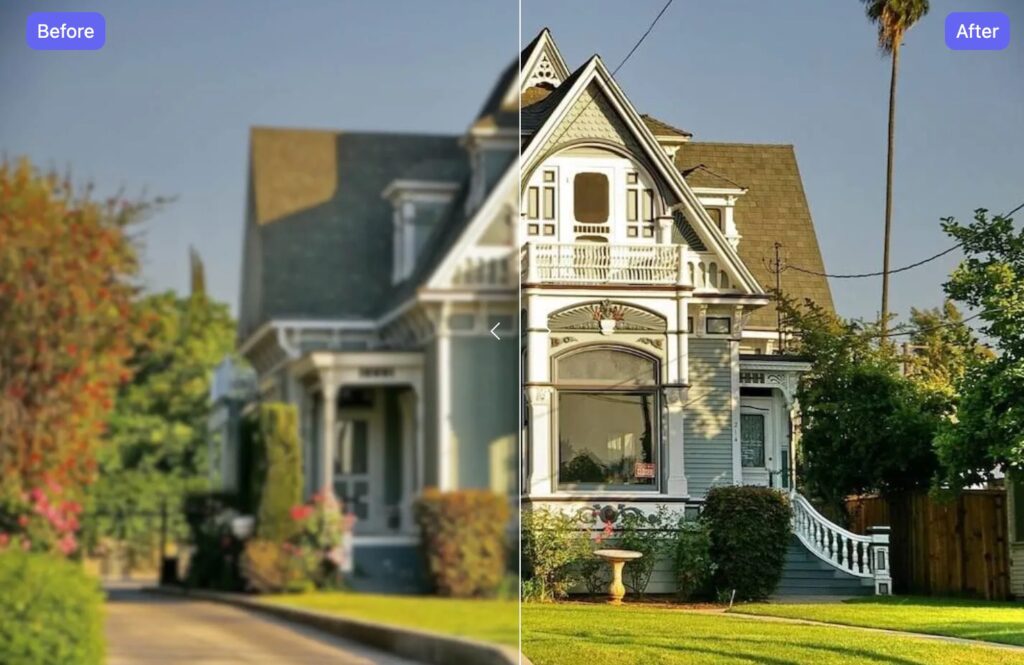
How-to to enlarge your images without loss of quality
Open your preferred browser and go to AI Image Enlarger. This platform is designed to help you transform your small images into larger versions, while preserving their original quality.
Drag and drop your image
Once on the homepage, you will see a user-friendly interface inviting you to import your images.
- Drag and Drop your JPG or PNG image directly in the intended area.
- You can also click on the area to open the file explorer on your computer and manually select the image you want to enlarge.
Note: The maximum size allowed is 1 MB or 1200px.

Select magnification rate
After uploading your image, it is time to choose the desired magnification level. You can usually choose between several options, such as:
- Enlarge to 200 %
- Enlarge to 400 %
- Enlarge to 800 %
Select the rate that suits your needs.
Start the enlargement process
Once the magnification rate is selected, click on the button to start the process. AI Image Enlarger will then use its advanced algorithms to increase the size of your image while striving to preserve sharpness and quality.
Download enlarged image
After the AI does its job, you will be able to download the enlarged image. Simply click on the download button to save the image on your device.
Once you have selected the settings, AI Image Enlarger applies its AI algorithm to enlarge your image. The algorithm analyzes the pixels in the image and generates additional information to intelligently increase the resolution. The end result is an enlarged image that retains the sharpness and quality of the original.
One of AI Image Enlarger’s strengths is its ability to enlarge images without loss of quality. Unlike other image enlargement methods that can lead to pixelation and sharpness degradation, AI Image Enlarger uses artificial intelligence to generate additional detail and maintain the quality of the enlarged image.
Another handy feature, Imglarger incorporates batch processing functionality. This will allow you to improve several images simultaneously and save a lot of time.
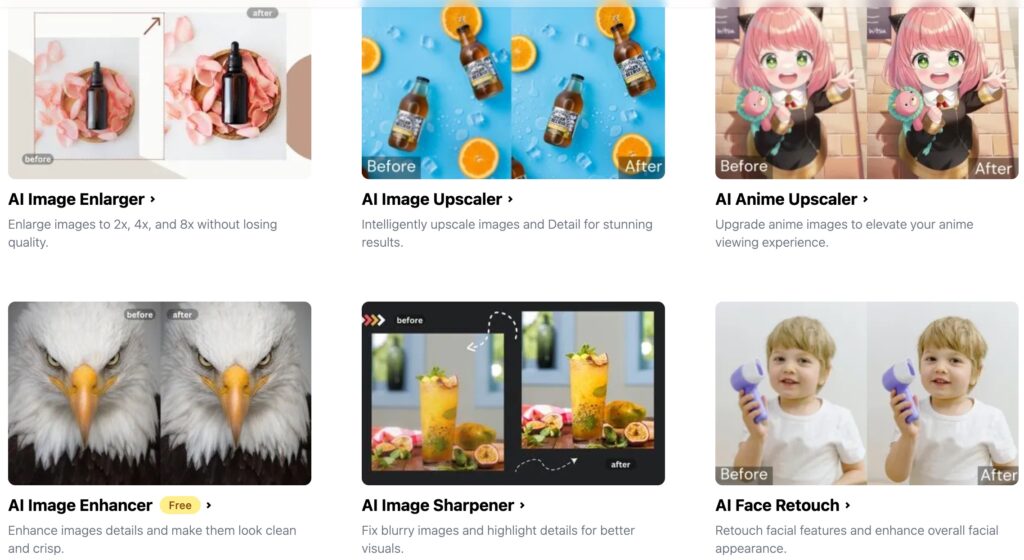
Other AI to process your photos
AI Image Enlarger is part of a series of different tools that all use artificial intelligence to improve digital images. These are a range of other AI-based image enhancement tools, such as:
- Image Enhancer (AI Image Enhancer)
- Noise Reduction (AI Image Denoiser)
- Image Sharpener (AI Image Sharpener)
- And many more …
Tools that will seriously shake up the small market of Best tools to improve photos.
The tool is designed to be user-friendly and easy to use. You do not need to have in-depth technical knowledge in digital image processing to use this tool. Simply upload your image, choose the magnification settings and let AI Image Enlarge do the rest. Practical.
AI Image Enlarger is a handy online tool to enlarge your images while preserving their quality. To test.
A free version of AI Image Enlarger allows about 10 images per month to be processed. You will have to pay a little less than EUR 5 to unlock all functions and be able to process up to 100 images.
 English
2 Responses
[…] Enlarge images without loss of quality with AI Image EnlargerAfforai. An AI tool to facilitate research work and document managementClaude 3.5 Sonnet: Speed and savings for developers - Furybiz To test on code development and check development costs against ChatGPT4oHow to Create a Landing Page with AI (2024 Guide)5 ways to use ChatGPT’s incredible vision function in educationStable Diffusion 3 Medium: The new generative AI model promises photorealistic images with consumer GPUsTurboScribe. An ultra-precise and polyglot audio and video transcription assistantYour ChatGPT Plus AI is amputated! Fix it! + AI News and OpenAI tools on Make: Everything you need to knowI spent 100 hours on GPT-4o – here's how to use it!I automated ChatGPT and GPT-4o – it's just FOU!Rvolution Perplexity.ai: Google killer? GPT jailbroken! + News IAJ spent 100 hours on GPT-4o – here's how to use it! See the tip for not consuming tokens on ChatGPT4o (start with 3.5). The differences between ChatGPT 4 and 4o. From the point of view of the author The prompt with GPT4o needs to be more worked out and precise than before. Don't forget to update the Custom Instructions. The Advance Data Analytic function.I created the Prompt GPT-4o PERFECT! (ChatGPT Tuto) Take this into account because indeed ChatGPT 4o works differently. How to write the perfect prompt. The different parts. List of pre-established prompts.5 Best WordPress AI Plugins In 2024 👉 Rank Math: https://www.elegantthemes.com/blog/re… 👉 AI Engine: https://wordpress.org/plugins/ai-engine/ 👉 Uncanny Automator: https://wordpress.org/plugins/uncanny… 👉 Supreme AI Writer: https://www.elegantthemes.com/blog/re… 👉 Elementor AI: https://www.elegantthemes.com/blog/re… Best Backup Plugins: • 6 Best WordPress Backup Plugins in 2024 👉 Best Marketing Plugins: • 26 Best WordPress Marketing Plugins i… 👉 Best Image Optimization Plugins: • 8 Best WordPress Image Optimization P… AI for Web Development: Exploring the Limitations and PossibilitiesHow does AI simplify every step of website creation?Discover how to easily create a YouTube Video with AIHow does AI simplify every step of website creation?How are images generated by Dall-E or Midjourney? Algorithms to generate images.Discover how to create a YouTube Video with AI easily 😱 This AI is crazy! Voice Cloning + Fast and Simple Deepfake7 AI Tools Free to ABSOLUTELY Know in 2024 LIST OF AI TOOLS 1. Fathom: https://fathom.video/ 2. Playground AI: https://playground.com/ 3. Perplexity AI: https://www.perplexity.ai/ 4. Krea.ai: https://www.krea.ai/home 5. Suno: https://suno.com/ 6. Ideogram: https://ideogram.ai/login 7. Luma AI: https://lumalabs.ai/Créer Videos with Chat GPT (without showing up)How To Create Custom GPTs Using Actions in Minutes (with APIs) – Full TutorialChatGPT Memory: the novelty that changes EVERYTHING (full tutorial) Avoid that the data is kept by OpenAI to train their modelPower Automate Copilot, maximum automation! Microsoft automation solution attached to the Office 365.Ai Backdrop suite. Change the background of your images – IAower Tools Automate Copilot, maximum automation!Two amazing AIs to create your animated video avatar: Stylar and VidnozThe simplest automation software! Tiny taskThis AI revolutionizes Print On Demand! HUGE!Automate ChatGPT with Make – TUTO simple Use Make on a simple exampleHow to create your first AI Agent and integrate it into your website (Botpress)VOICECHEAP AI: Cloning, transcription and speech synthesis (superpowerful)Finie the video! My AI avatar replaces me: Heygen + ElevenlabsYoutube has arrived on Make (duplicate your channel) Example of automated video processing on Youtube.Power Automate: The Ultimate | Guide Beginner Tutorial How to use Power Automate to automate tasks. VIDEO SOURCES: • Discover Power Automate: https://www.microsoft.com/fr-fr/power… • Create your first automation: https://make.powerautomate.com/ • Power Automate documentation: https://learn.microsoft.com/fr-fr/pow…Exemple automatic triggering when you receive an email.Power Apps: The Ultimate | Guide Tutorial for Beginners How to use Power Apps to create apps.I tested 300 No Code tools, here are the best ones for 2024! Very interesting. Identify the best tools.🔗 | Links to the No Code tools that will explode in 2024: – The No Code in 2024, the revolution: https://www.mendix.com/press/low-code… Create websites with Webflow,- Create with Softr: https://www.softr.io/ – AI and No Code with FlutterFlow: https://flutterflow.io/ – Discover Bubble: https://bubble.io/ , – The Code for undertakings: Microsoft Power Apps https://powerapps.microsoft.com/ – Discover Zapier: https://zapier.com/ – Automate with Make: https://www.make.com/en – Power Apps for automation.Create a No Code app in 10 minutes, free of charge! Interesting. Use Airtable to store data, and Glide to create the app. Other possible tools.GPT-4o: Incredible news from OpenAI (+ Tests) ChatGPT4o presentation and tests. News forum.ChatGPT Search arrives … And will kill GOOGLE? Search function to compete with Google. Access sources. The race for the first-fruits monopoly of Memory’s General Artificial Intelligence: as I have already explained because of European regulations we will not have access to it, beware of fake Benchmarks such as those of Mistral for example.Avatars in politics.Plugins ChatGPT: what is it, how does it work and which ones are the best? – LEBIGDATA.FR Interesting with proposed videos.I tested 800 new CHATGPT Plugins (here are the best) Interesting. Keep an eye on the plugin store. Chatgpt plugin store. See also by the same author: These NEW CHATGPT PLUGINS are GENIAL! – YouTube and I tested 70 PLUGINS CHATGPT: Here are the top 10! – YouTube […]
[…] Here is a guide for its use. How to enlarge your images without loss of quality. […]