Last updated on 12 May 2026
Updated: Oct 2018 - The site no longer exists.
Movenote is a simple and convenient CTBT tool for create video lessons for the class.
Movenote stands out for its ease of use and its flexibility. You will be able to start recording your first lesson in a few seconds. The only equipment needed is a computer equipped with a webcam and an internet connection of course. Movenote is a tool in the cloud.
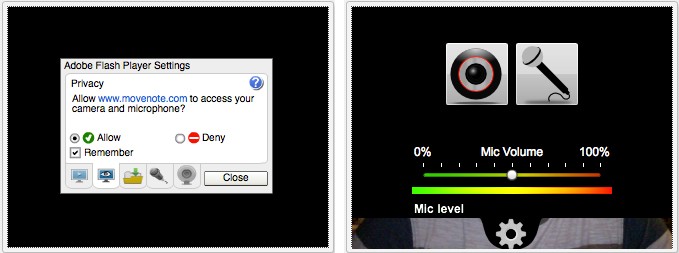
After registering, you will be able to create your first lesson. The screen is divided in two. In the center, the whiteboard on which you will scroll the document or slides that you will present to the class. On the left a video thumbnail in which you will appear once you have allowed Movenote to launch and use your webcam.
First of all, you need to upload your support document for your lesson. The latter must be present on your computer. Movenote can also import it from your Google Drive account. You can use most of the usual formats in your teaching materials : PDF, JPG, PNG, PPT… You can also organise the order of your slides on a built-in editing table at the end of the mouse.
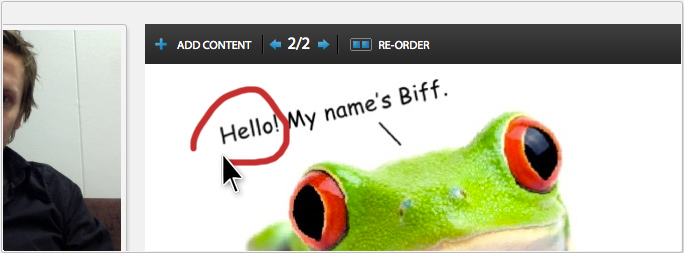
All you have to do is enter the scene by pressing the save button. 3,2,1…It’s up to you. Registration starts. You can switch between slides with the two arrows above your document, you can also use the arrows on your keyboard. Practical. Movenote also allows you by clicking the mouse button and remaining pressed from draw, surround, point with a kind of virtual pencil on the document presented.
During the recording it is always possible to pause and continue with a single click. Once the registration is complete. You can review it before saving it. Movenote will then start a conversion process that will take a few minutes. The video lesson will then appear on your account with a unique link that will allow you to share it by email or on social networks.
Updated March 2014.
MoveNote offers a new and convenient function, gmail integration. Once the extension is installed, you will be able to create a new video presentation from gmail. A button in the gmail interface allows the creation of a new presentation. Once completed, you can send it by email with a simple click.
Updated May 2015.
Movenote now allows you to use only sound for your presentations. You can turn off the camera and record your voices on presentations without the need to film your image. The other functions are identical. Movenote works on computers but also on mobile devices with versions for iOs and Android.
The tool is in English but easy to understand. A good tool tice simple and free to create video lessons without worries and without the need to go through a gas plant.
Link: Movenote
 English
Hello,
Can this site only be used for 30 days? This is what the site in question seems to say:
You can test the service for free for 30 days and see how easy it is to create a cool video presentation.
Yet at no point is it proposed to upgrade to a paid … version
Strange.
Good morning!
Thank you very much for this blog post. I will try to write in French for you now, but excuse me if I make minor language mistakes!
I would like to ask you if you have branded the new feature of movenote? With our Gmail feature, you can make movenote messages directly in your gmail, without leaving the mailbox!
I made you a little article on tumblr with the most important information:
http://movenoteingoogleapps.tumblr.com/
Please contact me with comments or anything. I would like to know what you think about movenote, the new features and how you used it!
I hope to speak with you later!
– Sini Hyytiäinen