Last updated on 12 May 2026
How to properly retrieve text from a web page? Classic copy and paste can of course be tried, but the result is rarely satisfactory and reusable as it is.
Whether you want to get the plain text of an article, create a clean, no-frills pdf or a real ebook to read on a reader, here are three simple and free online tools that will make it easier for you if you want to retrieve the text from a web page like a pro.
Table of Contents
DocumentCyborg. Recover text from a web page in Word format with one click

DocumentCyborg allows you to transform any web page or website into various document formats such as Word, PDF, TXT, RTF, EPUB and ODT. Simply paste the URL or link and generate a document with the content of the web page. Simple and fast. You will be able to easily save web content for offline access or later editing in your preferred file format.
WebToPdf. Convert a web page to PDF

WebToPdf is one of many online PDF converters like CleverPDF or PDFCandy. The function is in the title of the utility. Just provide the URL of the page you want to retrieve. A few seconds later you will be able to download a PDF of the page you are interested in. The conversion is of quality. WebToPdf knows how to get rid of complex or overloaded ads and layouts to keep only the bulk of the article.
Txtpaper. Turn the text of a web page into an ebook
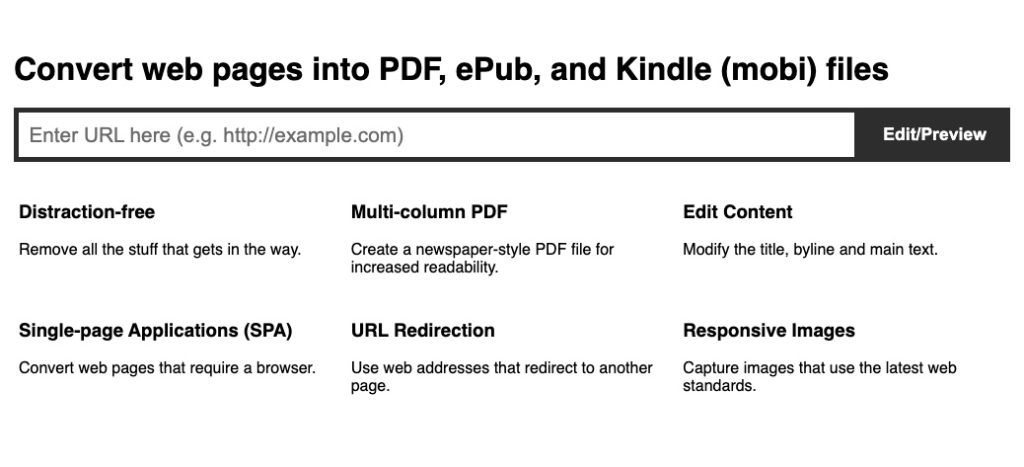
Txtpaper is another great completely free online tool to retrieve text from a web page. Txtpaper offers you to convert any web page into a real e-book. As for the two previous tools it will have previously rid the contents of any unnecessary frills. The conversion is very clean. The utility makes it possible to export in PDF format, but also and above all in the classic formats of e-books, namely the EPUB and the Mobi for Kindle.
TxtPaper allows you to intervene on the text before you export. This small reel takes on board when converting text and images. If the text contains links, the links remain active.

 English
1 Response
[…] free tool is one of the small utilities that can retrieve text from any web page. Two clicks and three moves are enough. A […]