Last updated on 27 March 2026
I just tested again UpNote for a few weeks, and the app surprised me with its simplicity. No tables, no databases, no infinitely nested blocks: just notes, tidy, easily found.
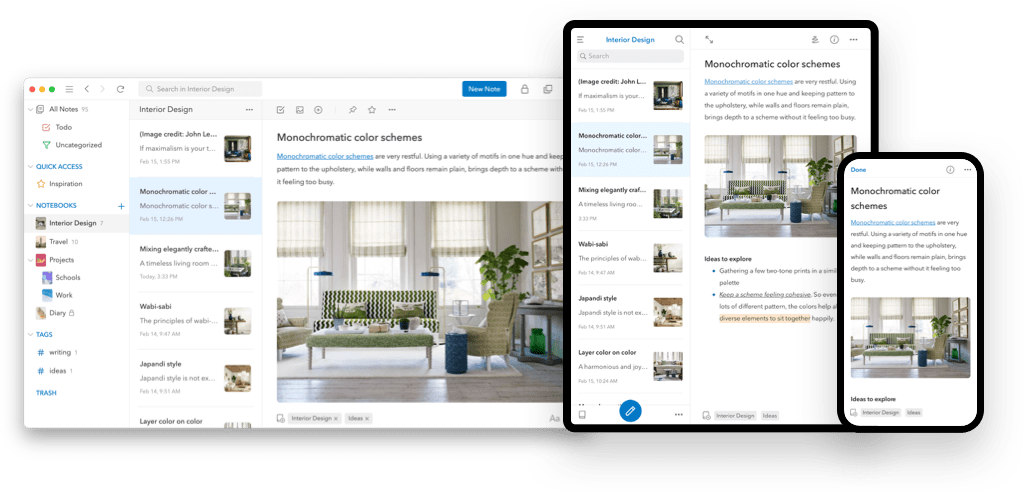
It is a cross-platform note-taking application (Windows, Mac, Linux, iOS, Android) that does exactly what it is asked to do.
For a teacher, this is typically the kind of application that can accompany you everywhere: preparation of sessions, bank of instructions, pedagogical watch, notes “hot” after a … course
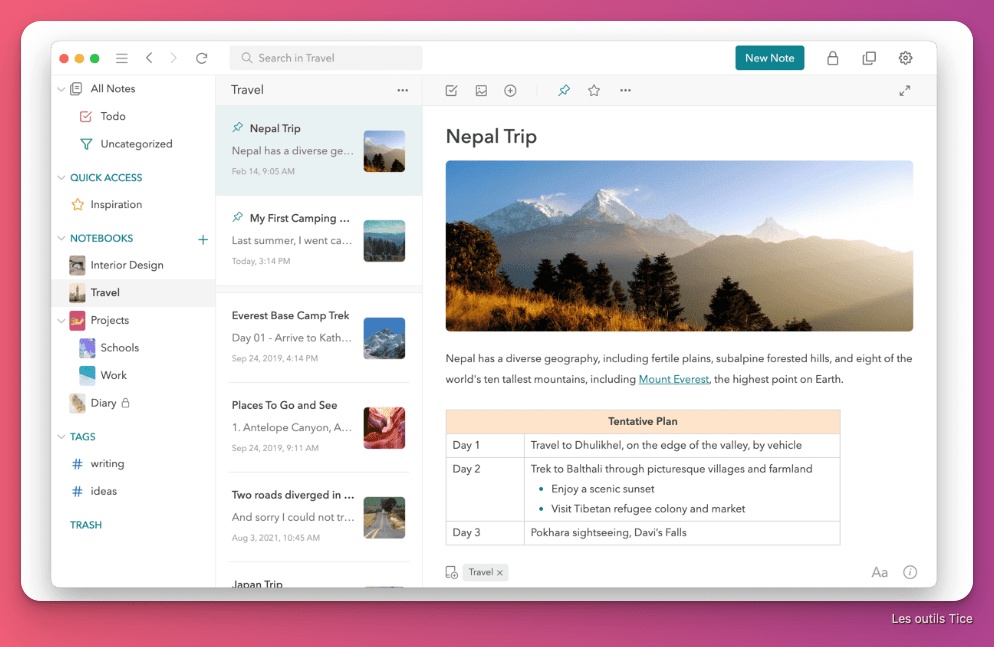
Table of Contents
What is UpNote really for?
UpNote is a well-built “digital notebook”: you create notes, store them in notebooks (including nested ones), use tags/hashtags, pin your … essentials and find everything with a rather efficient internal search engine.
In real life, this is often what counts: an app that you open without asking questions, that does not force you to ‘design a system’, and that makes you want to write.
 A complete … note editor without heaviness
UpNote offers a rich editor: formatting, lists, quotes, code blocks, insertion of images, links, … attachments with Markdown support for those who like to write quickly on the keyboard.
What makes the difference on a daily basis is a few well-thought-out functions: a focus mode to write without distraction, foldable sections when a note lengthens, and internal links between notes to link a sequence to its sessions or associated resources.

How to organize your notes with UpNote?
UpNote offers several ways to store without complicating your life:
- carnets and sub-carnets (by level, discipline, period, project);
- hashtags/tags (to find otherwise: “evaluation”, “differentiation”, “NDE”, “inclusion”, etc.);
- pinned notes and quick access to keep your references handy (progressions, frames, rituals).
It is simple, but it is precisely what makes the tool effective: you can be rigorous without spending your time “managing” the application.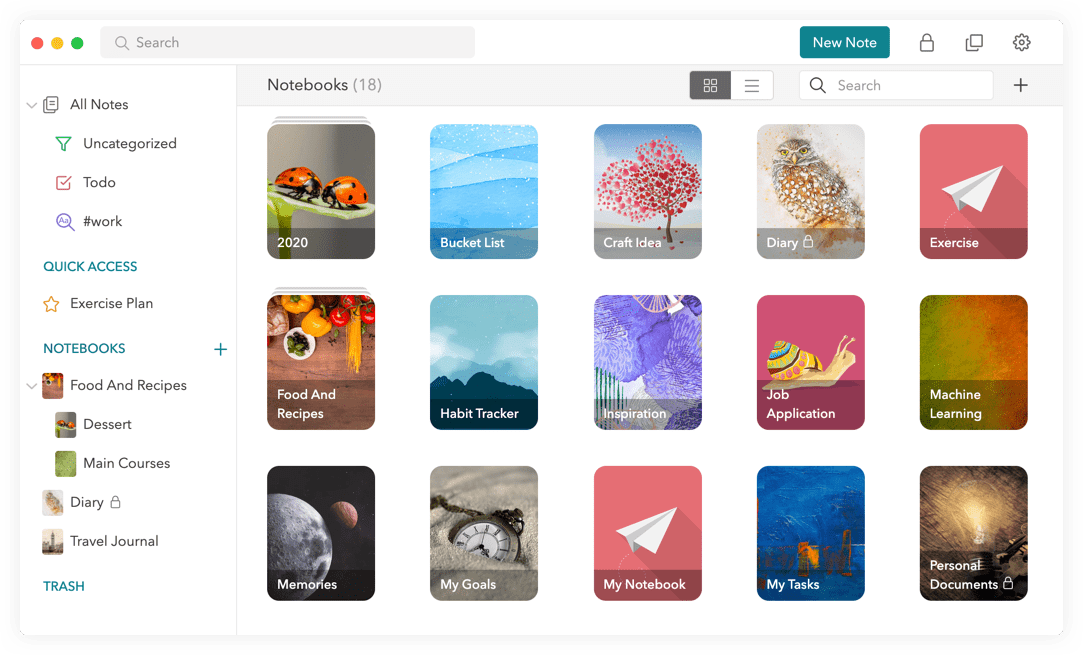
Web clipper: capture educational resources in one click
UpNote offers a web capture extension for Chrome, Safari and Firefox.
For the day before, this is a real asset: you spot a resource online, you capture it with one click, you put it in the right notebook and you add two words of context. Result: finished the 47 open tabs "to read later".
Offline, devices and fares: the essentials
UpNote exists on Mac, Windows, Linux, iOS and Android. You can take notes offline and then let the synchronization happen later, once the network is back.
To find your notes on multiple devices, an UpNote account is required, but you can use the app without an account and therefore without cloud synchronistaion, keeping notes only locally on the device.
On the fare side, the free version allows you to start, with a limit of 50 notes. To lift this limit and access advanced features, UpNote offers a subscription to 1.99$/month or lifetime license at 39.99$.
Privacy, Data, GDPR
On its ‘Privacy’ page, UpNote displays a rather clear position: no resale of data, no advertising use, no use of data to drive AI, and no access to notes without explicit authorisation (troubleshooting).
Some concrete points:
- No account: your notes remain on the device, and UpNote indicates that it does not collect any information related to the notes.
- With an account (synchro): notes are stored on a Firebase server (Google service) located in the United States; UpNote indicates that the data is encrypted but …
For teaching purposes, the rule of common sense: UpNote is very good for your preparations, resources, ideas, … session reports, but avoid storing them there. sensitive or nominative data on students if you sync via the cloud.
In practice in class: 6 ideas for concrete uses
- The “preparation notebook” by period
A “Period 3” booklet, sub-books per discipline, and a note per session: objectives, unfolding, supports, differentiation, variants. Fast, clean, reusable.
The great thing about UpNote is that you can drag a course PDF and a direct schema into the note. In class, you open the app on iPad (or the PC in the room), and you have everything in front of you. If something goes wrong during the course, you can write it down directly at the bottom of the page so that you don’t make the same mistake again the following year.
- Bank of instructions and examples (immediate time saving)
A “drafting” note, a “problem” note, a “debate” … note with instructions ready to copy, success criteria, variants by level. Depending on the context, this is the kind of bank that saves you on a Wednesday night.
- Captured pedagogical watch (web clipper)
You know, that moment when you stumble upon a great activity on a blog at 11:00 p.m. and you tell yourself I'll do that with my 4ths., before forgetting it altogether? With the UpNote extension, you capture the page with one click. It turns out ads, it keeps the text clean, and you add a tag #4th #Geo. Three months later, you type ‘Geo’ in the search bar and the idea is there. Magical.
- A " Feedback Box"
We all write the same thing on the copies 40 times: “Watch out for the agreement of the past participant” or Development too short … Create a "Comments Bank" note where you list typical remarks. When you then correct on the ENT or make a digital assignment, a few quick copy and paste will save you a lot of time. Frankly, on a package of 35 copies, it changes life.
- Class memo sheets
Short notes: “rituals”, “material”, “keywords”, “frequent errors”, “examples that work”. The kind of little things you forget about … if you don't write them down.
Note that UpNote also makes it possible to create models (templates): session sheet, reading sheet, meeting minutes, observation grid. This keeps the same structure and you go faster.
I like / I like less
I like
- Writing experience: we open, we write, we close. This is rare.
- The organisation in nested notebooks + tags: flexible without being complex.
- The web clipper: perfect for the day before and resources.
- A “lifetime” formula that can be more comfortable than a … subscription
I like less
- The limit of 50 notes in free: good to test, quickly frustrating for serious use.
- Data side: if you synchronize, storage on Firebase with server in the United States. Not disgusting, but to know.
Alternatives (if needed)
If UpNote doesn't fit your way of working, here are some solid leads:
- Microsoft OneNote: excellent “digital notebook”, very handy on tablet/stylet.
- Obsidian: local Markdown notes, very powerful (but more “to configure”).
- Joplin: open source, more controllable according to your synchronization strategy.
- Bear (Mac/iOS): very good for writing, simple and fluid.
- Apple Notes / Google Keep: ultra simple to capture quickly (less structuring for a large base).
UpNote is a great state-of-the-art digital notebook with all the options you need to help you organize and organize your ideas and projects. It's a crush.
Fidel Navamuel – Tice Tools
UpNote is one of those tools that makes you want to do it, because it does not slow you down. For a teacher, it is a good “carnet + standby” application: you prepare, you archive, you find your ideas, and you keep a clean base over the weeks.
If you are looking for a user-friendly, well-organised and non-invasive digital notebook, this is a safe bet. Test it on a real sequence, a waking week, and a few note templates. You will know quickly if it is right for you.
FAQ
Is UpNote really free?
Yes, but limited to 50 notes. To form a real base, we usually switch to Premium.
Do I need an account?
No if you stay on one device. Yes if you want to sync your notes across multiple devices.
Where are the notes stored when synchronizing?
UpNote indicates that it uses Firebase, with a server located in the United States, and encryption in transit and at rest.
 English
1 Response
[…] UpNote adopted by Fidel Navamuel, who produces the Collaborative Tools and Tice Tools newsletters, often cited here. He explains the benefits he sees in this simple, comprehensive and powerful note-taking apphttps://outiltice.com/2022/09/upnote-best-note-taking-apps/ […]