Last updated on 6 June 2026
Knowing how to code has become an essential skill. There are many online tools that allow children to Learn about the code. OctoStudio is one of them and deserves a place on the top of the list.
OctoStudio is a free coding mobile application developed by the Lifelong Kindergarten Group of MIT Media Lab.
It encodes and creates animations, games and other interactive projects using photos, drawings and sounds. The app has been designed to be particularly accessible to children via a simple smartphone.

Learn the basics of code in a simple and interactive way with OctoStudio
With OctoStudio, budding coders can create sprites, which are characters, objects or images they want to animate.
They can add sprites by drawing in the paint editor, taking or choosing a photo, or by selecting from the emoji library.
Users can also add backgrounds by taking a photo or choosing from their photo album. The app also offers the possibility to record sounds and apply sound effects to enrich their creation.

Get started with OctoStudio in a few simple steps
To get started with OctoStudio, here are a series of steps and resources that can help you get started and familiarise yourself with this mobile coding app:
- Download the app on your device iOS or Android.
- Watch the built-in starter tutorial to familiarise yourself with the interface and the basics of block coding.
- Add sprites and backgrounds by drawing, taking photos or choosing from the emoji and image libraries.
- Record sounds to enrich your creation with sound effects and music.
- Assemble the blocks of code by dragging and dropping to animate your sprites and bring them to life.
- Explore example projects to get inspired and understand the possibilities.
The intuitive interface and integrated learning resources will allow you to quickly create your first animated projects. Don’t be afraid to experiment and let your creativity express itself.
Once the basics are mastered, you will be able to share your animated creations in the form of videos or animated GIFs.
By following these steps and using the available resources, you will be able to start creating your own interactive projects with OctoStudio fairly quickly, and introduce yourself to programming in a nice way.
Create interactive animations and games on a phone or tablet
Your students will love it. The strong point of OctoStudio is accessibility. With a smartphone or tablet, children can learn to code wherever they are – in transport, at home or even outdoors. This allows them to turn their idle time into creative coding sessions.
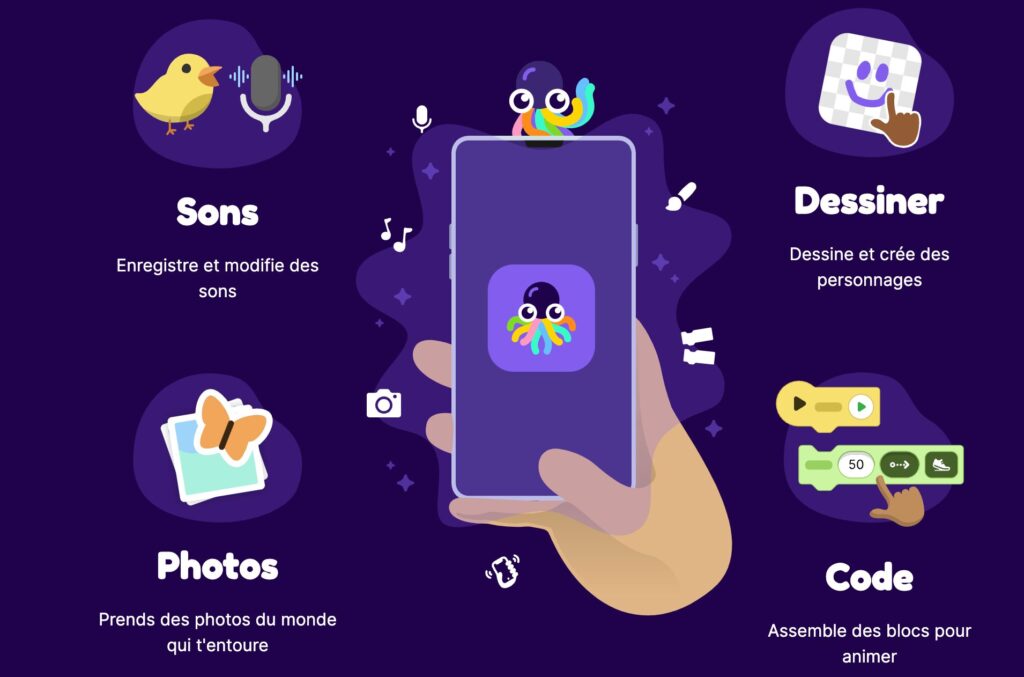
In addition, mobile devices are often more familiar and less intimidating to young people than traditional computers. They can easily capture photos, record sounds and integrate elements of their immediate environment into their projects.
OctoStudio’s touch interface and simple gesture controls are also perfectly suited to children’s little hands. This allows them to focus on basic programming concepts without having to worry about the complexity of a keyboard or a mouse.
An easy-to-use application to give way to creativity
OctoStudio was designed for real beginners. Its sleek and intuitive interface won't overwhelm you with technical options. Clear instructions, step-by-step advice, fun challenges with a system of points and badges to unlock: Everything is done to encourage perseverance in a fun way.
With OctoStudio, children can unleash their creativity. For example, they can create their own platform game in Drawing Characters and sets, then programming movements and interactions. Or, they can recreate a scene from their favorite book or movie by animating the characters and adding sound effects.
They can also use OctoStudio to tell interactive stories by animating characters who move and talk when pressed.
The possibilities are really endless – from dance animations with funny characters to Interactive Scientific Simulations through movie trailers. Each project allows children to explore new coding concepts while expressing their creativity.
Using OctoStudio in a classroom context offers a unique opportunity to engage students in a creative and interactive way in learning coding and computer thinking.
OctoStudio is suitable for children from 6 years old. It is completely free of charge, without advertising or in-app purchases. A complete guide to the OctoStudio app in French is at your disposal. It is very well done and you will find answers to most of your questions.
The strength of OctoStudio lies in its simplicity of use and its nomadic side. Go to Octostudio to start programming your first projects!
Don’t forget to send me your creations.

 English