Last updated on 12 May 2026
Video lessons are one of the levers of the inverted class. Video lessons or screencasts in English offer many advantages. Learners can consult them at any time and from anywhere as many times as necessary.
Creating a video lesson and making it available to your students is not as complicated as it seems. Many online tools exist to help you with this. No need to use gas plants. Here are three simple online tools that I have already talked about on Tice Tools that will allow you to simply get started and make your first educational video.
Table of Contents
MoveNote
The site no longer exists.
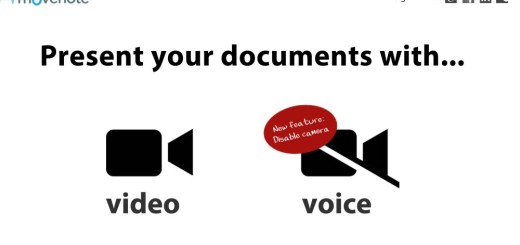
It is one of the simplest tools for create a screencast and make a video lesson. You can refer to Article that I dedicated to him a few months ago. Movenote surprises with its ease of use. You upload the documents that will be used to support you from your computer or Google Drive, organise them online and then give MoveNote access to your webcam. All you have to do is press the ‘Save’ button. The documents will appear in the centre of the screen. You will appear in a small thumbnail on the left of the screen. You can also not appear and only use the voice. To be tested.
Link: MoveNote
Screencast _o _Matic

This tool is ideal for capturing everything that happens on your computer screen by adding sound and/or video through a webcam. Especially useful for video tutorials. Very easy to use, the tool also allows you to edit videos once they have been recorded, add transitions to them and keep them in different formats. You can then share your creations by email, on social networks or by inserting your video on your site or on your blog.
Link: Screencat _o _Matic
EdPuzzle
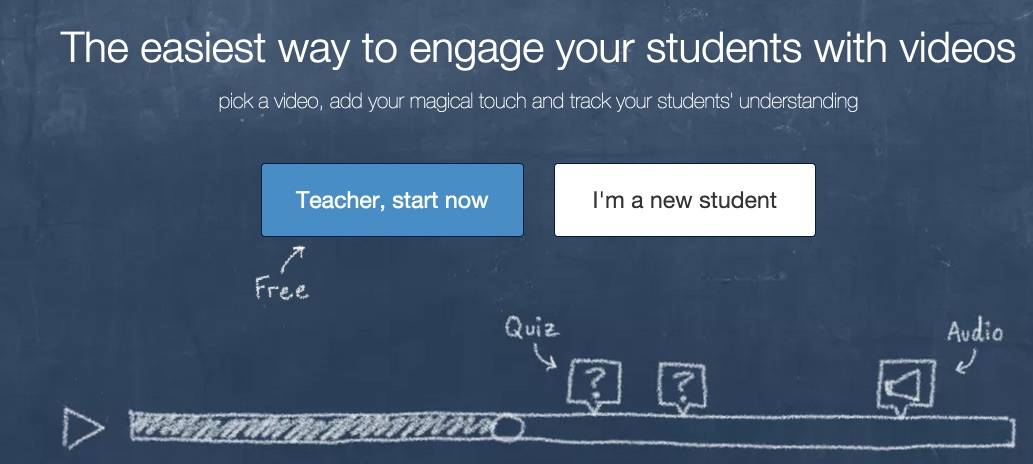
One more tool tice presented on the blog A few weeks ago. EdPuzzle allows you to insert interactivity into videos that you will be able to draw on youtube and other dailymotions. This online tool allows you to select your educational videos and edit them easily. Above all, EdPuzzle allows you to inject your voice and quizzes or questions to assess the students’ level of understanding.
Link: EdPuzzle
What are the tools you use to create your lessons in video and your screencasts?

 English
Hello,
I would like to point out a small misspelling:
What tools do you use to create your video lessons and screencasts?
Otherwise, a big thank you for all the tips!!!
Sincerely
Jan Mertens
Thank you very much Jan for your help and vigilance. This is corrected.
Hello and thank you for all this information! I am assiduously following all your advice, which has allowed me to discover the immensity of the tools developed online.
After testing and using Present.me with my students in English for the exercise of oral expression with slideshows, I must say that MoveNote is much better because the access is really simpler, especially thanks to the possibility of using it on the mobile phone! Congratulations!
Additional info: movenote is paid, whereas present.me is not even if the free version is limited to 3 documents per month…, so I review my judgment a bit: finally, I prefer present.me….
You know you're great! As a fan of digital applied to languages, I always find your letters rich and inspiring. Allow me to borrow some of your suggestions (quoting, of course, ) for the digital letter that I will create and distribute at the Lycée Français in Barcelona. I am an English teacher trainer there. I would be honoured to send it to you on a monthly basis.
That's really nice of you. Thank you for your enthusiastic return.
As far as your newsletter project is concerned, I would be honoured to be included. Borrow as much as you want if you find it useful.
I'll be happy to receive it.
I wish you a wonderful day in Barcelona.
Personally, I use Ted Ed , very easy to use
http://ed.ted.com/
Thank you for all these very valuable tools that I will not fail to test. I use Moovly, free version.
I use screencast-o-matic frequently and it is really great and simple to use. This is perfect for tutorials because the mouse movement is highlighted (this is a default option, which can be deleted if necessary).
I also use ED Puzzle. The only drawback I find is that everything you do is ‘public’, i.e. anyone can reuse your work since all the videos used with quizzes or comments are accessible to all EDPuzzle users. Which we don’t necessarily want.
Thank you for your excellent information! It is a … gold mine