Last updated on 12 May 2026
Witeboard is a virtual collaborative table that allows you to exchange and work remotely with others in real time. A solution for the collaborative work It is distinguished above all by its simplicity of use.
A few months ago I wrote a first article about Witeboard on my website dedicated to professional collaborative tools. The tool is also particularly well suited for use in the world of education, such as: Netboard other virtual whiteboard solution.
Witeboard surprises with its ease of handling and use.
No need to register, just go to the homepage and immediately you are at work. This first page is indeed your virtual blank sheet on which you will be able to draw, write, draw. Just start using it and then share the unique URL provided by the site to all participants. Forget the complicated tools, here we have the necessary for quick exchanges. Give your blank sheet a title and share it there. Anyone who follows the link will be able to work at the same time on the page in a simple and fluid way.
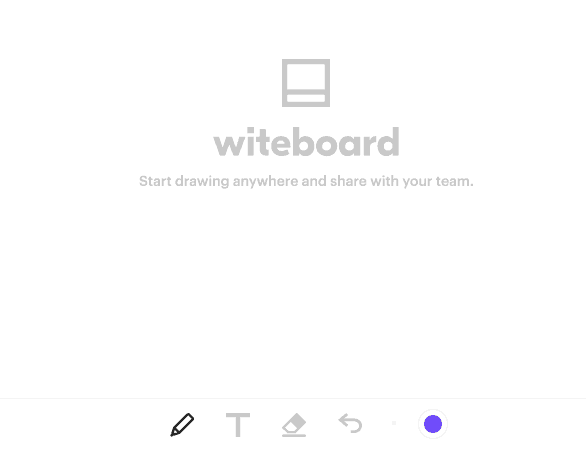
At your disposal a pencil to draw, a text menu, an eraser and a button that allows you to go back or go back in time. You can also play on the colors of the line or text. This is not overwhelming in terms of tools, but it can be enough for a lot of uses.

Note an interesting function that automatically converts a clumsily drawn round into the perfect round. This works for most geometric shapes or for strokes. The tool also provides a range of easy-to-remember keyboard shortcuts.
A free collaborative board to use on computer, tablet or smartphone.
Once your group work is complete, it is impossible to save anything, but you can download the result in image format. The various sketches are stored in the cache of your browser. A historical menu allows you to find the various tables created, but everything will be irretrievably erased if you empty your cache.
Witeboard is free and ad-free. It works as well on computer as on tablet or smartphone.
Link: Witeboard

 English
Hi Fidel,
So, Witeboard, that's great! Simple and efficient: this is what I like …
And as you say, probably far enough in many cases.
Thank you for this tip that really does not go wrong (wink to Mike Oldfield of course!).
Friendlyly,
Vincent
Hello Fidel,
Here is a tool that I will try in class in association with a mobile tbi. If I have seen correctly, it can be linked to the collaborative platform (virtual classroom, etc.) Slack. This should offer other possibilities. To see.
Friendly JPS