Last updated on 12 May 2026
It's far away time or scanning a paper document took some time while being reserved for seasoned users. Thanks to the development of photo sensors for mobile tools, digitizing a document is now within everyone's reach. Here are three good apps that will turn your phone or tablet into a real pocket scanner.
An additional list ofMobile applications to scan your paper documents can also be read here.
Table of Contents
ScanBot 6

ScanBot scans text documents in a snap. Just point the document with your smartphone camera and click. The application will scan the document and convert it to PDF. You can create a PDF file with multiple pages in seconds. The application will identify the edges of the document, straighten the perspective, improve the recognition of the text. ScanBot allows you to archive and classify your scans with tags. You can also easily share and upload them to your Google Drive, Box, DropBox or Evernote accounts. ScanBot is available for iOS and Android devices.
Link: ScanBot
Genius Scan
This other application also uses the device photo of your mobile phone. Just photograph the text you want to scan and Genius Scan takes care of the rest. If you take care of the lighting, the application will recognise the edges of the pages photographed and automatically correct the perspective. Genius Scan produces high-definition files in JPG or PDF format. You will be able to save them in your usual online storage services. Genius Scan works with most of them. Genius is available for iOS and Android.
Link: Genius Scan for iOS — Genius Scan for Android
Scanner for me
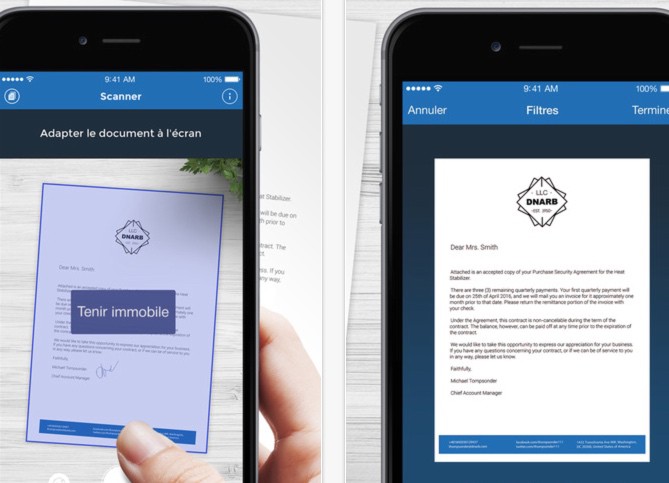
I have retained Scanner for me in this short list for its ease of use and advanced options. The application combines the good ratings of specialised sites and users for the quality of the files produced. This tool allows you to produce PDF files with your scans. It also makes it easier to capture multiple pages in a row. You will be able to share the scans by email and save them. As far as advanced functions are concerned, I have chosen the possibility of using a kind of highlighter pencil inside the application. It will allow you to highlight in your scans the important points. You can also sign your documents online directly on your device screen. Attention Scanner for me is only available to Apple users. It will cost you a little less than EUR 5 to acquire it.
Link: Scanner for me
 English
Hello
In my opinion, this selection lacks the ‘Scannable’ app designed to interface with the excellent ‘Evernote’ and which detects documents perfectly well.
Hello,
I have been using CamScanner for many years. An excellent application, even in its free version!