Last updated on 12 May 2026
Time Graphics is a complete solution for create quality chronological histograms and friezes. A beautiful tool that makes it possible to integrate elements of all kinds and thus create multimedia objects of a certain richness.

Time Graphics adds to the long list of such tools. I have presented several of them right here on Tools TICE. Time Graphics is distinguished by the number of options offered and its relative ease of handling.
You can start using the editor entirely online without even needing to register, but you will need to do so if you want to save your work. Time Graphics offers you to start your first frieze a line of time in which you will be able to zoom if you want for example to use short periods. By clicking on the timeline, you create your first insertion point.
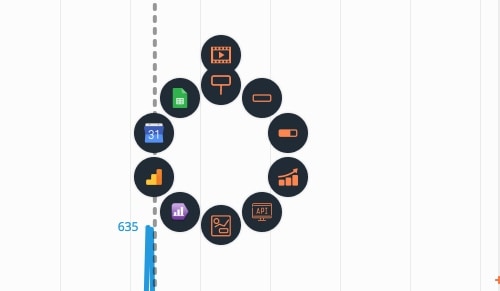
The click triggers a circular menu that allows you to choose the type of content you want to add to your frieze. We discover here the richness of the options proposed. You can add text, a photo, a video, a map, but also create a histogram, an interactive spreadsheet. The rendering is without frills, but without real flaws with a beautiful readability and a modern and attractive graphic rendering.
Once your frieze is over, Time Graphics allows you to export it in most useful formats: JSON, XML, Excel, docX or PNG. You can also get a code to insert your frieze on a site or blog. By default, the platform adds your creation to a public library that can be viewed by all users and Internet users, but you can also choose to make it private. In this way, only users with the unique URL provided by Time Graphics will be able to view your work.
Time Graphics is a good surprise. The tool is in English and not free of advertising (this remains reasonable). It is also completely free.
Link: Time Graphics
Time Graphics is part of the list of all tools for create chronological friezes which I listed in a recent article.

 English
1 Response
[…] a tool for creating timelines that works wonders. The instructions for use are quite simple and quick to use. All […]