Last updated on 12 May 2026
Readiris 17 is one of the best current software in OCR (optical character recognition). It is also capable of juggling all types of file formats and especially PDFs. In any case, it is one of the most successful solutions on the market. A solution with some great options that are particularly useful for the world of education.

Readiris 17 is the latest version of the famous software launched a few weeks ago by Canon's subsidiary, Iris. Available on Mac and PC, it is one of the must-haves of your digital toolkit. Even if the web is full of free solutions to manage your PDFs, none of them achieve the power and quality of the results offered by Readiris.
Table of Contents
Scan and recognize the content of any type of document.
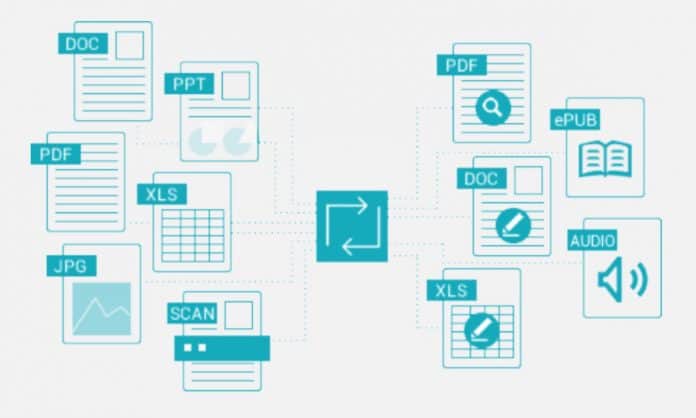
Readiris 17 is compatible with most printers on the market. You will be able to scan all your paper documents, the optical character recognition tool in Readiris will allow you to convert and edit them in the format of your choice; Word, Excel, PowerPoint … Unless you want to create an EPUB ready to be viewed from a reader. You can scan a document, but you can also import it if it is already in digital format directly into the software. Readiris will then allow you to convert PDFs or images into formats in which you can retrieve the text and edit it. Ultra practical. The power of the character recognition function is unparalleled. More than 100 languages are recognized.
A complete toolkit to manage and work with PDF files.
There is no longer any need to demonstrate the value of the universal PDF format. However, it is still a file type that is difficult to manipulate as soon as you leave the basic function. Anyone who has never lost his or her composure should raise his or her finger to try to retrieve the content of a PDF or make a change to it. Readiris 17 will greatly simplify your life if you have to work regularly with this type of files.
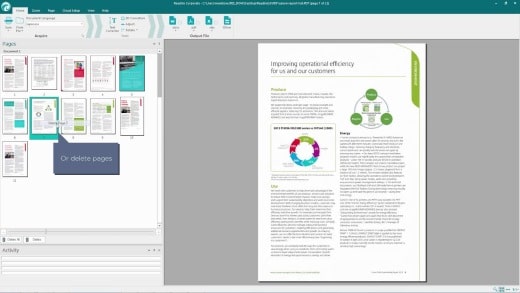
You will be able to aggregate, split, edit, annotate, protect or even sign your PDF very easily. You can also add interactivity by inserting clickable hyperlinks, attachments, etc. A powerful search engine will help you find the info inside PDFs.
See also:OCR for PDF Effective tools for extracting text from an image.
An excellent utility for teaching.
In addition to all these functions that will make your life easier as soon as you have to scan a document or work with PDFs, Readiris 17 includes valuable functions for the world of education in this latest version.
This is the case, for example, with sound. Readiris will indeed make your documents speak. In the proposed sense of the term. The software will convert your files to mp3 or Wav audio files if you wish.
When annotating a PDF document with Readiris you also have the option to insert notes or comments in audio. Easily record your voice to comment on, for example, a point in a document sent to your students. Practical.
Readiris 17 is available in both Mac and PC versions. Different versions are offered, the first of which starts at EUR 29. You can quietly test the software for 30 days if you are not satisfied you will be fully refunded.
Link: Readiris 17

 English