Last updated on 12 May 2026
Creating effective flashcards takes time. I just tested a simple and free tool that will save you a lot of time from this point of view. These are: Figy.
This tool offers automatically generate memory card games or flashcards in seconds.
Figy relies on AI to produce question-and-answer series from a text, document or simple topic. The objective: allow you to devote your energy to pedagogical scripting rather than repetitive typing. The result is really interesting. Discovery.
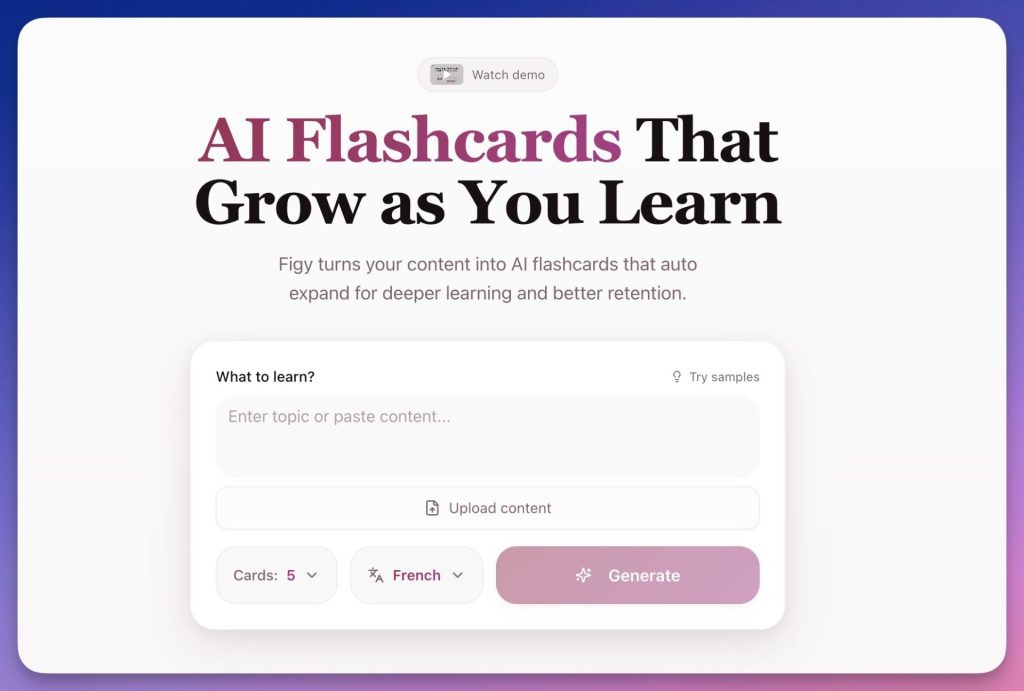
Table of Contents
Create flashcards in seconds
Figy does not offer a catalogue of Ready-to-use games. The approach is different: you start from your own content (a course extract, a document, a textbook, a written lesson, … notes) and you will ask the tool to produce a first set of flashcards.
In summary, creating flashcards with Figy makes it possible to:
- Turn text into questions/answers in seconds
- Quickly generate a first deck of cards to rework
- Edit each card manually to adapt it to student level
- Gradually enrich an existing game
- Build a small bank of reusable games from year to year
The interest is not so much in the novelty of the principle (flashcards are as old as the world) as in saving time on the production phase.
Instead of writing each question manually, you leave theAI generate a base which you then refine.
Easy handling: how to use this tool in practice
Access the tool and understand the logic
Figy works directly in the browser. The interface is sober, without visual overload. The logic is immediately understandable: content is provided → Figy offers memory cards → the teacher adjusts.
Entry in this tool does not require any particular technical competence. There is a clear mechanics: an input field, a generation button, and then a workspace to edit your flashcards. However, you will need to register to use it.
Generate flashcards from text or file
Typical first use: copy and paste a course passage (e.g. a history paragraph, a scientific notion, a grammar rule). You can also upload a PDF or, more simply, write a "prompt" ("I want maps on this topic or this point of the program for students of this level, emphasizing this or that point …").
You can choose how many cards you want to generate and which language to use.
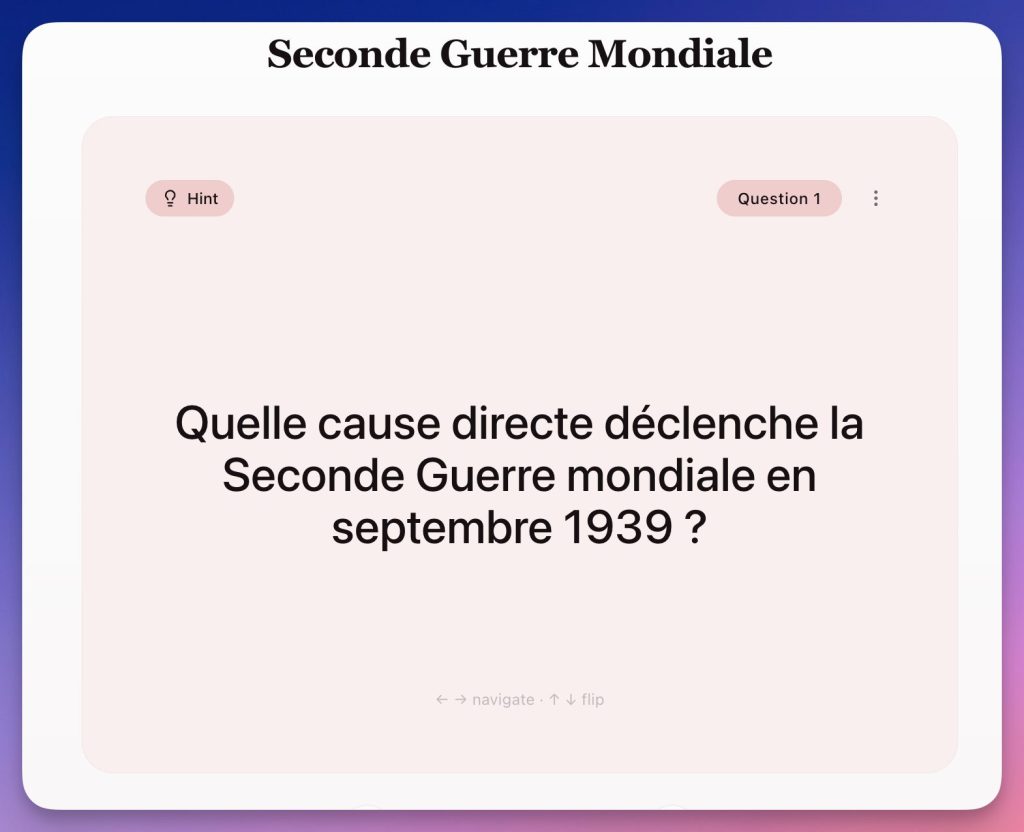
Figy analyses your request and immediately proposes a series of maps structured as follows:
- Short question (to be adapted to class level)
- Concise answer (to be redrafted if necessary)
Each card, on the question side, offers a hint, also generated automatically, to be discovered with a click to help, if necessary, to answer the question.
The proposals generated are generally of excellent quality, but not always perfect. The tool provides a working basis, not a finished product. It's up to you to check and sizzle.
Edit and adjust the generated cards
Each card can be edited. This is an essential point for pedagogical use.
You can:
- Rewording a question that is too vague
- Simplify a response
- Adapt vocabulary to class level
- Delete some cards
- Manually add others
This step is essential if pedagogical coherence is to be maintained. Figy speeds up the generation of flashcards, but sorting and adjusting remain your responsibility, and that’s how it works.
Enrich an existing game and create a reusable bank
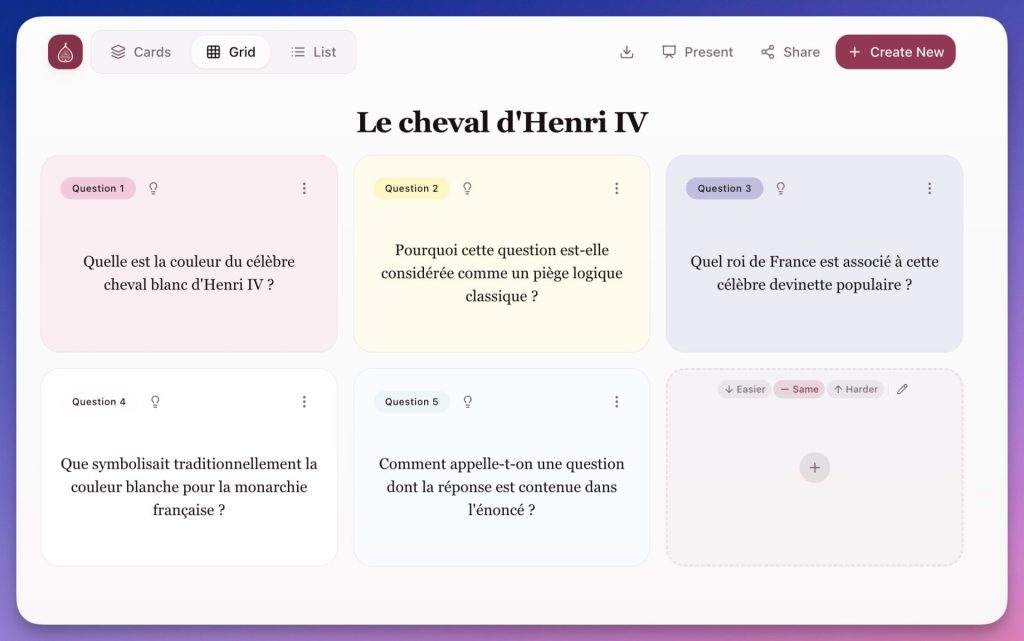
Another interesting feature: Figy makes it possible to continue the generation from a game that has already been created. The tool can be asked to propose new maps in the same theme, specifying whether you want them to be easier or more difficult, which facilitates the gradual enrichment of a corpus of revisions.
Once the cards are created, you can assign colors to them. You can also choose the order by dragging and dropping them.
Organization and sharing of flashcard games
Card games can be organized by themes or projects. This makes it quite easy to imagine a game per chapter, a game per notion, a game per sequence, or a game dedicated to revisions.
The tool fits well into a logic of progressive construction of personal educational resources, reusable and scalable.
In a sequence preparation or revision logic, this makes it possible to build a coherent whole without starting from scratch each time. This allows you to reuse your flashcard games from year to year, simply by updating them.
Figy offers a function to switch to one-click projection mode. Practical for play together on the board via the projector. The tool also generates a link to share that allows you to view and play with flashcards from any computer, tablet or smartphone connected to the Internet.
A simple interface for immediate handling
The whole is deliberately simple. No complex settings, no nested menus, no unnecessary advanced features.
If you discover this type of flashcard creation tool, you can get started quickly and use it immediately.
How to integrate Figy into your courses
Figy doesn't require big upheavals. Rather, it is integrated as a small complementary production utility, in the same way as a quiz generator or digital exerciser.
Some examples of uses:
- Prepare a deck of cards from a lesson to offer revision support
- Quickly generate questions from a text studied in class
- Produce a work base that students will then be able to enrich themselves
- Create a remediation medium for some students who struggle with a notion
- Build a bank of flashcards reusable from year to year
The interest is mainly in the reduction of the time of realization, not in an artificial pedagogical promise.
A simple and effective tool to create flashcards to discover
Figy isn't trying to impress. It just offers to help you speed up the creation of flashcards from existing content. And it’s already pretty good. All for free and without advertising.
This type of tool can easily be found in an educational toolkit, as can a quiz generator, exerciser or content creation tool.
Try Figy On one of his courses is usually enough to understand his interest. This is probably the best way to get an opinion before regularly incorporating it into your practice.
 English