Last updated on 12 May 2026
You are looking for an alternative to Powerpoint or Google to make slides for your next course. There are many solutions for making presentations online. Until a very short time ago, it was difficult to get out of austere or overloaded slides when we had only a few notions of graphic design.
A new generation of visual presentation tools has changed the game. Here are three. Three sites that allow you to create multi-slides that you will not have to blush. They offer models created by design and graphic professionals. Templates to use as inspiration or personalise to easily adapt them to your needs. They also offer, as has been said, the possibility, all three of them, to create slides for several people.
Table of Contents
Projector. A free solution to create your slides with several
Projector is a visual creation platform that has the great advantage of being free. Born just a few months ago, the tool is promising to say the least. Handling is immediate and hassle-free. You start from a blank sheet or one of the proposed templates that you just have to adapt.

Projector allows you to create slides with multiple . This is one of its strengths. You can work with other people in real time in the browser editor. The platform allows you to leave comments and make changes together. No more endless reviews and emails. Projector allows you to make slides. But you can also make posters, invitations to events, messages for social media or infographics.
Pitch. A collaborative creation tool for original slides
Pitch is one of those latest generation tools that have put a big blow of old to the big operators of the sector. Pitch is a real success story with stunning graphics and ergonomics.
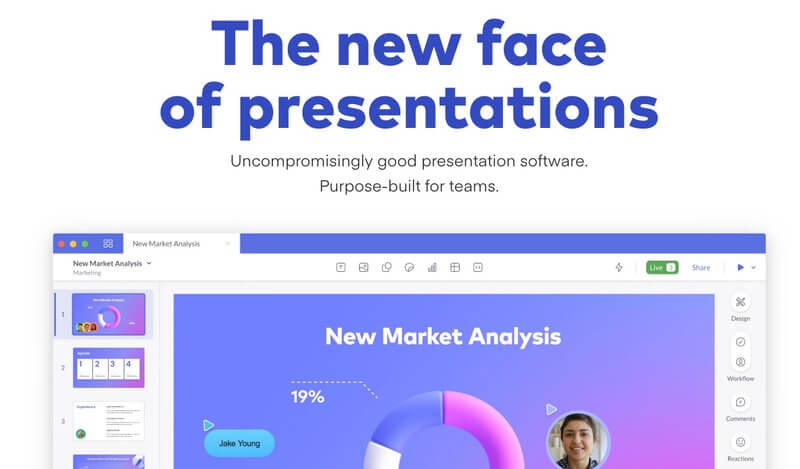
Like Projector, handling is done without instructions. Simply choose a template to start creating. The tool is characterised by very successful sharing and teamwork functions. Everything is done in real time. Each participant appears on the screen via a small photo that makes it easy to identify them. A great platform to create a report or presentation between colleagues.
Pitch offers a fully operational free version. A Premium version offers additional functions for around EUR 10 per month.
Canva. A graphical toolkit alone or with several
Canva continues to develop with a specific offer for education of which I have already spoken here. Of the three solutions of the day, Canva is the one that takes most account of the specificities of the world of education. It’s not nothing.

The tool, which comes from Australia, offers a version entirely in French, has enriched its database of models available to its users. Canva It also allows sharing and teamwork with colleagues or students. An excellent solution offered free of charge to teachers.
 English