Last updated on 12 May 2026
There has been a lot of talk for some time about Concept, a revolutionary note-taking application that makes it easy to take, organise and share notes in the form of blocks. Notion disrupts older tools and software such as Evernote, Google Docs or OneNote.
A small sprout that has become giant in a short period of time and is overflowing with projects and ambitions of all kinds. Proof of its success Notion has given rise to very similar tools that have the great advantage of giving you the opportunity to fully master all your data. Here are three of them. Three open source tools to take notes. Three alternatives to Concept and others Evernote.
Table of Contents
Joplin
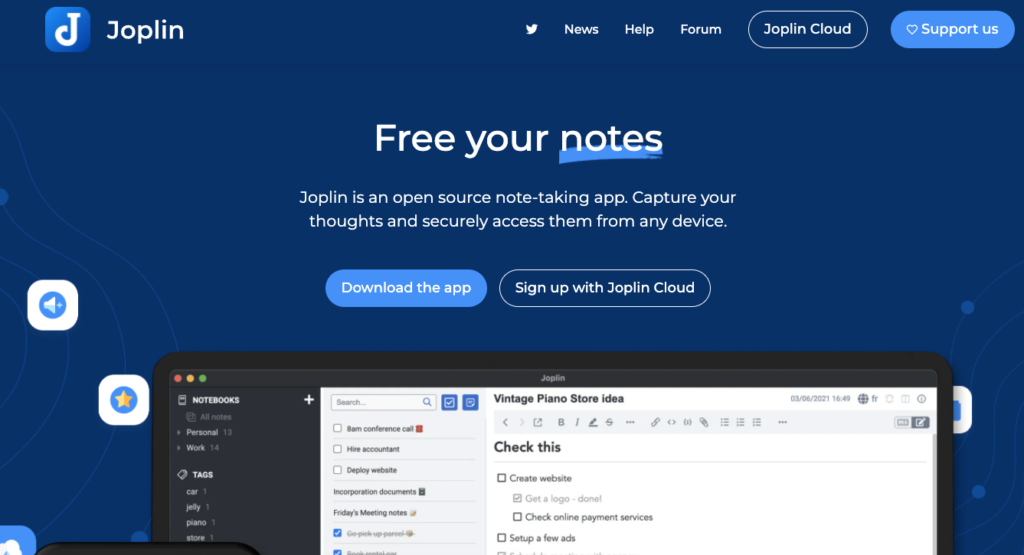
Joplin is arguably the best open source alternative today. At least the most successful. Joplin is an open source application for taking notes. These can be simple or contain multimedia elements.
Images, videos, PDFs and audio files are managed. Vour can create mathematical expressions and diagrams directly from the application. You can take photos with the mobile app and save them in a note. Practical, Joplin provides an extension, available on Chrome and Firefox, to save web pages or take screenshots like notes.
You can share your notes with your colleagues or students and work collaboratively. The app allows you to access your notes from a computer, phone or tablet. The application is available on Windows, macOS, Linux, Android and iOS. The application is free of charge. You will pay a few euros per month if you use Jopin Cloud services to sync your notes between your different devices.
Outline

Outline is Another excellent alternative to Notion. One can even speak of a kind of clône. You can host it freely yourself. There is also an online hosted version where you can create a free account and use it. Outline proposes to organise your documents alone and especially as a team. Outline supports collaborative work and you can invite team members or colleagues and then share the pages you have created. Your pages can also be public and shared with everyone.
Very practical to build a well-structured and instantly searchable knowledge base.
You'll be able to place documents in a hierarchy, automatically build backlinks, and search across domains. The tool is free if you host it yourself. I had already said all the good I thought of this application to take notes here.
AppFlowy

AppFlowy Rather, it is intended for individual use. No option to work as a team. It may come in a future update. Designed for people who care about data security and the mobile experience, AppFlowy is still under development. For code forts, they will be able to sort and modify AppFlowy as they please thanks to an open base code. Completely free, but can be a little less easy for beginners to handle than the previous two.

 English
Great idea to talk about free and comprehensive tools for collaborative note-taking! I have been using Joplin since its first versions and it has been doing a good job lately since it was chosen as an end-of-study project by a group of Indian students (the application is developed by a French person, initially). Today, plug-ins can be added to its already comprehensive basic operation, and new ones are created every month. The other advantage is that you can use Joplin locally, synchronize Joplin (without having to go through their server) with all your devices on all platforms, choose the folders or notes you want to collaborate on and those you keep for yourself, create as many folders and subfolders of notes as you want (one folder per project, for example, and subfolders per branch of the project).
As far as this is concerned, you can write in Markdown in Joplin, but also with a classic editor (a long battle for Forum users, because there is also a very active forum where you can discuss upcoming options and new features).
Finally, supposedly very important and quite rare in this kind of software, Joplin makes it possible to export all his notes to his desktop, in Markdown format, which makes it possible to retrieve them entirely in another software.
It is an excellent free software useful for all individual or collaborative writing projects.
Obsidian is great in the genre. Not open source but markdown and fully stored on the computer.
I know Notion well, but the US origin is a problem in my job.
AppFlowy is a pale clone of Notion, it seems rather buggy on my Mac, limit not usable (no d&d, lots of functions do not react to the click)
Outline has a bit of the same problem as Notion for me. In addition, it does not accept a personal gmail account, and no information on the ‘one-premise’ version.
Rest Joplin … was dying I have a little trouble with the ergonomics of this app, to test again.
In the meantime, I take back my pilgrim’s baton in search of other possibilities.