Last updated on 12 May 2026
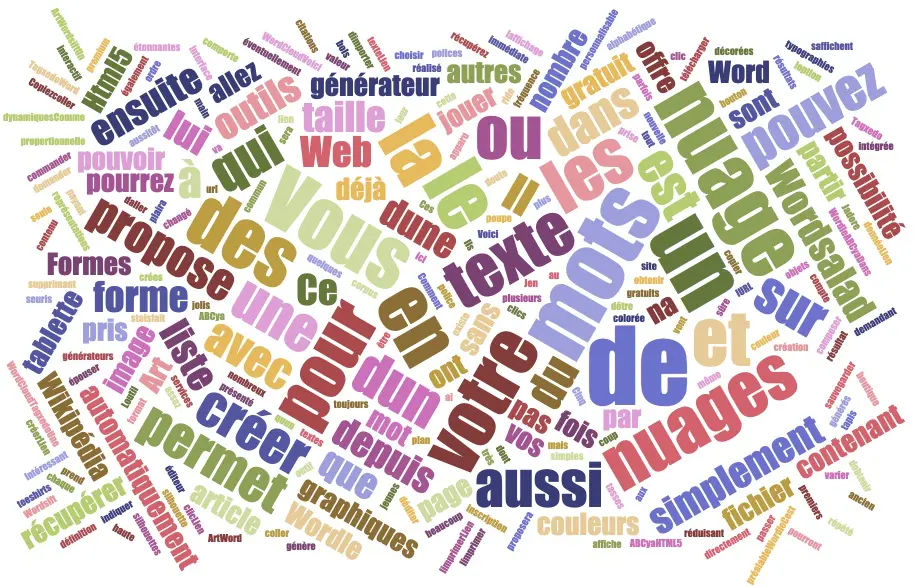
How to create a word cloud from a text or web page in just a few clicks? These graphic representations of the corpus of a text are always on the rise. There are many services and tools to create word clouds. I offer you a list of eight tools to create word clouds. They have in common to be simple, free of charge and without prior registration.
Table of Contents
Create word clouds for the class
These graphical representations of the corpus of a text make it possible to quickly visualise the most frequent terms, thus offering an impactful visual synthesis of content. For teachers and education professionals, word clouds can become valuable allies in boosting text comprehension, memorisation and analysis.

Ideas for using word clouds
There are a thousand ways to use word clouds in the classroom. Here are some examples. Feel free to add yours in the comments.
- Literature and text analysis:
- Create a word cloud from a chapter or poem to identify the main themes.
- Compare word clouds of different authors to analyse their writing styles.
- History:
- Generate a word cloud from a historical speech to highlight key ideas.
- Create word clouds for different historical periods and compare them.
- Science:
- Use a word cloud to revise the key vocabulary of a chapter.
- Have students create a cloud of words on a scientific topic to assess their understanding.
- Foreign languages:
- Create thematic word clouds for vocabulary learning.
- Use them as visual support for conversational exercises.
- Plastic arts:
- Have students create a self-portrait in a cloud of words.
- Analyze a work of art by creating a word cloud of visual elements and impressions.
- Music:
- Analyze song lyrics by creating word clouds.
- Create a word cloud in the shape of a musical instrument with musical vocabulary.
- Interdisciplinary projects:
- Have students create a word cloud summarizing a research project.
- Use word clouds to present the results of a survey or survey in class.
- Guidance:
- Create word clouds for different professions to discuss required skills.
- Ask students to generate a cloud of words about their career aspirations.
Some examples that show the versatility of word cloud creation tools in different educational contexts. They can be used to introduce a topic, synthesize information, assess understanding, or as a starting point for further discussion.
Word cloud creation tools
Here is a selection of eight free and easy-to-use online tools to create word clouds. Whether you are a novice or an expert, you will certainly find the right tool for your needs.
EdWordle
Wordle was one of the first generators to appear on the web. It has been replaced by edWordle which takes up pretty much the same features. EdWordle will automatically compose word clouds from a text. You can also indicate the URL of a web page. It will immediately offer you a cloud with words whose size will be proportional to their frequency in the text. It is then up to you to play with the size, font, color and shape of your cloud. Once you are satisfied with the result, you will be able to download the cloud in image format for possible printing.
Link: EdWordle
CloudDeMots
Another free tool to create word clouds free of charge. It shines by its simplicity. Simply paste your text to create a cloud. The most used words are displayed in a list with an indication of how often they are used. You can add or remove some of them with a simple click. You will then select a shape, colours and font to customize it. All you have to do is download the result in jpg or WebP format.
Link: CloudDeMots
ABCya
In a colorful interface that will appeal to the youngest, ABCya offers a word cloud generator. The clouds created are pretty. A button then allows you to simply edit the cloud by deleting words or reducing the number of words taken into account. You can then save your creation or simply print it with a click.
Link: ABCya
HTML5 WordCloud
Here is a word cloud editor made in HTML5. The results generated are very graphic and dynamic.Like the other tools in this list you can simply copy and paste a text to get your cloud. You can also ask them to automatically retrieve an article from Wikipedia or the content of a text file.
Link: Html5 WordCloud

Tagxedo
A safe bet. Tagxedo is also free. The grip is immediate. It allows you to choose the shape of clouds, colors and fonts. It also offers the possibility to import a text file containing the words for your cloud. I love the option to get a word cloud in the shape of the silhouette of a given image.
Link: Tagxedo
Word Art
Word art also allows you to play with shapes and your texts will be able to marry sometimes amazing silhouettes. Shapes, typographies, colors, size, everything is customizable. Interestingly, the ability to create an interactive cloud or every word in the cloud has a URL link. Word Art offers a premium paid plan that allows you to recover your word clouds in high definition. You can also go through an integrated shop to order items: cups, bowls, t-shirts and other mouse pads decorated with the cloud of words you will create.
Link: Word Art

Wordsift
A tool that is already old, but which hasn’t had a single wrinkle. Copy and paste your text into the generator or retrieve an article directly from Wikipedia, Wordsift generates a word cloud with one click. You can vary the display of your cloud by asking for words to be displayed in alphabetical order. The tool also displays the number of times a word is repeated in the text and offers a list of quotes containing the main words. Too bad it is in English only.
Link: Wordsift
Digiwords
This list should include Digiwords, one of the essential free tools. Digital Kit La Digitale. As usual, a flawless achievement without any unpleasant surprises. No registration, no advertising, ideal for making word clouds on the fly in seconds.
Note that word clouds made with Digiwords are interactive: learners can display, hide and select cloud words to create a custom list. Sharing possible by URL or QR Code.
Link: Digiwords

These eight tools offer a variety of options for creating word clouds tailored to different educational needs and contexts.
Whether you are looking to analyse a text, create an attractive visual medium or stimulate the reflection of your students, you will certainly find the tool that suits you in this selection. Feel free to complete the list with other tools.
Main points to remember
Questions you may have:
Q: What is a word cloud?
A: A word cloud is a visual representation of the most common words in a text, where the size of each word is proportional to its frequency of use.
Q: Can I exclude certain words (such as articles or prepositions) from the cloud?
A: Yes, most tools offer an option to exclude common words or add a list of words to ignore.
Q: Can I create word clouds from PDF or Word documents?
A: Some tools allow direct import of files, but most require copy-pasting of text.
Q: Why use word clouds in class?
A: Word clouds can help boost text comprehension, memorisation and analysis, while providing attractive visual support for various educational activities.
Q: Are these tools free?
A: Yes, all the tools mentioned in this article are free of charge and do not require prior registration.
Comparative table:
| Tool | Strengths | Unique features |
|---|---|---|
| EdWordle | Automatic creation from URLs | Successor of the pioneer Wordle |
| CloudDeMots | Simple interface, word frequency list | Export to WebP |
| ABCya | Colorful interface suitable for young people | Simple cloud editing |
| HTML5 WordCloud | Graphical and dynamic results | Automatic recovery of Wikipedia articles |
| Tagxedo | Many customization options | Clouds in the shape of an image |
| Word Art | Advanced customization options | Interactive clouds with URL links |
| Wordsift | Frequency analysis and citations | Display in alphabetical order |
| Digiwords | No registration, no advertising | Interactive clouds, shared by QR code |

 English
2 Responses
[…] mixed, etc. They are designed to help your students play with words and develop their reading, comprehension and […] skills.
[…] pictograms are very useful visual symbols to represent words, phrases or concepts. They are used to facilitate communication, in […]