Last updated on 12 May 2026
There are many options and solutions online to easily create a presentation without the need to go through an ad hoc software like PowerPoint. I have presented many of them here on Tice Tools.
Creating presentations online is good, streaming them live on learners’ screens is even better. For this very specific function, which will allow you to roll out your slides directly on the screen of each participant in your course or conference, there are fewer tools. I selected three. Three online tools to deliver live presentations.
Table of Contents
Zoho Show
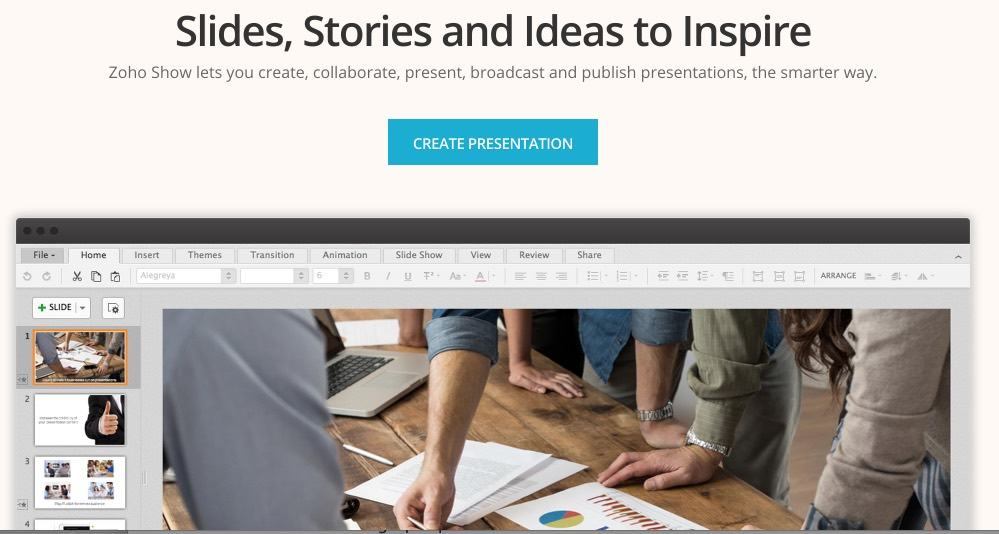
The Zoho Docs suite is a solution that has already proven its worth. To use the live streaming function. You must have imported and installed your presentation on Zoho Show. You can then go to the ‘Share’ tab, then to the ‘Share’ button and finally to ‘Broadcast’. You will then be asked to write a welcome message for your audience and then share the unique url Zoho will provide you with. Participants in the room or remote will be able to see the slides of your presentation, you will be the only one who can manipulate them.
Link: Zoho
Prezi

We're not introducing Prezi either. The service that revolutionized the small world of slide creation tools online and gave PowerPoint a damn old shot also offers a function to broadcast live a presentation. It makes it possible to broadcast live to a group of up to 30 people. To use it, you have to look for the ‘Present remotely’ menu, which you will find by searching well underneath your presentation. All you have to do is share the unique URL provided by Prezi.
Link: Prezi
Slides

This is my favorite in this trio. shock tools. Latest addition to the very limited club of high-performing tools when it comes to creating online presentations, Slides also includes a live streaming feature for your slides. All you have to do is share the Url on your dashboard in the members section of Slides. When a learner opens the url, they will see the presentation displayed in full screen with a thumbnail of your photo, your name and the title of the presentation. That's great.
Link: Slides

 English
Very interesting article.
If you want to import your presentations already created to make your conferences or courses interactive, I advise you Slide http://glisser.com