Last updated on 12 May 2026
MoocNote is an ideal online tool for the inverted class. It makes it possible to build and share educational video collections and insert notes and questions.
MoocNote is a good surprise for all those who want to integrate video into their pedagogical practices. The service allows to create a kind of personal library of videos that you will be able to classify by collections or folders.
You will be able to import your videos in a few seconds from YouTube but also and this is a good point from services like DropBox or Google Drive. The import is immediate, just provide the url of the video and you can start viewing immediately.
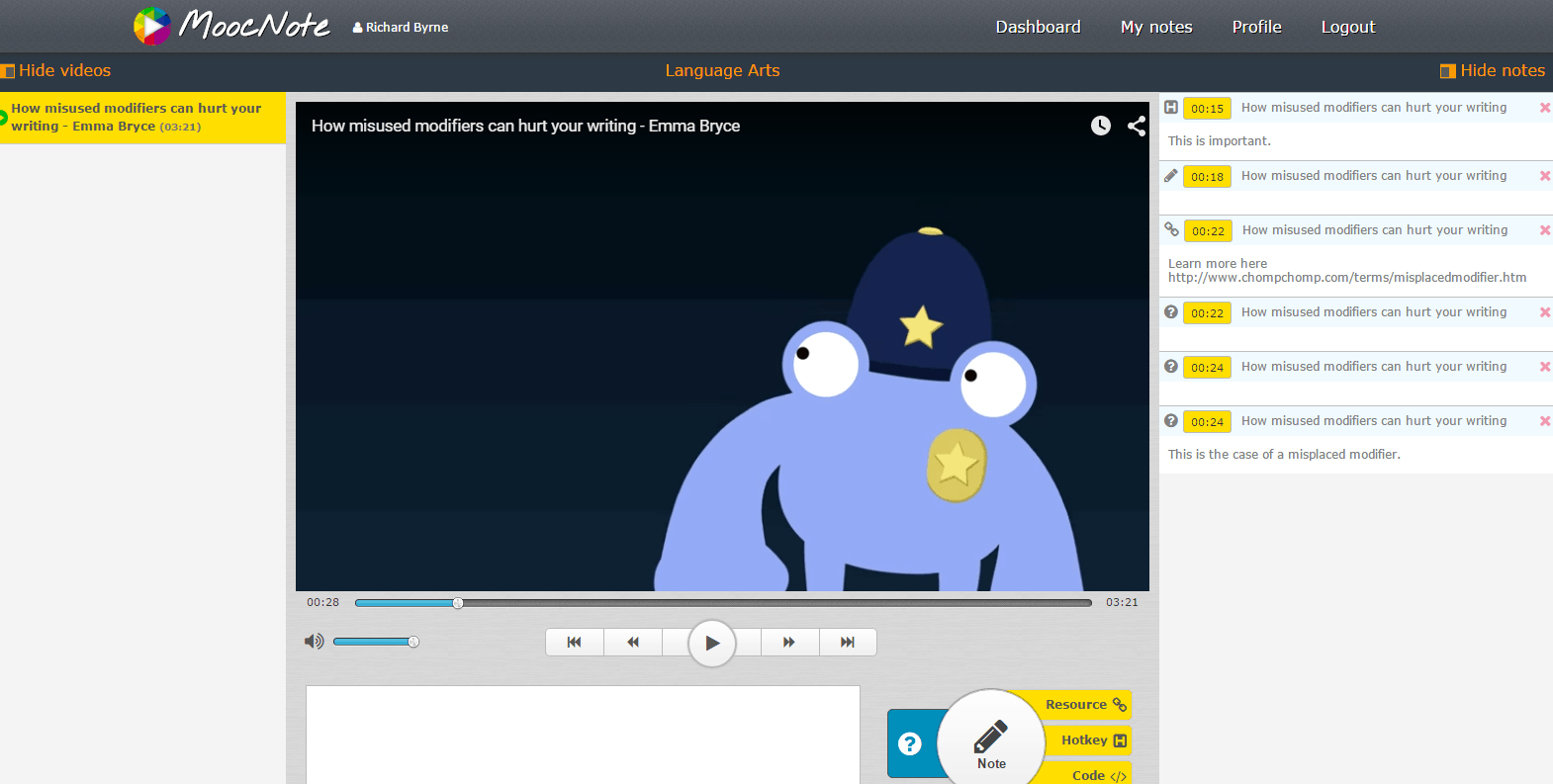
The service offers you a very complete ‘customer’ to watch your video and also to annotate it. This is one of the strengths of MoocNote. You can take notes on a video on the fly. Each note corresponds to an insertion point in the video. Thanks to this, when you consult your notes, you will be able to return automatically to the moment of the video where you inserted the insertion point. It is very practical to use.
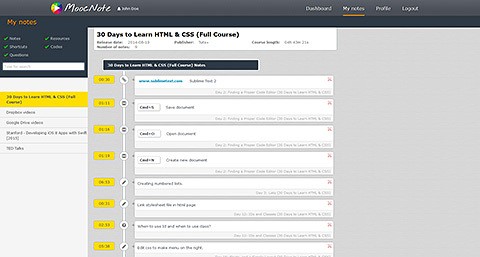
All notes from all videos are stored in MoocNote and can be viewed at any time. An internal search engine even allows you to find a note in all your annotations.
Another interesting option of MoocNote, the possibility to share a video or a collection of videos with a person or with an entire group. In the same way that you have inserted notes, you can insert questions into a video and invite the people with whom you have shared them to answer them.
[clickToTweet tweet= »An ideal video management tool for the inverted class. #tice » quote= »An ideal video management tool for the inverted class »]The best for the end, MoocNote for now is completely free and ad-free.
Link: MoocNote
 English
This is practical indeed but since it is (for now) impossible to share a public link (which would allow to view the videos and the synchronized notes without being registered on the site), it is cumbersome to use to share with a class. Furthermore, it is unfortunate that there is no visual indication that the video is annotated at any time.
After testing all the tools of this kind (Videonot.es, VideoAnt, Educanon, Ted-ed, Blubbr, …), I find that none is really practical and usable with classes, either because they are still totally buggy or because the sharing options are insufficient. There may still be Vibby, who works well, but whose features are limited.